
Read on here.
https://learn.microsoft.com/en-us/troubleshoot/mem/configmgr/error-0x800f0831-installing-update
--please don't forget to upvote and Accept as answer if the reply is helpful--
This browser is no longer supported.
Upgrade to Microsoft Edge to take advantage of the latest features, security updates, and technical support.

Good afternoon,
I have spent considerable time on this server and I am totally unable to get it to pick up any Windows Updates.
Please see update history log here:
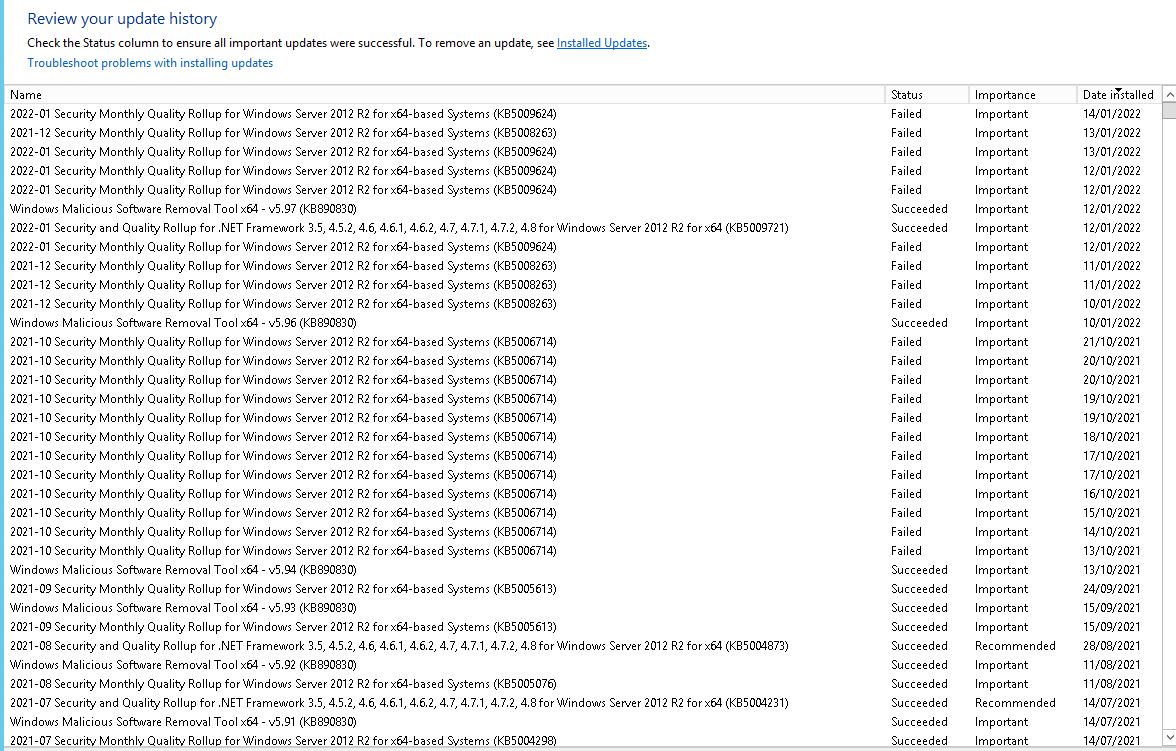
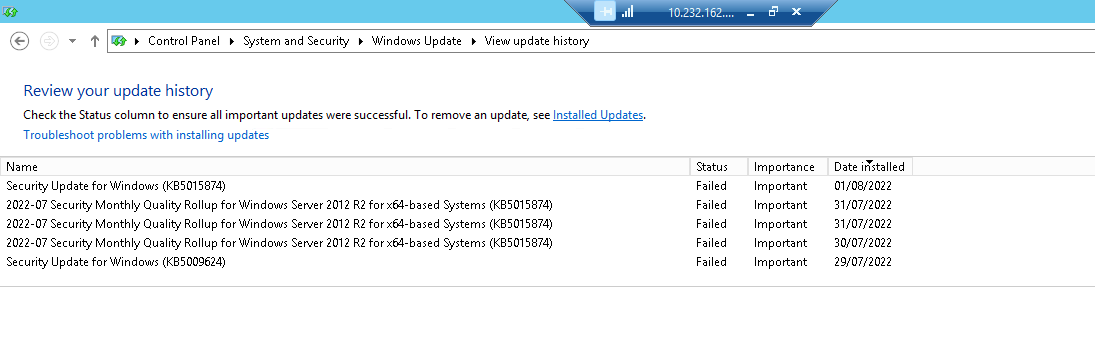
I cleared the Windows Update Cache, and now it shows the following:
I have tried to run Windows Update Troubleshooter, but I get the message: There are currently no troubleshooting packs available for this category.
The current pending update it wants to install is KB5015874. If I click install, it says Preparing to Install for some time before saying that the update cannot be installed.
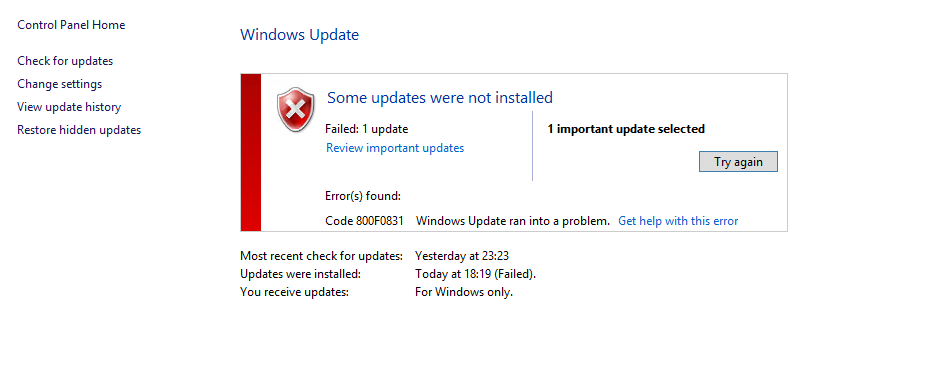
If I try and reboot, it says restart (and install update) but every time I do so, the update install fails.
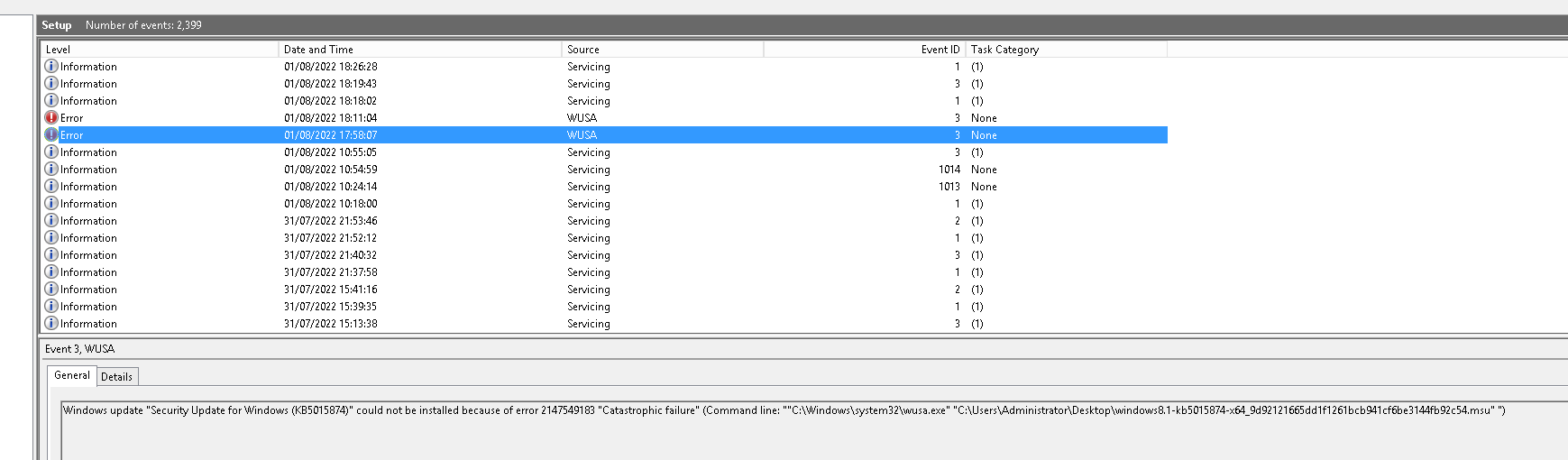
I have also attempted downloading the specific KB from Windows Update Catalouge so I can install it manually, same thing, it shows errors.
Here is an example of the errors I see in Event Log:
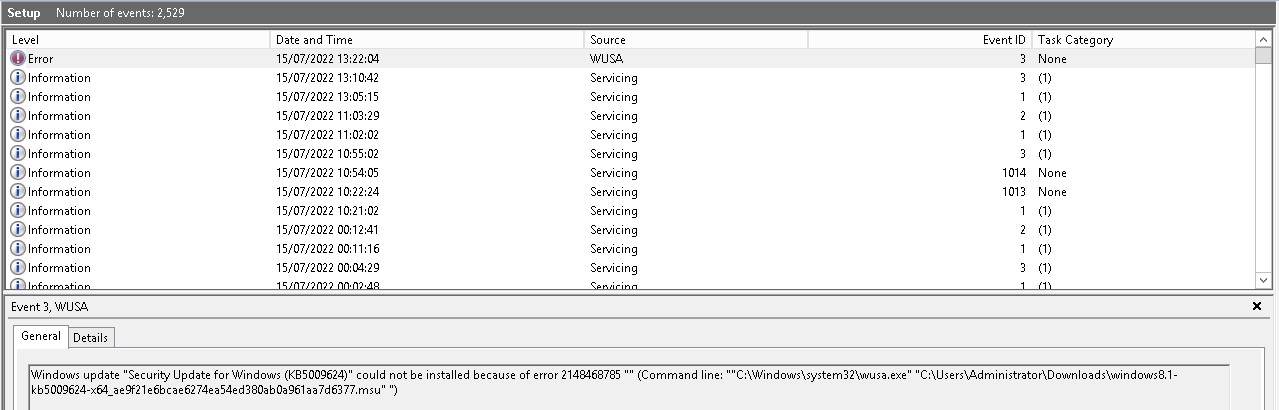
I have tried installing the latest SSU manually, it tells me it is already installed.
I have also executed the following DISM command whereby the source is a Server 2012 R2 install iso. Every time, it shows that it has detected things and repaired them but after a reboot, I am still in the same situation:
DISM.EXE /Online /Cleanup-Image /RestoreHealth /Source:F:\Sources\install.wim /Limit Access
I have put the latest CBS logs in a shared OneDrive folder here if anyone would like to view them:
' cx='32' cy='32' r='32' /%3E%3Ctext x='50%25' y='55%25' dominant-baseline='middle' text-anchor='middle' fill='%23FFF' %3EA%3C/text%3E%3C/svg%3E)
Read on here.
https://learn.microsoft.com/en-us/troubleshoot/mem/configmgr/error-0x800f0831-installing-update
--please don't forget to upvote and Accept as answer if the reply is helpful--
Thank you for your post.
The page suggests I may find either of the following errors in the CBS log:
Failed_Package> represents the package that can't be installed. <Missing_Package> represents the package for which the manifest is missing.<
Having searched through the CBS log, there are no such errors.
When I have attempted to download specific updates from Microsoft Update Store, every single one I attempt to install shows an error and does not install.
You can also try a repair install by running setup.exe from the root of the install media, but I wouldn't hold much hope for this. time may be better spent standing up a new one, patch fully, migrate roles over and move on.
--please don't forget to upvote and Accept as answer if the reply is helpful--
Just checking if there's any progress or updates?
--please don't forget to upvote and Accept as answer if the reply is helpful--
Thanks for your post. A few forum users on another site have recommended an In Place Upgrade. Apparently, you can IPU from 2012 R2 to 2012 R2 and this may solve the problems. Then I could IPU from 2012 R2 to 2016 which is the highest Windows OS the hardware could support. What are your thoughts on this?
You can sure try it but in my experience its doubtful to fix anything. Time may be better spent standing up a new one, patch fully, migrate roles over and move on.
--please don't forget to upvote and Accept as answer if the reply is helpful--
Just checking if there's any progress or updates?
--please don't forget to upvote and Accept as answer if the reply is helpful--