' cx='32' cy='32' r='32' /%3E%3Ctext x='50%25' y='55%25' dominant-baseline='middle' text-anchor='middle' fill='%23FFF' %3ELA%3C/text%3E%3C/svg%3E)


Hello @Little Athan ,
Welcome to Microsoft Q&A!
Full screen can be used in winui3.
The usage of full screen is mentioned in the document Migrate from UWP to the Windows App SDK.
Here is an example of button event triggering full screen,(It is recommended to use the latest Windows App SDK 1.1)
using Microsoft.UI;
using Microsoft.UI.Windowing;
using Microsoft.UI.Xaml;
using Microsoft.UI.Xaml.Controls;
using Microsoft.UI.Xaml.Controls.Primitives;
using Microsoft.UI.Xaml.Data;
using Microsoft.UI.Xaml.Input;
using Microsoft.UI.Xaml.Media;
using Microsoft.UI.Xaml.Navigation;
using System;
using System.Collections.Generic;
using System.IO;
using System.Linq;
using System.Runtime.InteropServices.WindowsRuntime;
using Windows.Foundation;
using Windows.Foundation.Collections;

using WinRT.Interop;

// To learn more about WinUI, the WinUI project structure,
// and more about our project templates, see: http://aka.ms/winui-project-info.

namespace Winui3FullScreen
{
    /// <summary>
    /// An empty window that can be used on its own or navigated to within a Frame.
    /// </summary>
    public sealed partial class MainWindow : Window
    {
        private AppWindow _appWindow;
        public MainWindow()
        {
            this.InitializeComponent();
            _appWindow = GetAppWindowForCurrentWindow();
        }

        private void myButton_Click(object sender, RoutedEventArgs e)
        {
            myButton.Content = "Clicked";
            if (_appWindow.Presenter.Kind == AppWindowPresenterKind.FullScreen)
            {
                _appWindow.SetPresenter(AppWindowPresenterKind.Default);
                myButton.Content = "Full Screen";
            }
            else
            {
                _appWindow.SetPresenter(AppWindowPresenterKind.FullScreen);
                myButton.Content = "Exit Full Screen";
            }
        }

        private AppWindow GetAppWindowForCurrentWindow()
        {
            IntPtr hWnd = WindowNative.GetWindowHandle(this);
            WindowId myWndId = Win32Interop.GetWindowIdFromWindow(hWnd);
            return AppWindow.GetFromWindowId(myWndId);
        }
    }
}
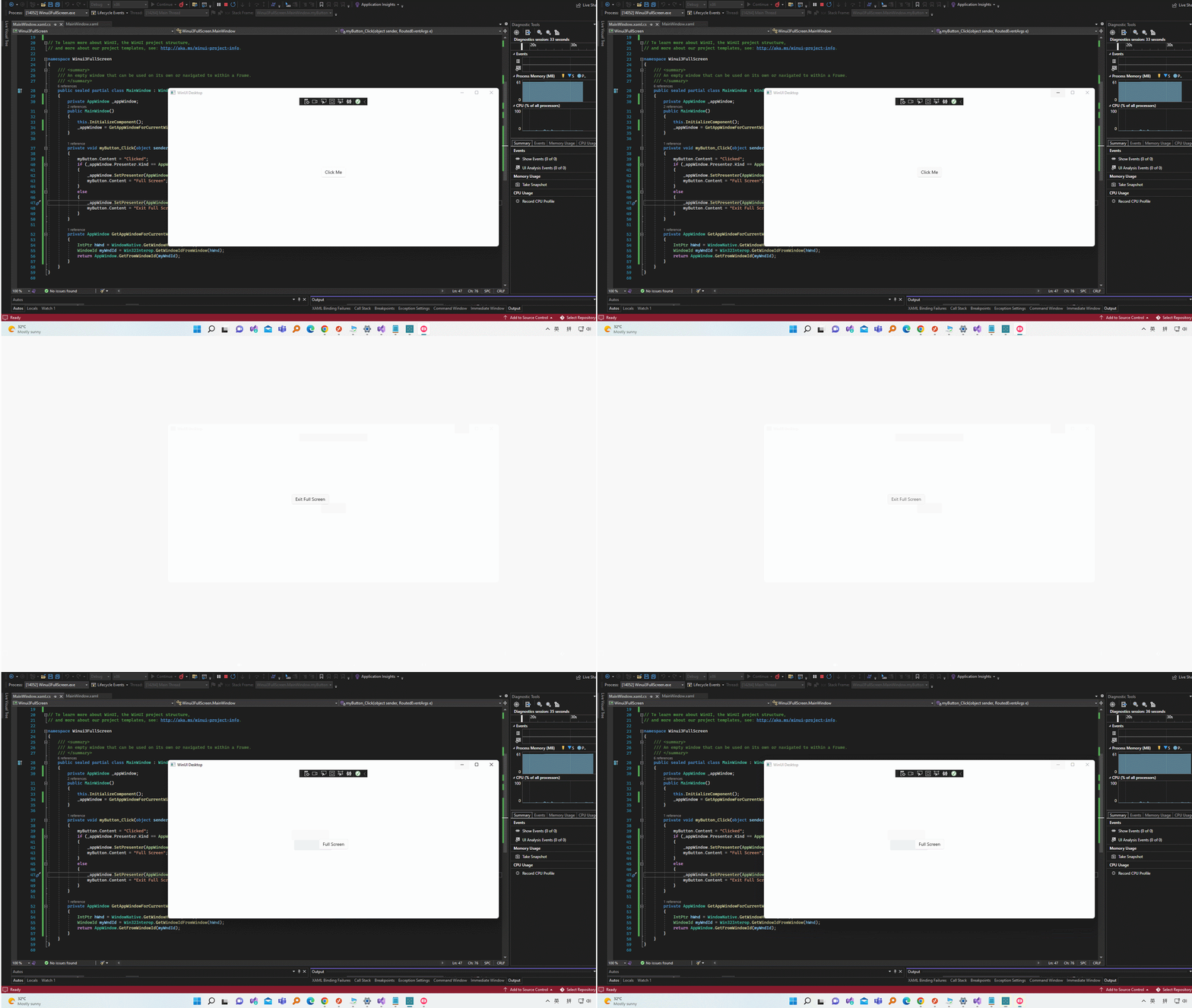
Thank you.
If the answer is the right solution, please click "Accept Answer" and kindly upvote it. If you have extra questions about this answer, please click "Comment".
Note: Please follow the steps in our documentation to enable e-mail notifications if you want to receive the related email notification for this thread.

' cx='32' cy='32' r='32' /%3E%3Ctext x='50%25' y='55%25' dominant-baseline='middle' text-anchor='middle' fill='%23FFF' %3EC6%3C/text%3E%3C/svg%3E)