Azure DNS
An Azure service that enables hosting Domain Name System (DNS) domains in Azure.
This browser is no longer supported.
Upgrade to Microsoft Edge to take advantage of the latest features, security updates, and technical support.
' cx='32' cy='32' r='32' /%3E%3Ctext x='50%25' y='55%25' dominant-baseline='middle' text-anchor='middle' fill='%23FFF' %3EWB%3C/text%3E%3C/svg%3E)
I need help understanding why accessing a shared folder using the administrator credentials fails when using the FQDN based on the Private DNS Zone domain.
Here is what happens:
If I do the same process as above but use \cfs1\sharename where sharename is any share on CFS1 including the administrative shares such as C$, it connects just fine. In this case there is no prompting for credentials.
I don't need any explanation as to why \CFS1\sharename works, but rather an explanation as to why \CFS1.sds.com\sharename fails to do so.
Additionally, the hosts file contains nothing for CFS1 or CFS1.sds.com. Also, sds.com is the Private DNS Zone object I created.
Thanks in advance
wb
An Azure service that enables hosting Domain Name System (DNS) domains in Azure.
An Azure networking service that is used to provision private networks and optionally to connect to on-premises datacenters.

is the domain "sds.com" the main domain in your Domain controller?
No. I only have a couple VMs and I am not running a domain controller.

Hi @Wes Baldwin ,
Welcome to the Microsoft Q&A Platform. Thank you for reaching out & I hope you are doing well.
I understand that you are not able to access your fileshare via the entire FQDN, however, the same works with VM's Host name.
I take it that you are trying to access the fileshare from the same VM (CFS1).
Kindly let me know if this is incorrect.
I was able to reproduce this at my end.
From my initial analysis, it appears that this is the behavior of the OS.
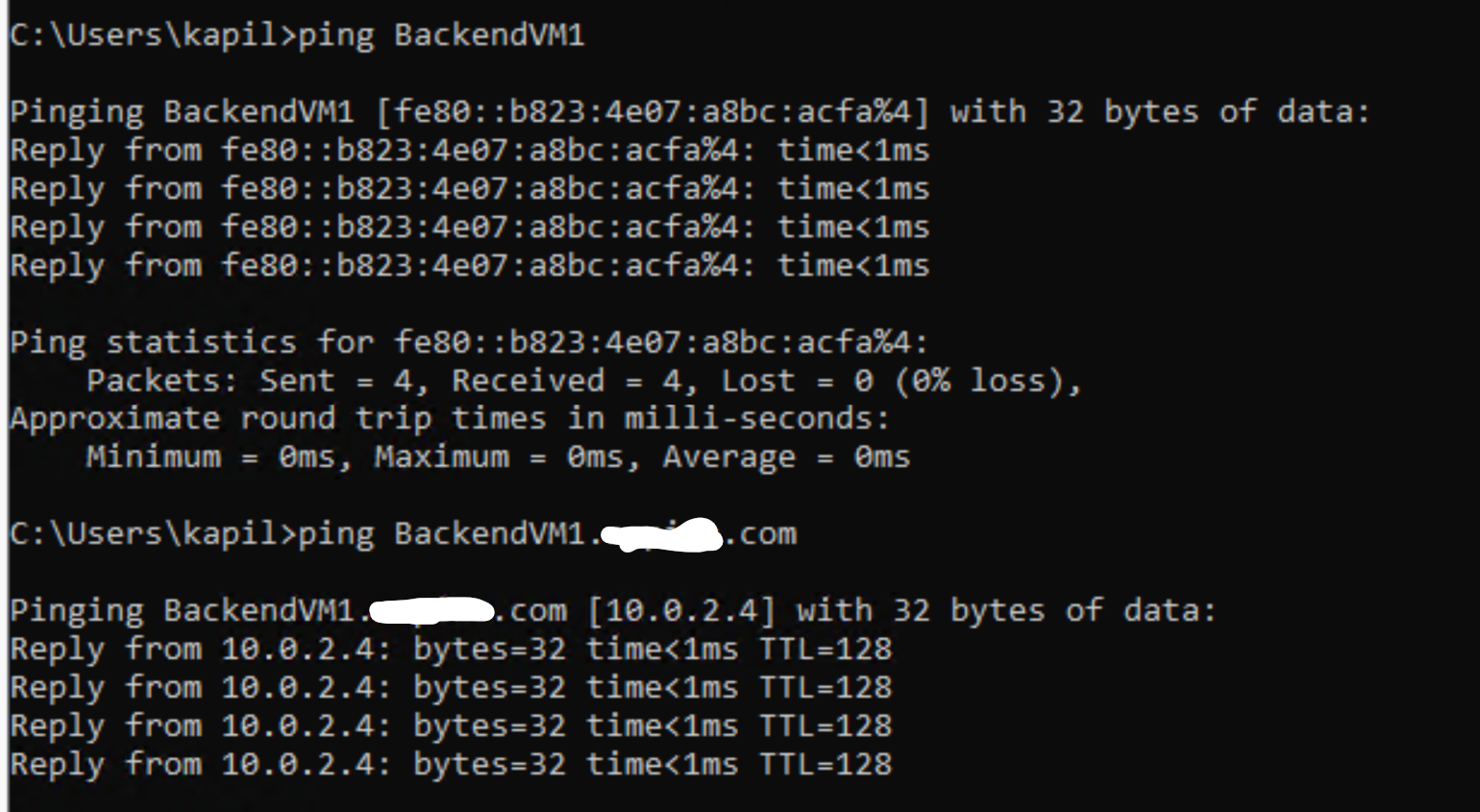
I shall update this post should I get more details on this.
Cheers,
Kapil
Kapil,
Everything you said in your reply is correct. It seems that I will need use means other than Private DNS zones for accessing the share.
Thank you for your investigation and response
Wes
Hi @Wes Baldwin ,
Thanks for your reply.
I shall summarize this discussion and post as an answer for the wider community.
Request you to accept the answer
Original posters help the community find answers faster by identifying the correct answer
Cheers,
Kapil
Answer accepted by question author
Hi @Wes Baldwin ,
Welcome to the Microsoft Q&A Platform. Thank you for reaching out & I hope you are doing well.
I understand that you are not able to access your fileshare via the entire FQDN, however, the same works with VM's Host name.
I take it that you are trying to access the fileshare from the same VM (CFS1).
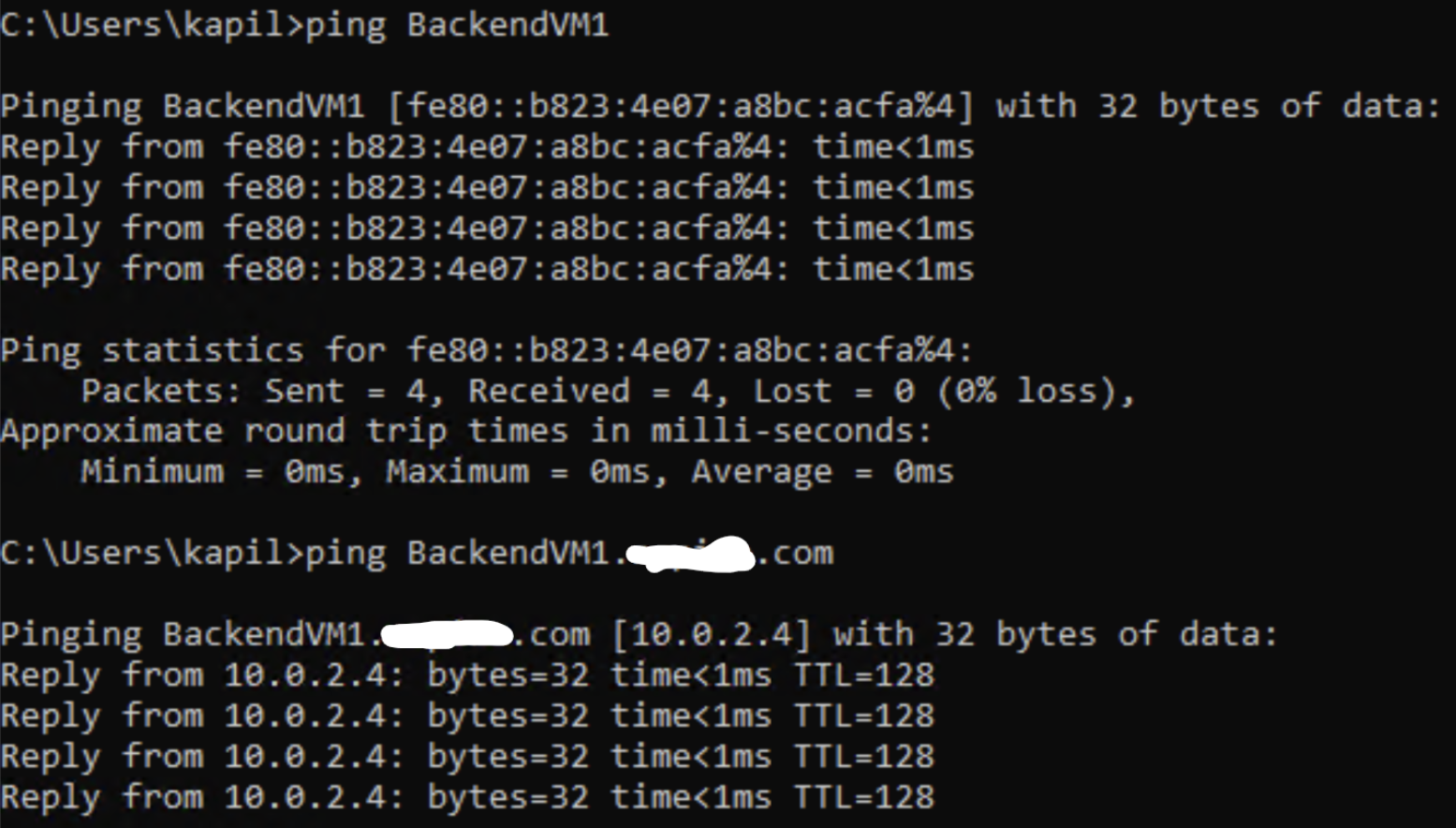
I hope this adds additional clarification
Cheers,
Kapil
----------------------------------------------------------------------------------------------------------------
Please don’t forget to close the thread by clicking "Accept the answer" wherever the information provided helps you, as this can be beneficial to other community members.