Microsoft 365 and Office | SharePoint | For business | Windows
A group of Microsoft Products and technologies used for sharing and managing content, knowledge, and applications.

This browser is no longer supported.
Upgrade to Microsoft Edge to take advantage of the latest features, security updates, and technical support.
' cx='32' cy='32' r='32' /%3E%3Ctext x='50%25' y='55%25' dominant-baseline='middle' text-anchor='middle' fill='%23FFF' %3EG%3C/text%3E%3C/svg%3E)
I'm attempting to get "file request" working in sharepoint, but unable to do so.
Onedrive is working okay.
What am I doing wrong in sharepoint?
I've completed the instructions here: (as seen in the screenshots below)
https://learn.microsoft.com/en-au/sharepoint/turn-external-sharing-on-or-off#advanced-settings-for-anyone-links
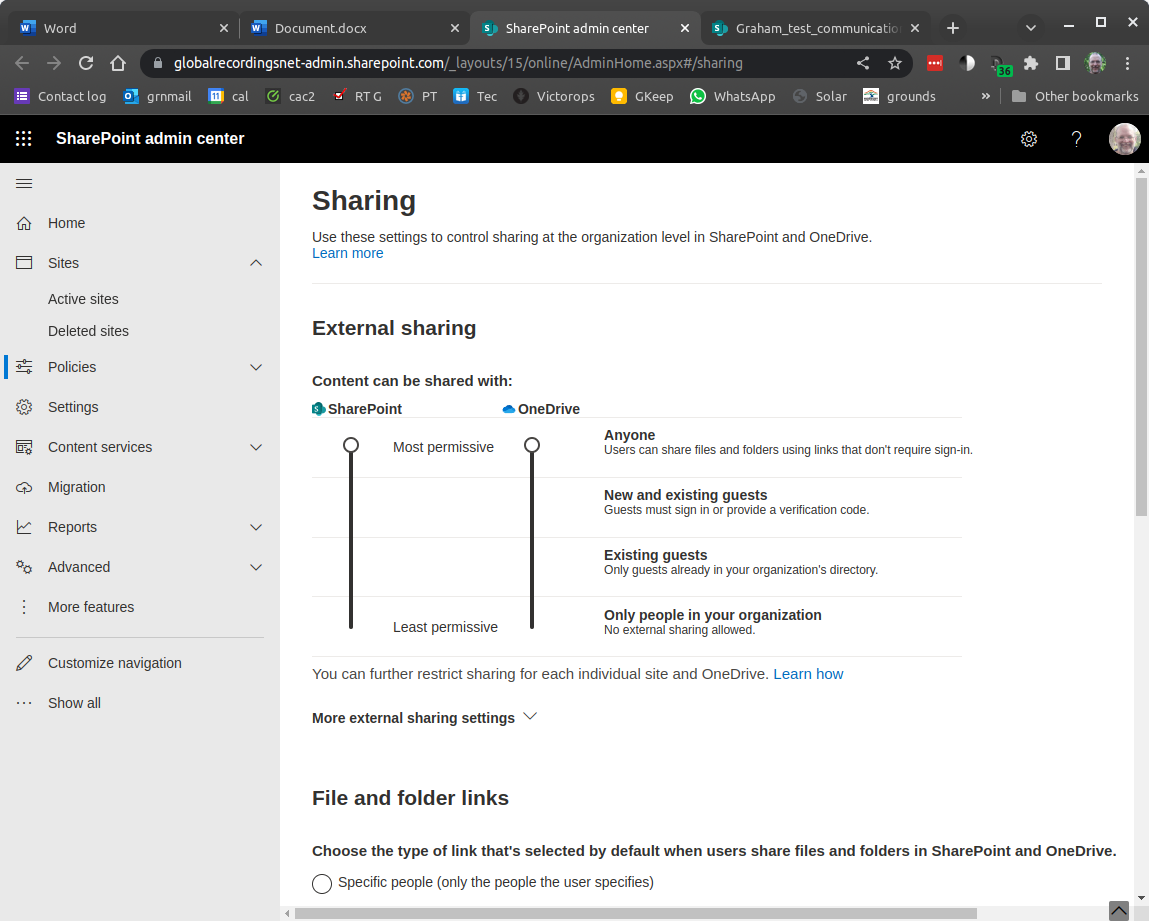

I've setup my test sharepoint site with as permissive privileges as possible.

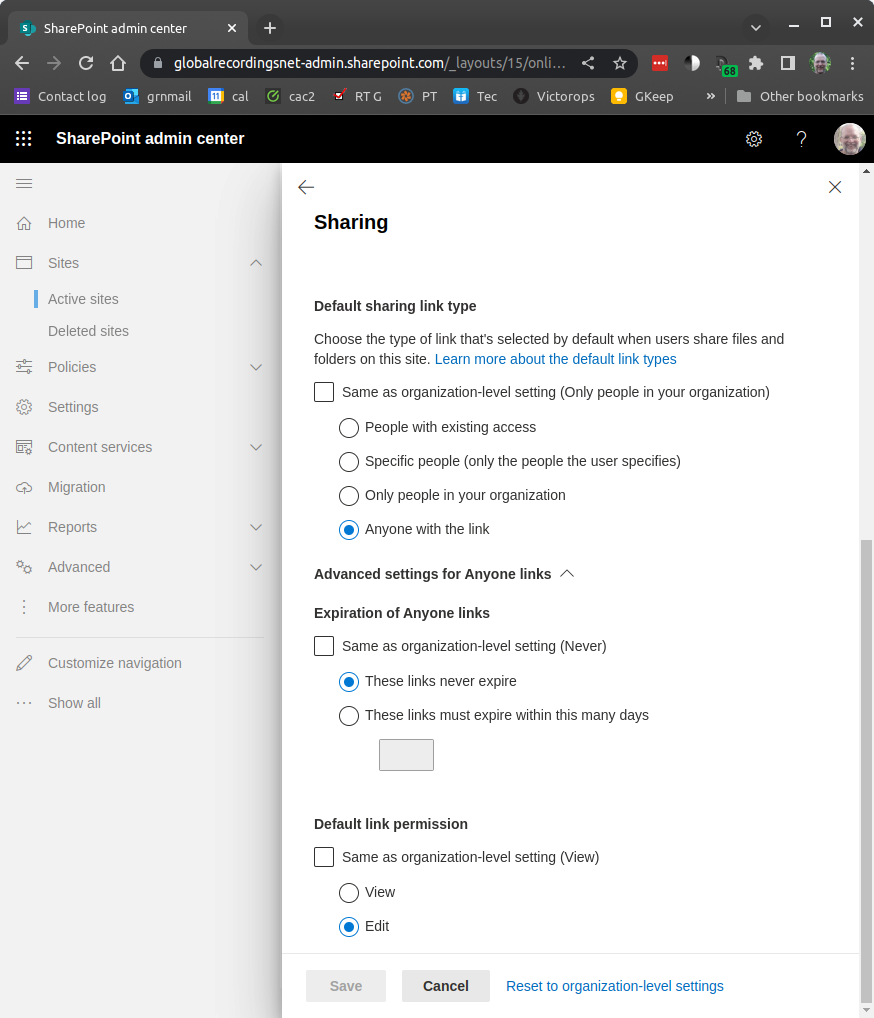
Unfortunately there is no "file request" link available for any folders in sharepoint. Can you point me in the right direction?
Thanks,
Graham

Hi @GrahamS
I believe this feature is only available for OneDrive:
Create a file request

------------------------------
If this is helpful please accept answer.
' cx='32' cy='32' r='32' /%3E%3Ctext x='50%25' y='55%25' dominant-baseline='middle' text-anchor='middle' fill='%23FFF' %3EED%3C/text%3E%3C/svg%3E)
Agree with DillonJS. This feature is only available for OneDrive.
According to this Microsoft official article,
With the file request feature in OneDrive, you can choose a folder where others can upload files using a link that you send them. People you request files from can only upload files; they can't see the content of the folder, edit, delete, or download files, or even see who else has uploaded files.
If the answer is helpful, please click "Accept Answer" and kindly upvote it. If you have extra questions about this answer, please click "Comment".
Note: Please follow the steps in our documentation to enable e-mail notifications if you want to receive the related email notification for this thread.
This answer has been deleted due to a violation of our Code of Conduct. The answer was manually reported or identified through automated detection before action was taken. Please refer to our Code of Conduct for more information.
Comments have been turned off. Learn more