Azure Data Factory
An Azure service for ingesting, preparing, and transforming data at scale.
This browser is no longer supported.
Upgrade to Microsoft Edge to take advantage of the latest features, security updates, and technical support.
' cx='32' cy='32' r='32' /%3E%3Ctext x='50%25' y='55%25' dominant-baseline='middle' text-anchor='middle' fill='%23FFF' %3ESZ%3C/text%3E%3C/svg%3E)
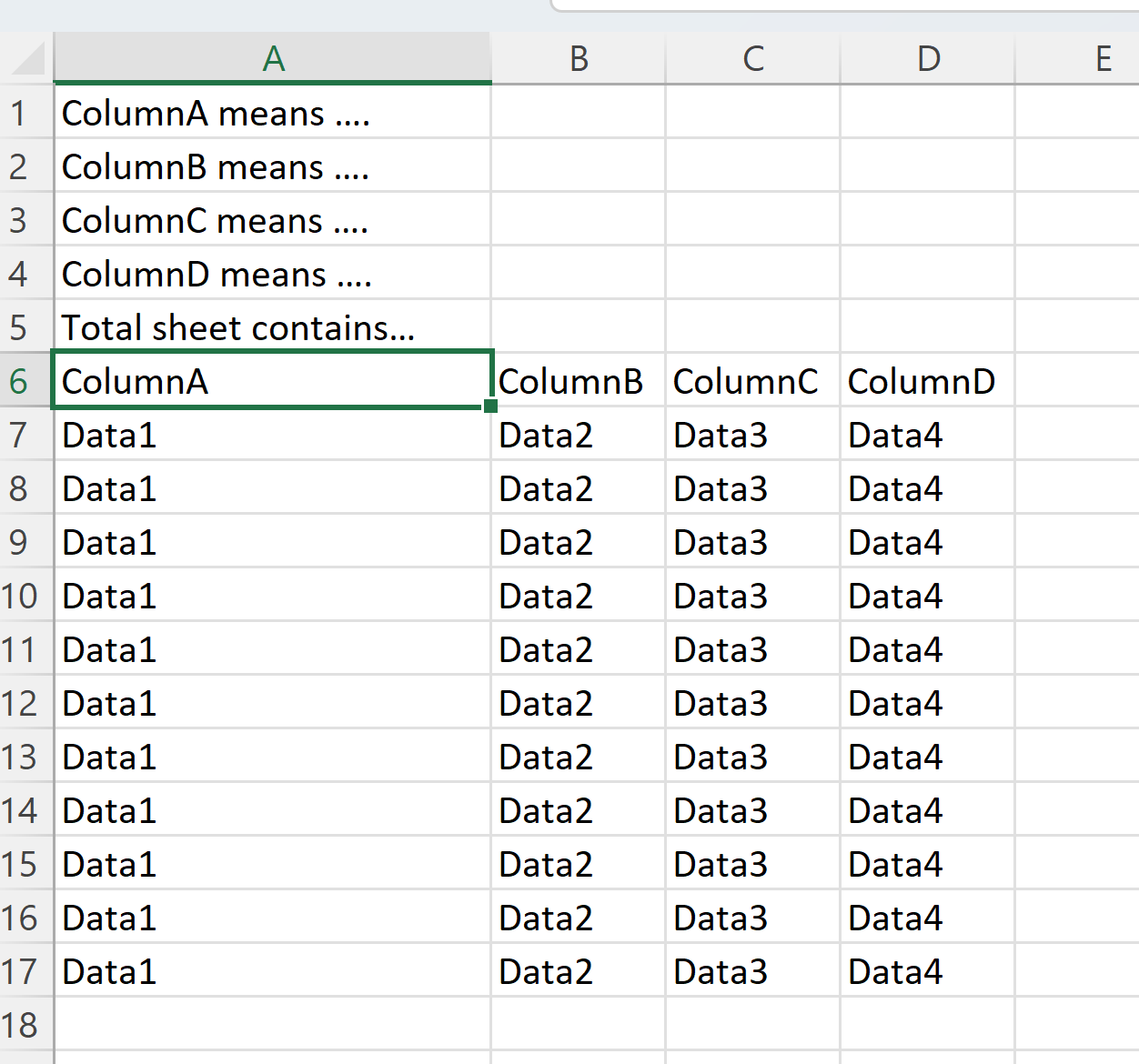
I can load multiple excel files on SharePoint Online with token in a foreach(first row as header and all following rows are data). But the last step is: read rows from A6 as header and following rows as data.
The sheet example can be like below:
I leaned that Workflow can do filter tasks but it can't call sharepoint with exactly same configurations I did on copy activity.


Hi @Simon Zhang
We are currently doing some research on this issue, will let you know as soon as possible.
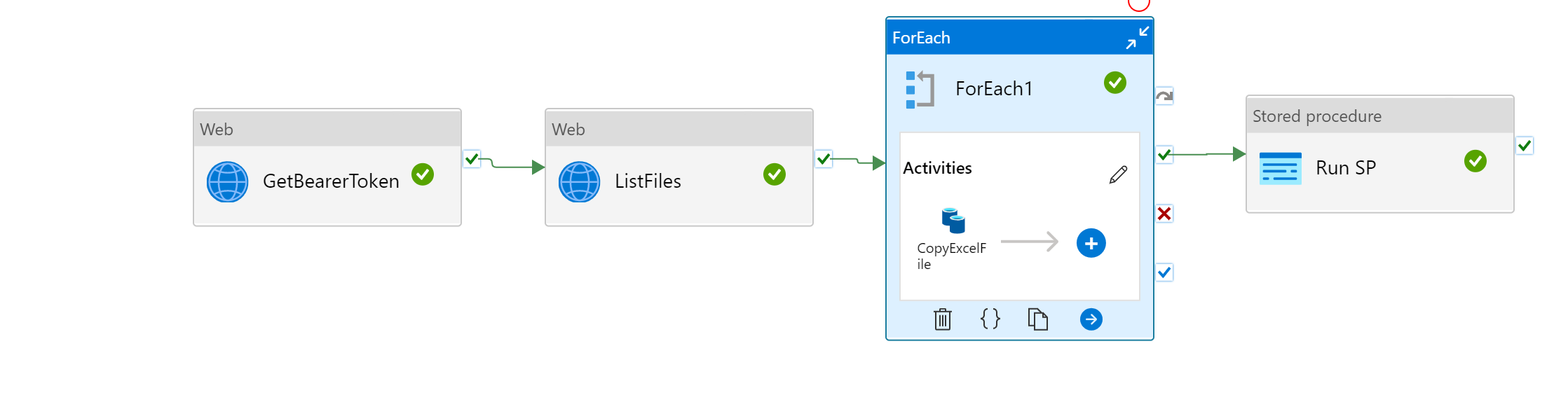
Thanks. Currently my pipeline looks like this. In Foreach, it is calling SharePoint site with additional header.
Hi @Simon Zhang
To avoid some misunderstanding, I want to confirm that whether the token you mentioned is token in Rest API or a 3rd tool.
Hi All,
Can you please take a screenshot about what config you used if you successfully load range into your target?
I don't know why I can't upload screenshot for now. Will upload my failed ones when I can.

Thanks,
Simon
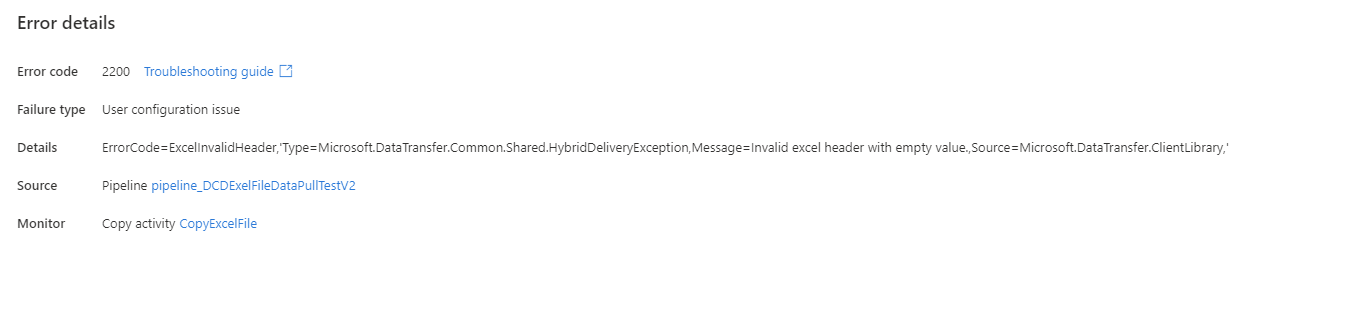
Here is the error mes:
Today, I found another issue:
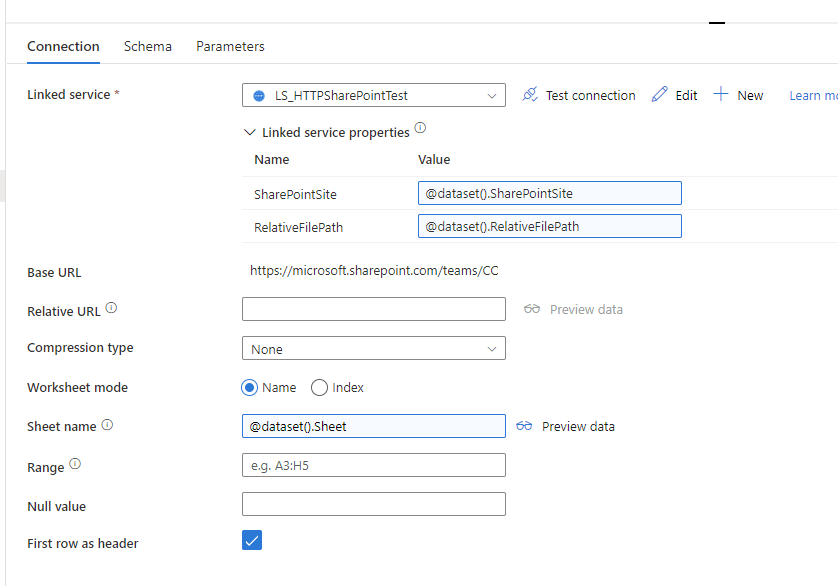
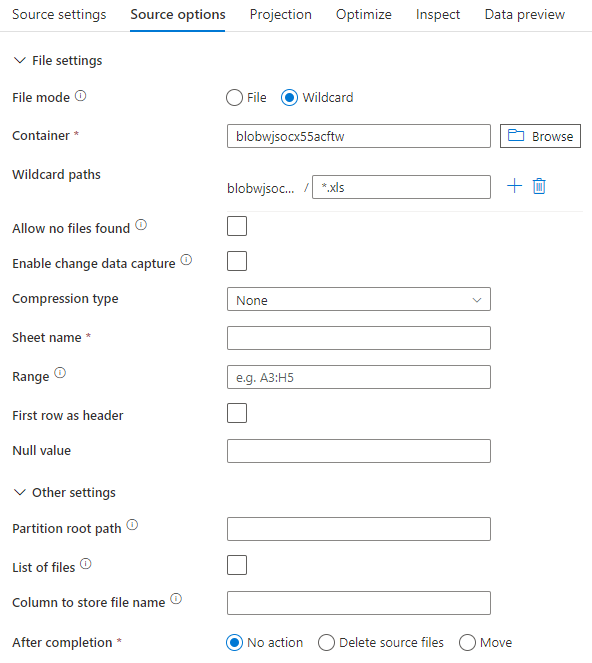
When using range in the below screenshot, I have to keep rows above header empty to get it work. Will try for some other ways to see if these two issues can be fixed.
' cx='32' cy='32' r='32' /%3E%3Ctext x='50%25' y='55%25' dominant-baseline='middle' text-anchor='middle' fill='%23FFF' %3ER%3C/text%3E%3C/svg%3E)
Hi @Simon Zhang
You can follow this document to retrieve specific cells in excel file.
https://learn.microsoft.com/en-us/azure/data-factory/format-excel#dataset-properties
You can set specific cell in Range
If the answer is helpful, please click "Accept Answer" and kindly upvote it. If you have extra questions about this answer, please click "Comment".
Note: Please follow the steps in our documentation to enable e-mail notifications if you want to receive the related email notification for this thread.
Can you please let me know your parameter to get it work? I tried but failed.

Kindly check below link to understand how Range works and use your settings accordingly.
https://learn.microsoft.com/en-us/azure/data-factory/format-excel#dataset-properties
----------
Please consider hitting Accept Answer button. Accepted answers help community as well.
I don't know why I can upload images to this comments part. So I put it below. Can you please check and see if yours work perfect for me to follow?
Hi @Simon Zhang ,
Thank you for sharing details.
Error
Invalid excel header with empty valuewill come when your headers values are empty in your excel. To avoid this error we can consider using dataflows and implement small trick which explained in below thread. Kindly check it and try the same.
Hope this helps. Please let me know if any further queries.
--------------------
Please consider hitting Accept Answer button. Accepted answers help community as well.
Can you please copy your succeeded screenshot to show me how you use it?