Azure SQL Database
An Azure relational database service.
This browser is no longer supported.
Upgrade to Microsoft Edge to take advantage of the latest features, security updates, and technical support.
' cx='32' cy='32' r='32' /%3E%3Ctext x='50%25' y='55%25' dominant-baseline='middle' text-anchor='middle' fill='%23FFF' %3ENH%3C/text%3E%3C/svg%3E)
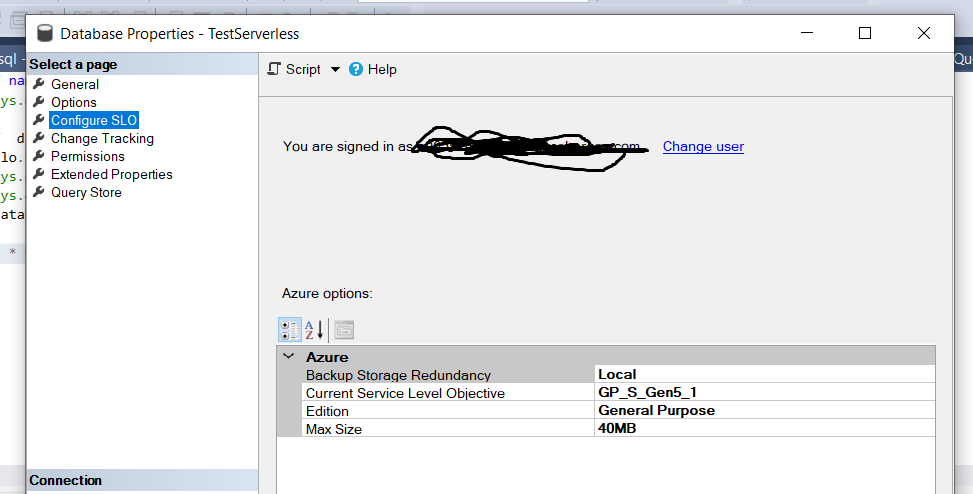
I have what I perceive as a "database" and can view it in SSMS. I can also see its SLO in SSMS.
It is serverless.
When I query SLO using T-SQL as below
SELECT  d.name,
     slo.*
FROM sys.databases d
JOIN sys.database_service_objectives slo
ON d.database_id = slo.database_id;
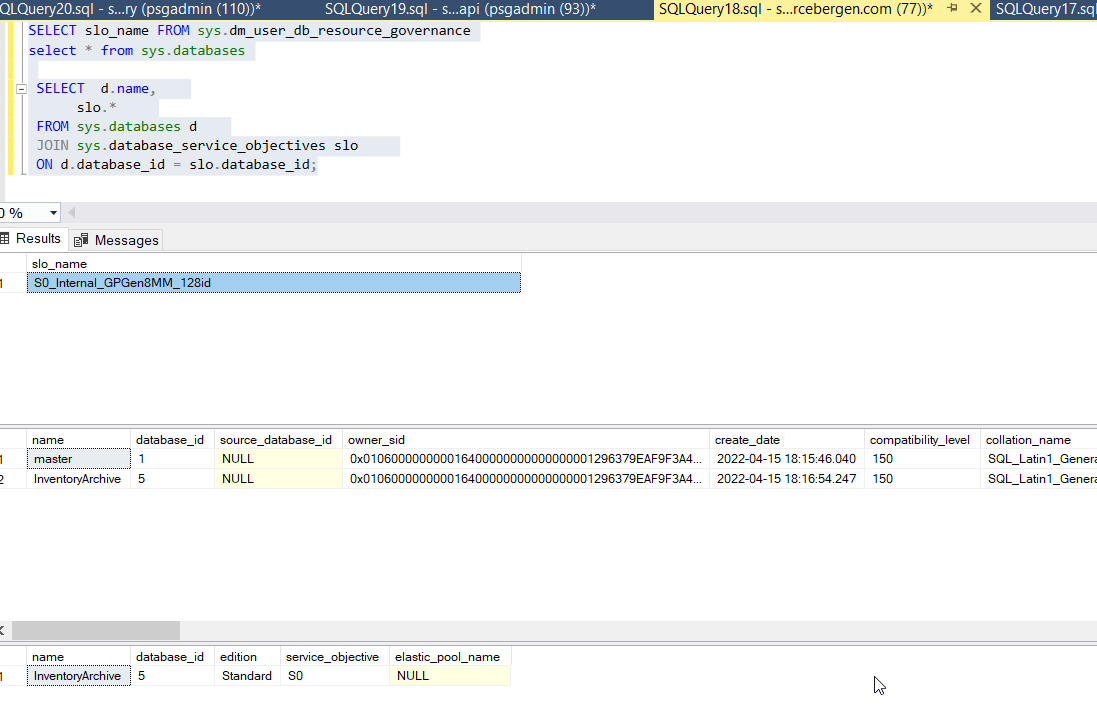
I DO NOT see serverless databases listed in the output grid.
Thank you very much!

If you execute the following query:
SELECT slo_name FROM sys.dm_user_db_resource_governance
You will get:

On the results, the prefix "SQLDB_GP_S_GEN5" means Azure SQL Database General Purpose (GP) Serverless (S), Gen 5. See other columns of the sys.dm_user_db_resource_governance for more details about the database.
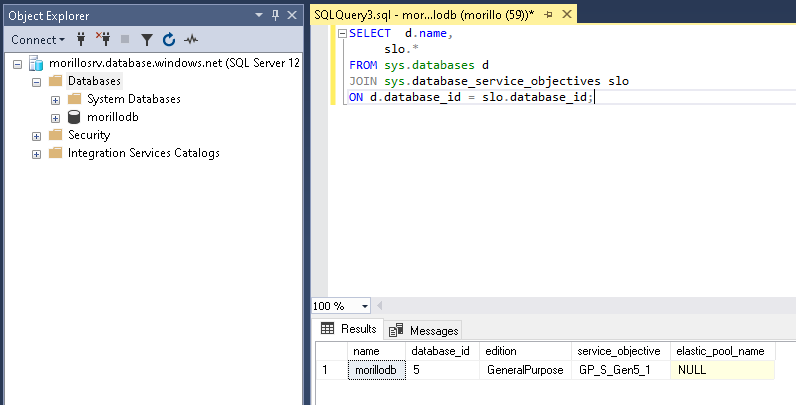
If I use your query on the context of your serverless database like:
SELECT d.name,
slo.*
FROM sys.databases d
JOIN sys.database_service_objectives slo
ON d.database_id = slo.database_id;
You get almost the same:

That "S" on the service objective column "GP_S_Gen5_1" means Serverless.
Please upgrade the SQL Server Management Studio to the latest version for a better Azure user experience.
Alberto,
Thank you very much for the diligent reply. I believe the query. However there is something in my environment or settings that suppress the serverless databases.
I have 4 databases per SSMS database node:
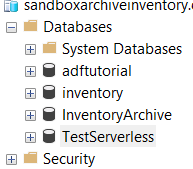
Yet the t-sql query only shows 1 and suppresses the serverless databases.
I do not have that problem.
Please download and install the latest version of SQL Server Management Studio. Make a right click on Databases and select Refresh when the database has auto-resumed (it is not paused).
Alberto,
Thank you for your guidance. I see the serverless databases now with the SSMS upgrade.
Wonderful! Thank you Nguyen for the feedback. I updated my original answer accordingly to better help others in the future. Have a great day!