Hi @brick bone ,
Could you post the summary information and error logs so that we can understand your problem in detail.
And you can find the mentioned thing in this location:

Sql server 2019 express edition Installation error
' cx='32' cy='32' r='32' /%3E%3Ctext x='50%25' y='55%25' dominant-baseline='middle' text-anchor='middle' fill='%23FFF' %3EBB%3C/text%3E%3C/svg%3E)
brick bone
21
Reputation points
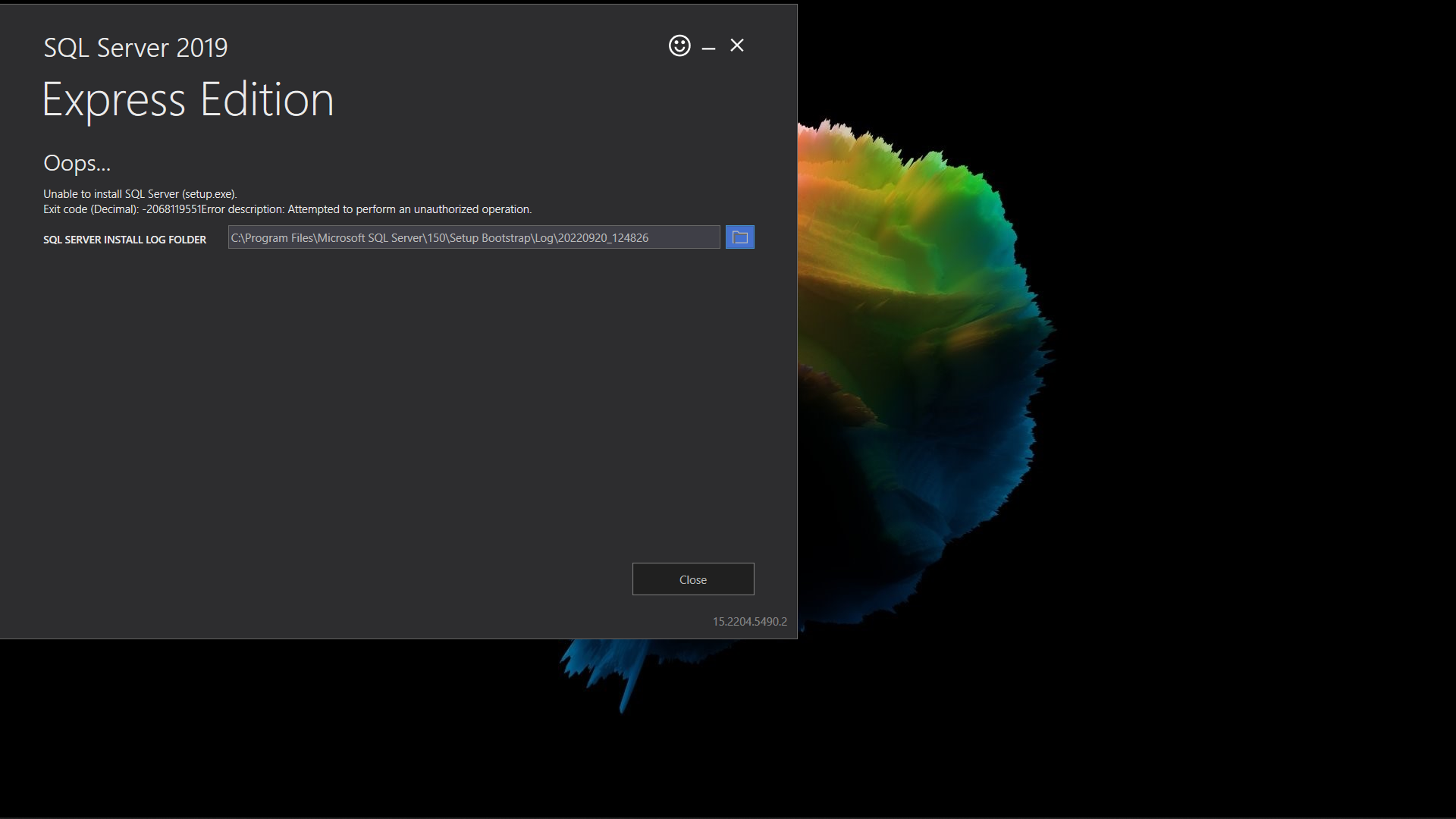 I tried to install server by basic type and i am getting error
It says
Unable to install sql server
Exit code(decimal) -2068119551 error description:attempted to perform an unauthorized operation
Pleasr help
SQL Server | Other
Answer accepted by question author
-
 PandaPan-MSFT 1,931 Reputation points
2022-09-20T09:39:15.37+00:00 -
brick bone 21 Reputation points
2022-09-20T10:53:08.87+00:00 heres my summary242964-summary.txt
-
brick bone 21 Reputation points
2022-09-20T11:03:10.403+00:00 i couldn't find the error logs
Sign in to comment -
2 additional answers
Sort by: Most helpful
-
 Erland Sommarskog 129.6K Reputation points MVP Volunteer Moderator
2022-09-20T21:52:21.86+00:00 You have marked Panda's Answer as accepted, does this mean that you were able to complete the installation successfully?`
In case the issue persists, I have two questions for you:
- What antivirus software do you run?
- Can you upload detail.txt, which is located in the same folder as the summary file? This file has more information. (Too much more you could say!)
-
PandaPan-MSFT 1,931 Reputation points
2022-09-21T01:33:03.423+00:00 Hi @brick bone ,
The error logs are in the files whose name are "year month day" just above the "summary"
And here is the official link you may check it which explains the error log https://learn.microsoft.com/en-us/sql/database-engine/install-windows/view-and-read-sql-server-setup-log-files?view=sql-server-ver15I checked your summary report and could you check the following points that may cause the problem:
- If you have installed SQL Server before, this problem could occur when the previous failed installation of SQL Server is not removed completely. Make sure you remove previous failed installation from add remove programs completely.
- Make sure you right click on setup.exe file and select run as administrator when you want to start the SQL Server installation
- Disable any antivirus/security software or uninstall it temporarily on the machine for the time that the installation is running.