Microsoft 365 and Office | SharePoint | For business | Windows
A group of Microsoft Products and technologies used for sharing and managing content, knowledge, and applications.

This browser is no longer supported.
Upgrade to Microsoft Edge to take advantage of the latest features, security updates, and technical support.
' cx='32' cy='32' r='32' /%3E%3Ctext x='50%25' y='55%25' dominant-baseline='middle' text-anchor='middle' fill='%23FFF' %3EMG%3C/text%3E%3C/svg%3E)
using microsoft graph, and a token we need to read a shared excel in our site in sharepoint.
what are the minimal permissions and a example url to read it?
We have tried with https://graph.microsoft.com/v1.0/shares/ but received "Either scp or roles claim need to be present in the token"
Application permissions such Files.Read.All seems to be too much if we only need to access one file.
' cx='32' cy='32' r='32' /%3E%3Ctext x='50%25' y='55%25' dominant-baseline='middle' text-anchor='middle' fill='%23FFF' %3ETZ%3C/text%3E%3C/svg%3E)
Hi @Mario González ,
We are currently doing some research on this issue, will let you know as soon as possible.
Hi @Mario González ,
According to my research and testing, If you want access the shared file, please use the following Graph API:
GET /shares/{shareIdOrUrl}/driveItem
And one of the following permissions is required to call this API:
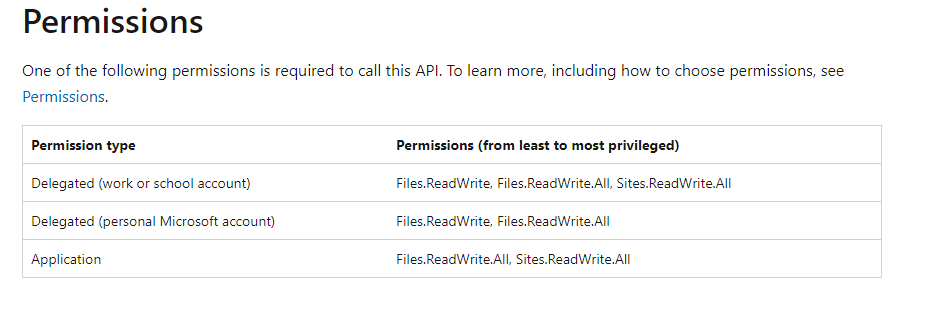
The shareIdOrUrl parameter : please create a ShareLink for this this file , and then follow these steps to convert the ShareLink:
- First, use base64 encode the URL.
- Convert the base64 encoded result to unpadded base64url format by removing = characters from the end of the value, replacing / with _ and + with -.)
- Append u! to be beginning of the string.
Please refer to this document : Accessing shared DriveItems
Similar issue for reference: How to get the shared file with Microsoft Graph
My test result:
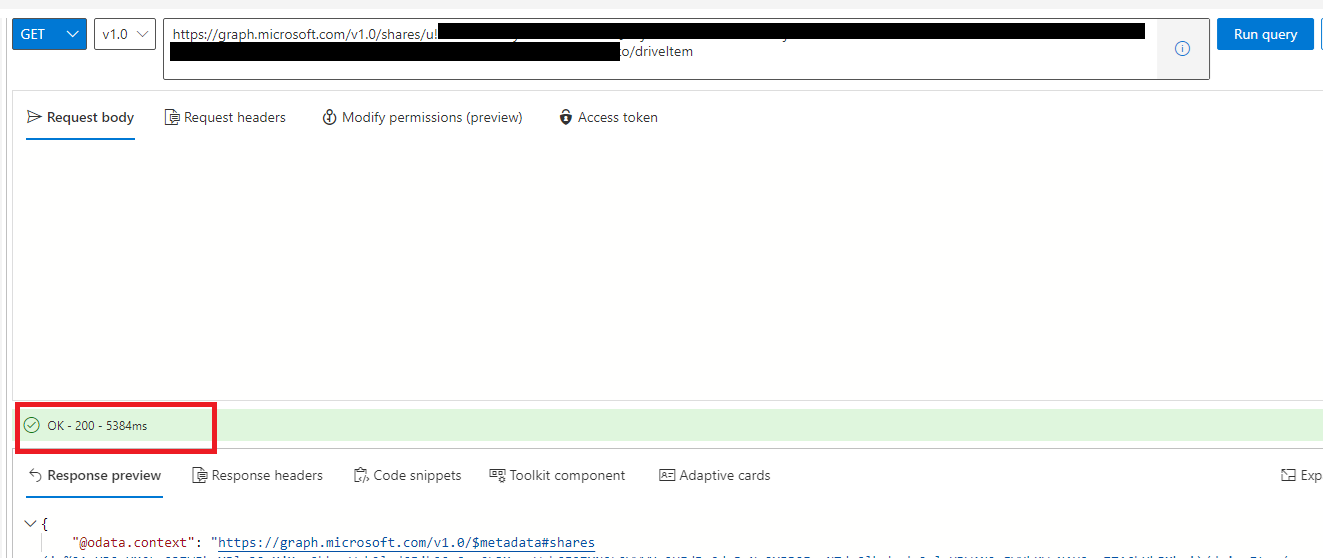
Hope it can help you. Thanks for your understanding.
Note: Microsoft is providing this information as a convenience to you. The sites are not controlled by Microsoft. Microsoft cannot make any representations regarding the quality, safety, or suitability of any software or information found there. Please make sure that you completely understand the risk before retrieving any suggestions from the above link.
If the answer is helpful, please click "Accept Answer" and kindly upvote it. If you have extra questions about this answer, please click "Comment".
Note: Please follow the steps in our documentation to enable e-mail notifications if you want to receive the related email notification for this thread.
Hi @Mario González ,
Do you have any further questions about this thread? If you have any questions or progress, you can contact me in time.