Microsoft 365 and Office | SharePoint | For business | Windows
A group of Microsoft Products and technologies used for sharing and managing content, knowledge, and applications.

This browser is no longer supported.
Upgrade to Microsoft Edge to take advantage of the latest features, security updates, and technical support.
' cx='32' cy='32' r='32' /%3E%3Ctext x='50%25' y='55%25' dominant-baseline='middle' text-anchor='middle' fill='%23FFF' %3EA%3C/text%3E%3C/svg%3E)
I am trying to access an organisations User drive(s)
I am getting this error:
Error code: BadRequest
Error message: Unable to retrieve user's mysite URL.
GET https://graph.microsoft.com/v1.0/users/{user-id}/drives
The documentation states
To access a user's OneDrive or OneDrive for Business, your app must request the drive relationship on the User resource.
Can someone explain what this means to me please? I am unable to do this on the AD Applications Permissions UI. How can i request the "drive" relationship on a User resource?
' cx='32' cy='32' r='32' /%3E%3Ctext x='50%25' y='55%25' dominant-baseline='middle' text-anchor='middle' fill='%23FFF' %3EH%3C/text%3E%3C/svg%3E)
Hi @Adz
Hope you're doing well.
As you are using Client Credentials Flow, please verify the below:
Note: Guest users won't have a dedicated OneDrive.
Also, please use GET /users/{idOrUserPrincipalName}/drive instead of /drives
Documentation Reference: Get User's OneDrive
Hope this helps.
If the answer is helpful, please click "Accept Answer" and kindly upvote it. If you have extra questions about this answer, please click "Comment".
' cx='32' cy='32' r='32' /%3E%3Ctext x='50%25' y='55%25' dominant-baseline='middle' text-anchor='middle' fill='%23FFF' %3ETZ%3C/text%3E%3C/svg%3E)
Hi @Adz ,
I agree with HarmeetSinghMSFT-7172's answer, if you want to Get a user's OneDrive, please note the following:
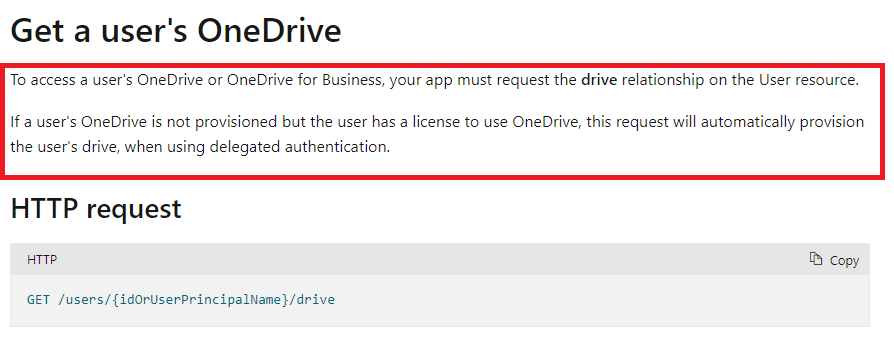
Also, please make sure the user-id is entered correctly. In my test, the same error will occur if you enter the wrong user-id.
Please reference to this document: Get a user's OneDrive
My test result:
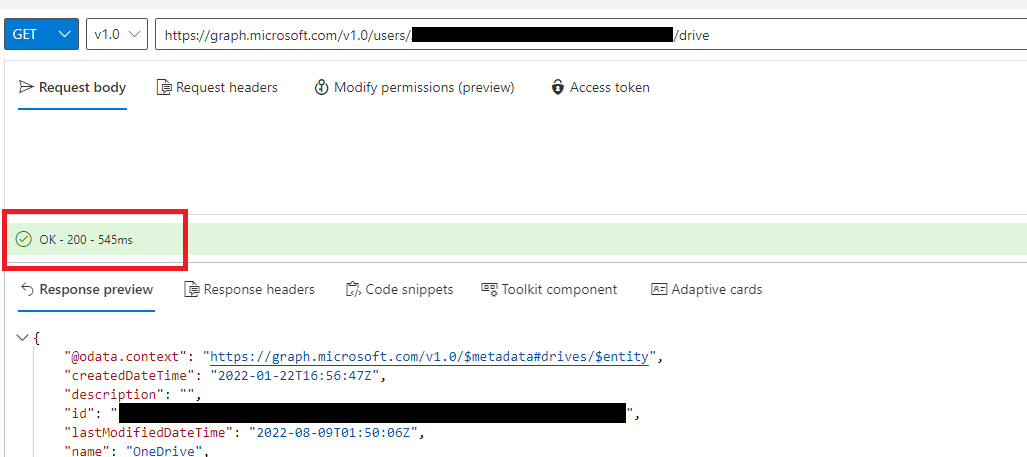
Hope it can help you. Thanks for your understanding.
If the answer is helpful, please click "Accept Answer" and kindly upvote it. If you have extra questions about this answer, please click "Comment".
Note: Please follow the steps in our documentation to enable e-mail notifications if you want to receive the related email notification for this thread.
Hi @Adz ,
Do you have any further questions about this thread ? If you have any questions or progress, you can contact me in time. Thanks for your understanding.