Azure AI Document Intelligence
An Azure service that turns documents into usable data. Previously known as Azure Form Recognizer.
This browser is no longer supported.
Upgrade to Microsoft Edge to take advantage of the latest features, security updates, and technical support.
' cx='32' cy='32' r='32' /%3E%3Ctext x='50%25' y='55%25' dominant-baseline='middle' text-anchor='middle' fill='%23FFF' %3ENA%3C/text%3E%3C/svg%3E)
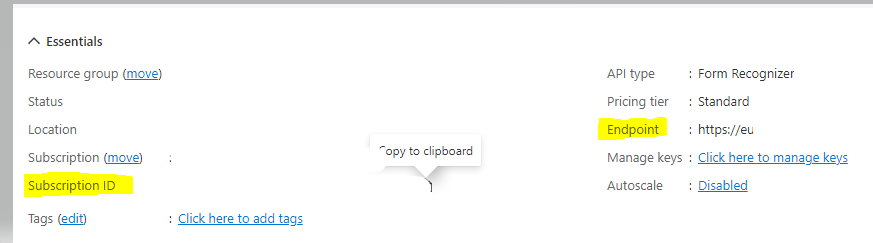
I have used the Subscription ID and End point URL to connect the SDK connection but its not working it is throwing error can you assist me in this.
' cx='32' cy='32' r='32' /%3E%3Ctext x='50%25' y='55%25' dominant-baseline='middle' text-anchor='middle' fill='%23FFF' %3EYM%3C/text%3E%3C/svg%3E)
Hello @+NYCWMG Adopsbot
Thanks for reaching out to Microsoft Q&A platform! To connect to your resource, you need to use API key and Endpoint URL not your Azure Subscription.
Please check on below screenshot:
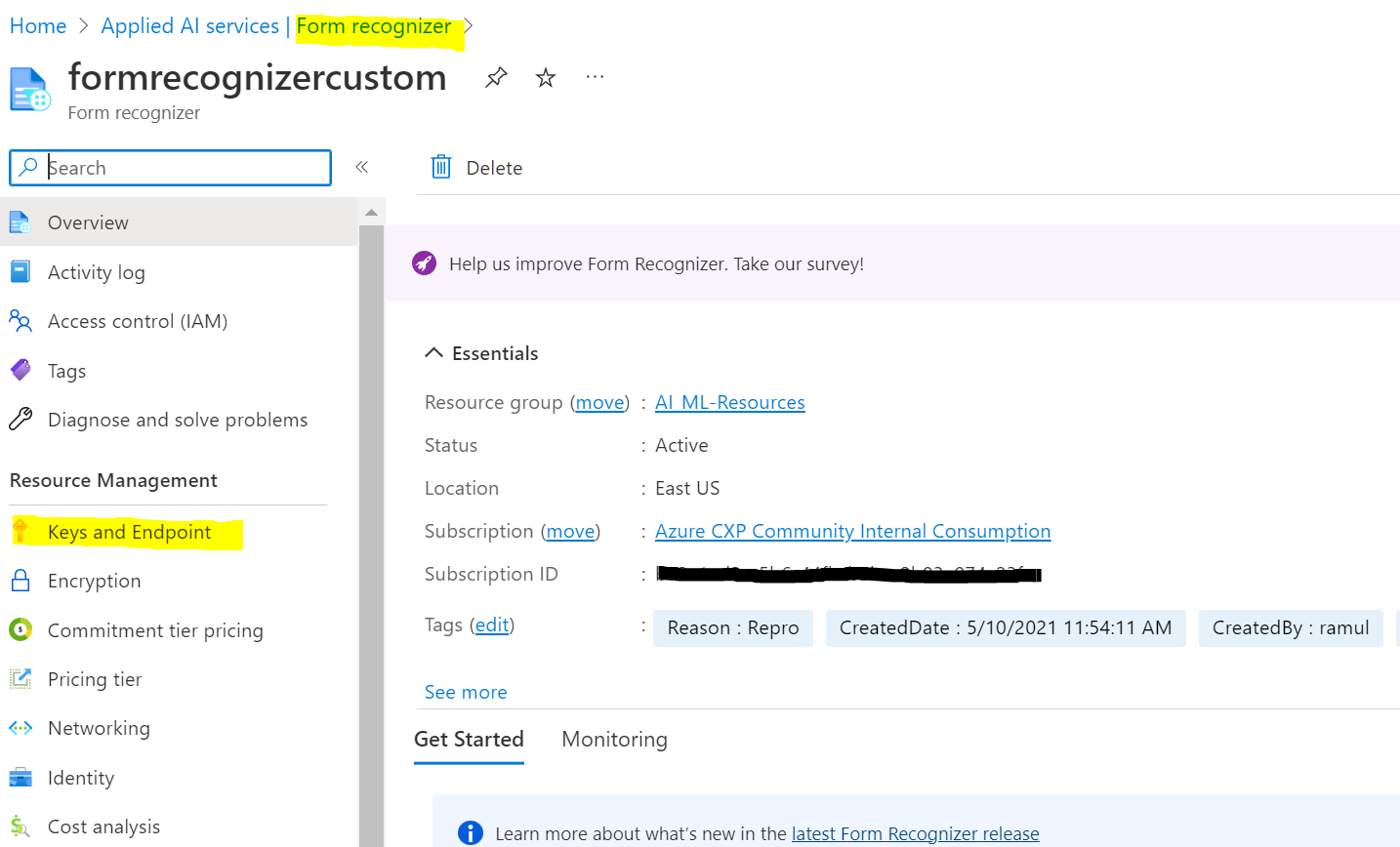
2) Then you can see the key you need and the endpoint url as below
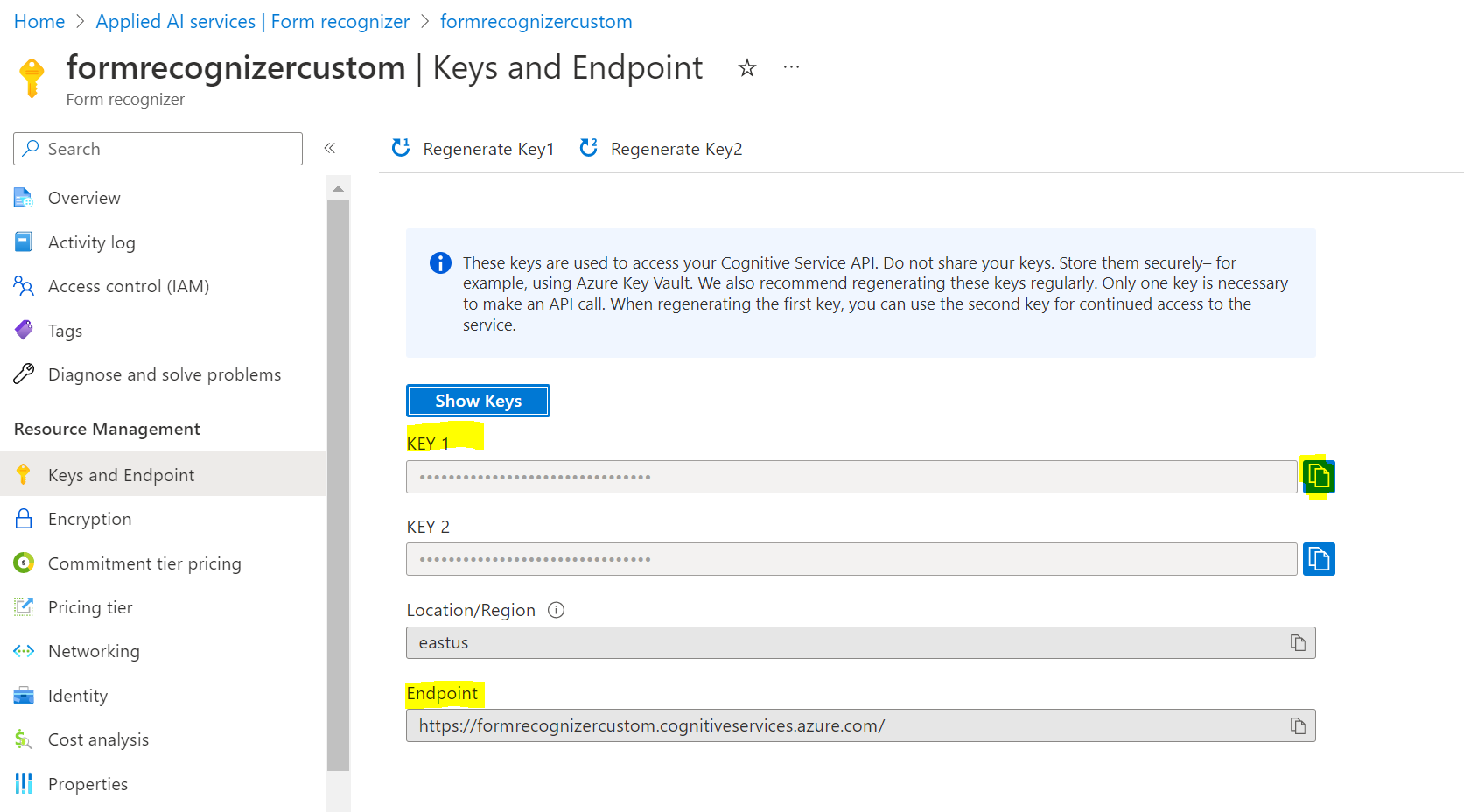
Both keys work, just choose one of them. I hope this helps!
If you need more infomation about how to set up with SDK, please check on this guidance - https://learn.microsoft.com/en-us/azure/applied-ai-services/form-recognizer/quickstarts/get-started-v3-sdk-rest-api?pivots=programming-language-csharp
Regards,
Yutong
-Please kindly accept the answer if you feel helpful to support the community, thanks a lot.
Hello @+NYCWMG Adopsbot
Do you have a chance to check on my above answer? Please let us know if you have more questions and please kindly accept the answer to support the community. Thanks a lot.
Regards,
Yutong