Azure Cloud Services
An Azure platform as a service offer that is used to deploy web and cloud applications.
This browser is no longer supported.
Upgrade to Microsoft Edge to take advantage of the latest features, security updates, and technical support.
' cx='32' cy='32' r='32' /%3E%3Ctext x='50%25' y='55%25' dominant-baseline='middle' text-anchor='middle' fill='%23FFF' %3ES%3C/text%3E%3C/svg%3E)
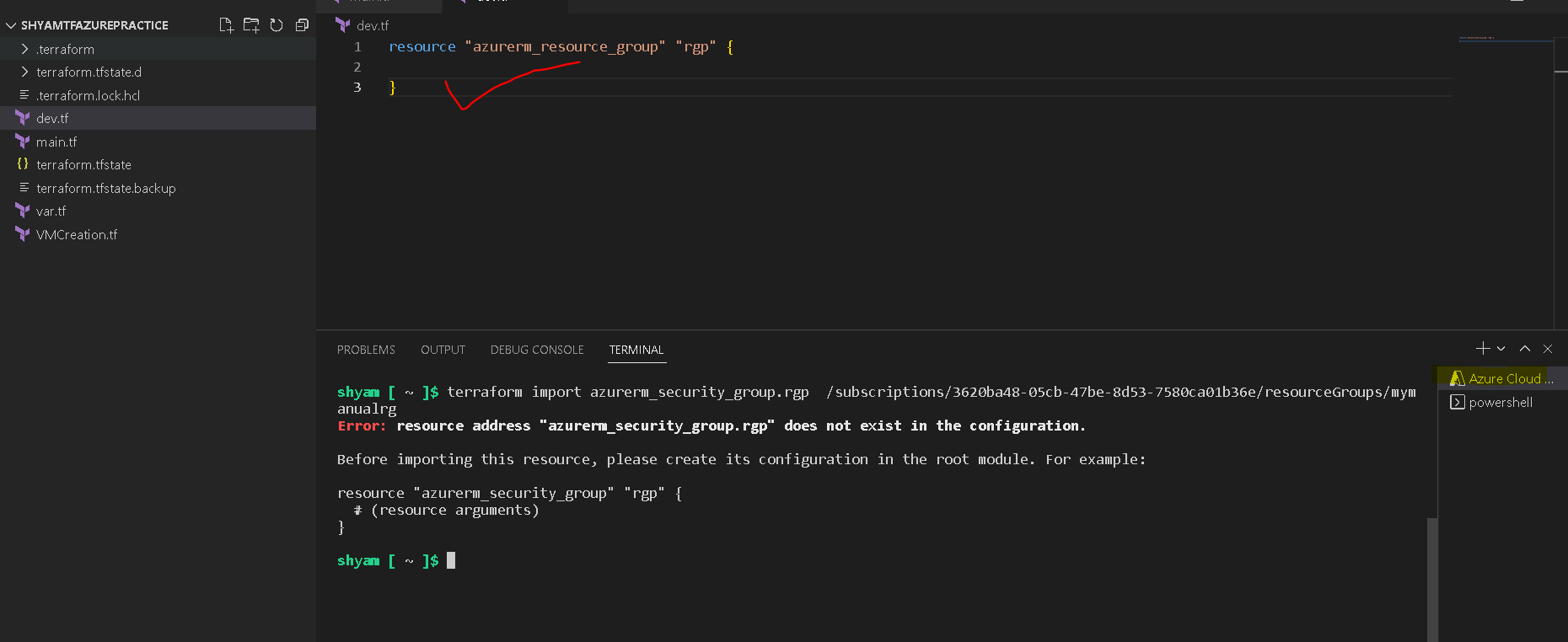
Although I created empty resource group azure cloud is not allowing to import resoure from azure to terraform
Please find the below screenshot. Please help.

Hi,
It seems there is a mismatch between the RG and command, can you check the complete path and verify. Worth create a plan and importing state file I will suggest, check this link for commands if you need - how-to-import-an-existing-azure-resource-in-terraform-6d585f93ea02
==
Please "Accept the answer" if the information helped you. This will help us and others in the community as well.
Hi Jimmy,
I have used terraform init only this is what suggested in my and yours documents also,
I followed same but not sure why its giving above error.
' cx='32' cy='32' r='32' /%3E%3Ctext x='50%25' y='55%25' dominant-baseline='middle' text-anchor='middle' fill='%23FFF' %3EJL%3C/text%3E%3C/svg%3E)
Based on what I think you're actually trying to achieve, importing the configuration into your vscode experience. That is not what terraform import does. It imports an existing resource into your state file, you have to configure everything in terraform as you normally would giving it the attributes you would expect.
resource "azurerm_resource_group" "rgp" {
name = "rg-example"
location = "uksouth"
}
Once you run a terraform apply, it will say a resource exists already with the resource id, at this point you can import into terraform.
terraform import azurerm_resource_group.rgp /subscriptions/xxx~
If you don't want to configure the attributes in vscode, you should look at a tool that can import existing deployments, I believe terraform cloud has this functionality or even an open source tool like aztfy.

You need to either, create the Resource Group using Terraform (delete the one in the Azure Portal) - or import it into Terraform: https://gmusumeci.medium.com/how-to-import-an-existing-azure-resource-in-terraform-6d585f93ea02