Microsoft 365 and Office | SharePoint | For business | Windows
A group of Microsoft Products and technologies used for sharing and managing content, knowledge, and applications.

This browser is no longer supported.
Upgrade to Microsoft Edge to take advantage of the latest features, security updates, and technical support.
' cx='32' cy='32' r='32' /%3E%3Ctext x='50%25' y='55%25' dominant-baseline='middle' text-anchor='middle' fill='%23FFF' %3ERK%3C/text%3E%3C/svg%3E)
I already took a look at the "How to create a new SPO site using REST API in PowerShell", question. This is not working for me.
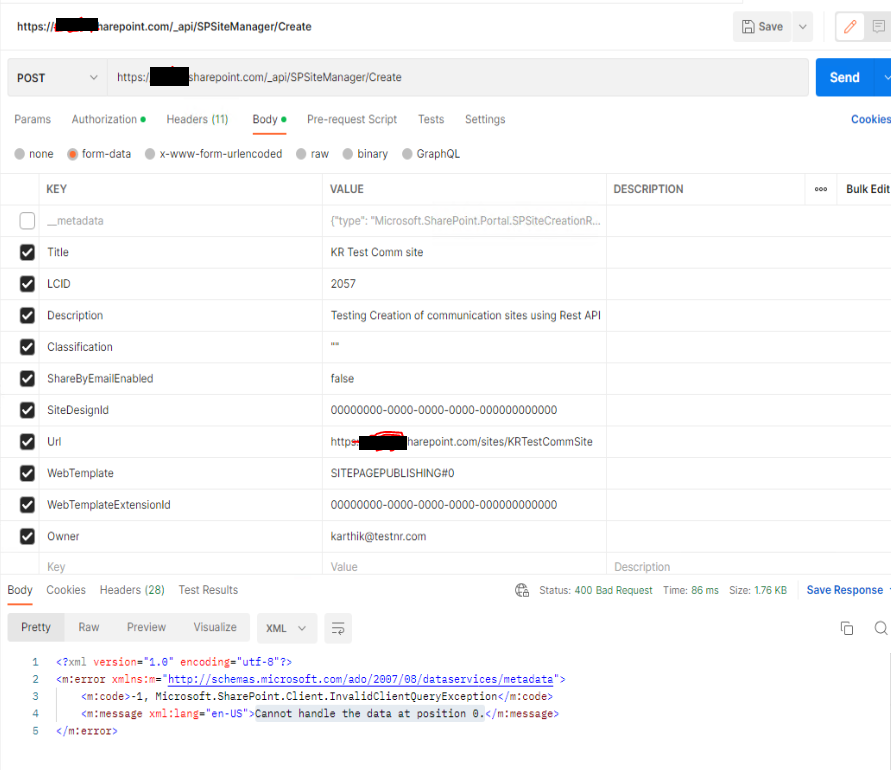
I am trying to provision a modern site using REST api. I am using Postman to test if this works in our test tenant. I successfully generated a bearer token using a client_id and client_secret for the test tenant. Then I try using this bearer token to then provision the site based on the example provided in the above question and answer. I am getting an error and I am unable to identify the cause of the error.
<?xml version="1.0" encoding="utf-8"?>
<m:error xmlns:m="http://schemas.microsoft.com/ado/2007/08/dataservices/metadata">
<m:code>-1, Microsoft.SharePoint.Client.InvalidClientQueryException</m:code>
<m:message xml:lang="en-US">Cannot handle the data at position 0.</m:message>
</m:error>
The attached image shows the error
' cx='32' cy='32' r='32' /%3E%3Ctext x='50%25' y='55%25' dominant-baseline='middle' text-anchor='middle' fill='%23FFF' %3ER%3C/text%3E%3C/svg%3E)
Hi @Ramasubramanian, Karthik ,
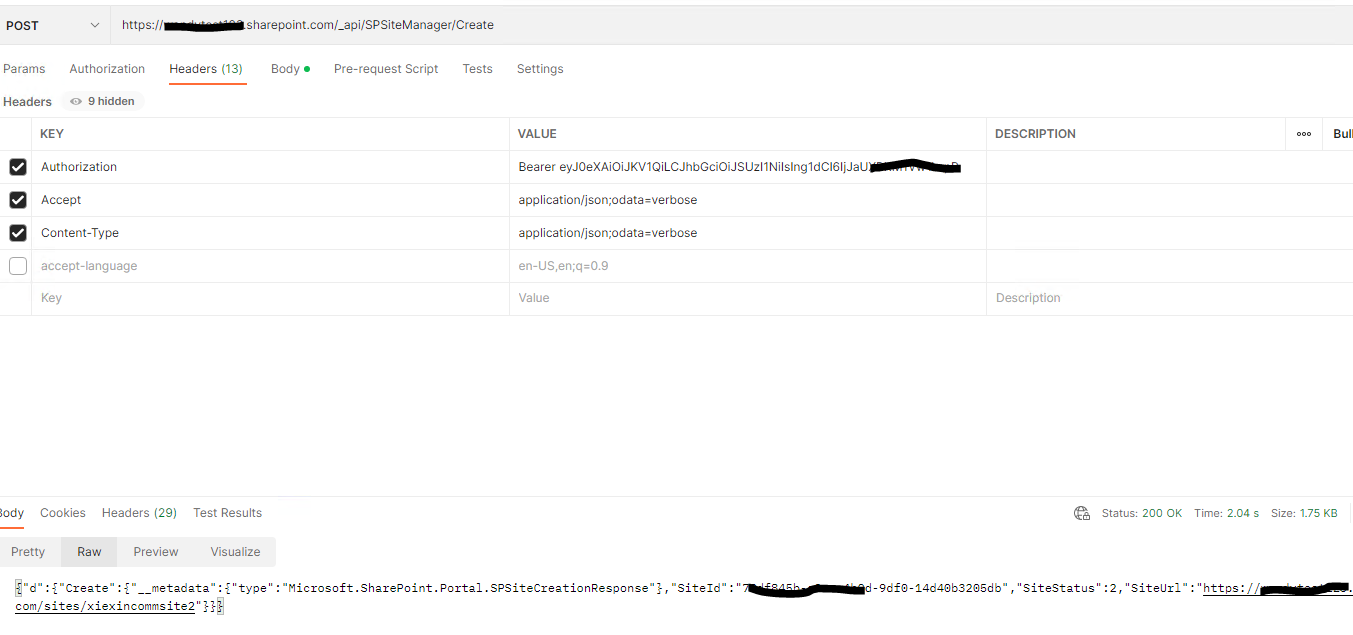
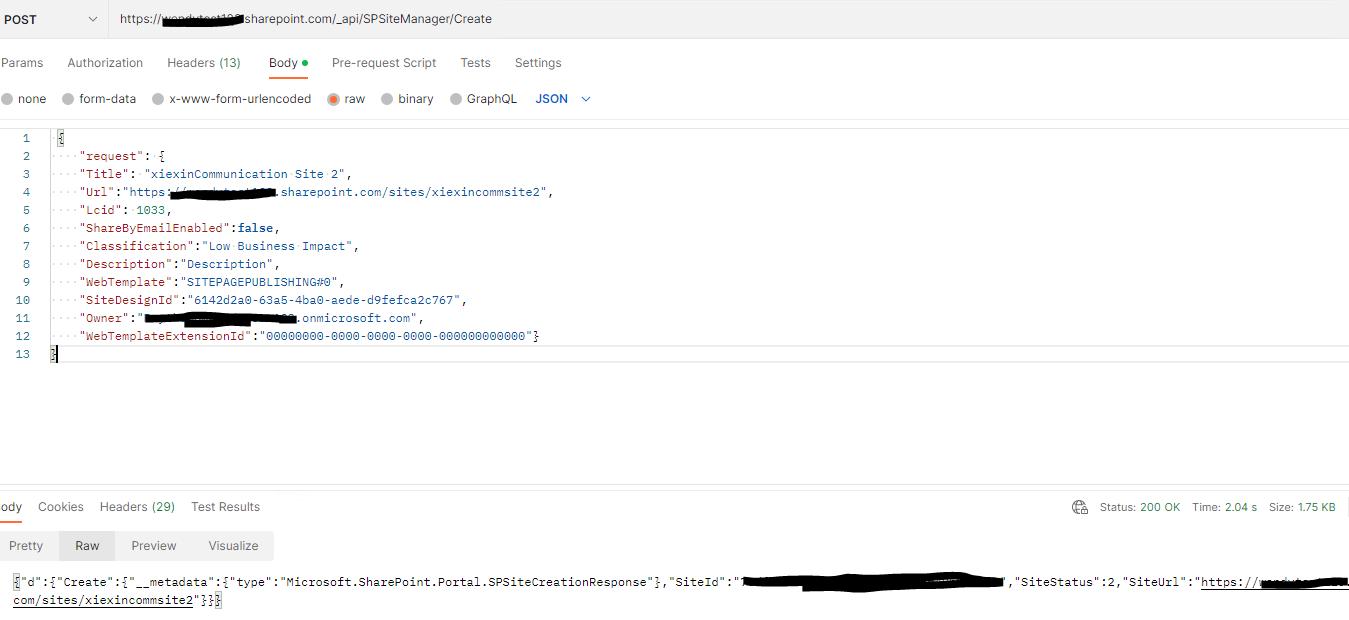
Per my test, I can reproduce your issue. We can create a modern site by following api. Since the forum prevent me post the request. I will upload it by txt file. Please make a reference
244110-rest-api.txt
Here is the test result
If the answer is helpful, please click "Accept Answer" and kindly upvote it. If you have extra questions about this answer, please click "Comment".
Note: Please follow the steps in our documentation to enable e-mail notifications if you want to receive the related email notification for this thread.
Hi @Ramasubramanian, Karthik ,
Did the answer help you? If the answer is helpful, please click "Accept Answer" and kindly upvote it. It would be helpful to others who have similar issue in the future.