SQL Server | Other
Additional SQL Server features and topics not covered by specific categories
This browser is no longer supported.
Upgrade to Microsoft Edge to take advantage of the latest features, security updates, and technical support.
' cx='32' cy='32' r='32' /%3E%3Ctext x='50%25' y='55%25' dominant-baseline='middle' text-anchor='middle' fill='%23FFF' %3EH%3C/text%3E%3C/svg%3E)
hi folks,
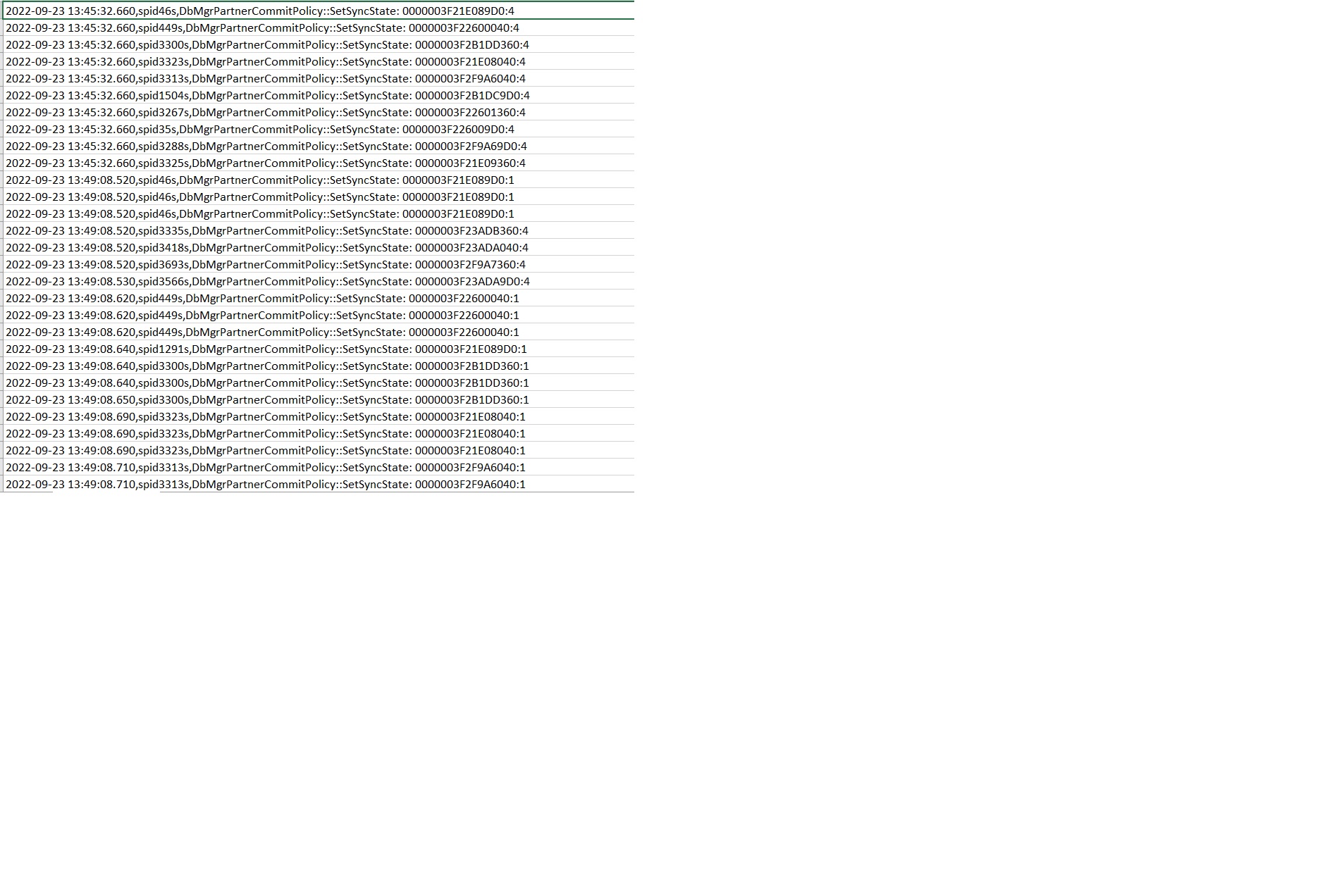
We had a incident in production couple of days back. all our application users were not able to access our database server for 5 minutes. After going through the error log it showed error (as attached.. they were all related to always on. Can someone give me direction how can i troubleshoot this issue? There was another observation our disk queue length was very high around that time and System.exe process usage was very high too. Always on setting is synchronous / manual
Additional SQL Server features and topics not covered by specific categories

Hi @Heisenberg ,
Any update for this thread? Did you have any progress of this issue?
Hi @Heisenberg ,
Quote from MS blog.
This message indicates the Synchronization state of an AlwaysOn partner.
The last component is the integer value at the end (one following the second colon). In this case the number is 4 and 1.
Here are the possible states:
0 - Not Joined to AG
1 - Not Synchronized
2 - Suspended
4 - Synchronized
8 - Redo (redoing log)
Did you find any other useful information about the state change process of SQL AG? Such as the availability group database "AG1" is changing roles from "PRIMARY" to "RESOLVING" because the mirroring session or availability group failed over due to role synchronization. Or some information about the reason cause AG offline?
If the answer is helpful, please click "Accept Answer" and kindly upvote it. If you have extra questions about this answer, please click "Comment".