Azure Data Factory
An Azure service for ingesting, preparing, and transforming data at scale.
This browser is no longer supported.
Upgrade to Microsoft Edge to take advantage of the latest features, security updates, and technical support.
' cx='32' cy='32' r='32' /%3E%3Ctext x='50%25' y='55%25' dominant-baseline='middle' text-anchor='middle' fill='%23FFF' %3EMP%3C/text%3E%3C/svg%3E)
Hello,
Question 1:
Could you please tell me if there is possibility to store access token as a parameter at linked service?
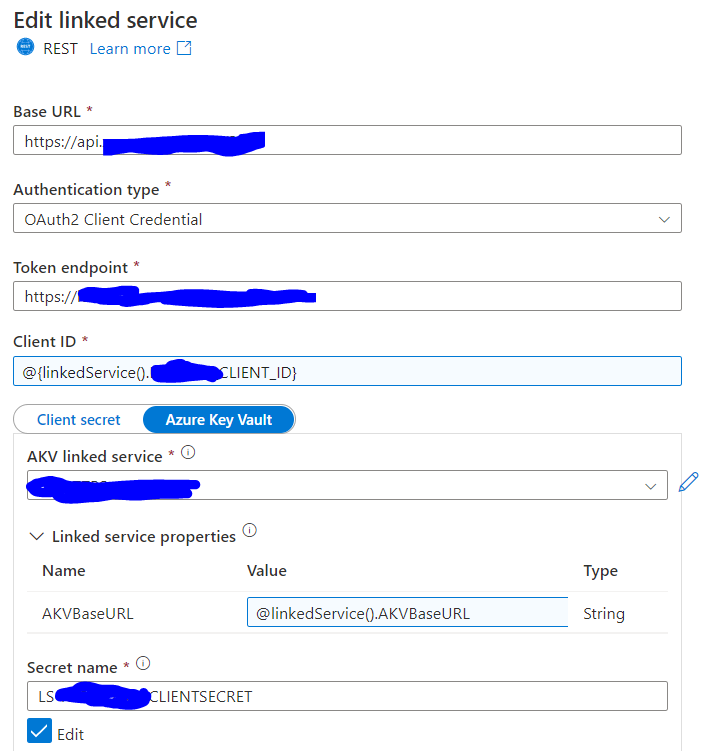
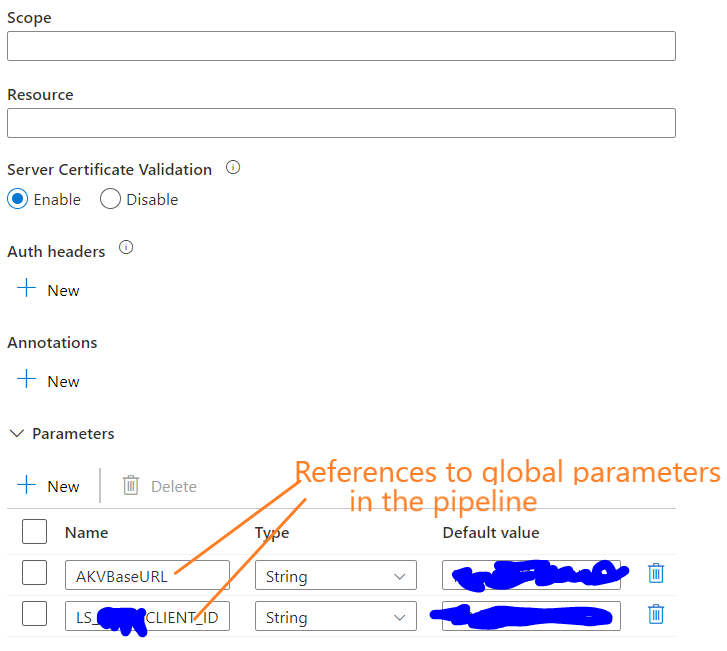
I mean, can we create a linked service parameter LS_ACCESS_TOKEN at Parameters section and reference to the Azure Key Vault to get the value of the access token for the purpose of using it in the pipeline. Now I use Web Activity to get the access token from the Azure Key Vault.
Question 2:
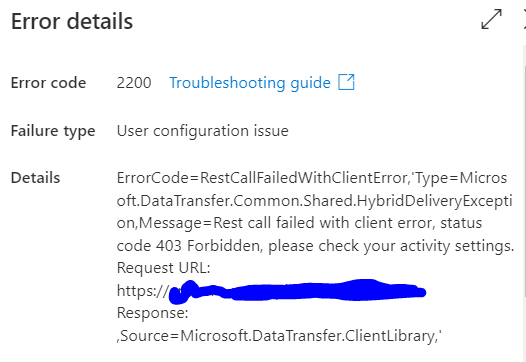
When I test connection it is successful. However when I run the pipeline I get an error. Could you please suggest what can be wrong?
Many Thanks!
 :
:
' cx='32' cy='32' r='32' /%3E%3Ctext x='50%25' y='55%25' dominant-baseline='middle' text-anchor='middle' fill='%23FFF' %3EKM%3C/text%3E%3C/svg%3E)
Hello @Maryna Paluyanava ,
Thanks for the question and using MS Q&A platform.
For Question 1:
I don't think you can do that. Could you please elaborate a bit on where you will be using the access token by passing it as a parameter to REST linked service?
If you are talking about the access token that required to send it in the additional headers of your REST endpoint, then you cannot use the AKV to get that as the access token expires every 1 hr and everytime it expires a new access token has to be generated in order to access your endpoint. Hence you will have to use Web activity to get the latest access token and pass it to the respective activity in which you use the REST connector to make a call to the endpoint. In case if I misunderstood your question, please correct me.
For Question 2:
Since you are parameterizing the REST connector there is a possibility that some values might be incorrect, or the access token is not valid or even the Additional header is not valid which could result in 403 forbidden error. Henc would recommend hardcoding the values and test by debugging and once it is successful then try parameterizing. This way you will know where it is failing. Either configuration or the access token problem.
The access token from Web activity has to be pass like here: Additional header: @{concat('Authorization: Bearer ', activity('<Web-activity-name>').output.access_token)}
Also make sure to provide valid Base URL in Connector config and Relative URL in dataset config.
Hello @KranthiPakala-MSFT ,
Thank you very much for such a detailed answer!
Hello @Maryna Paluyanava ,
Glad to know the above response helped. Appreciate much for confirming. :)
----------
Please feel free to click on  and upvote
  button whenever the information provided helps you. Original posters help the community find answers faster by identifying the correct answer. Here is how