Azure Logic Apps
An Azure service that automates the access and use of data across clouds without writing code.
This browser is no longer supported.
Upgrade to Microsoft Edge to take advantage of the latest features, security updates, and technical support.
' cx='32' cy='32' r='32' /%3E%3Ctext x='50%25' y='55%25' dominant-baseline='middle' text-anchor='middle' fill='%23FFF' %3ENV%3C/text%3E%3C/svg%3E)
I am trying to export paginated reports through logic apps in the PDF and Excel formats. While the PDF formats are generated as expected, the excel files which are generated from the logic app dont open.

I first use this action and then send via mail the reports.
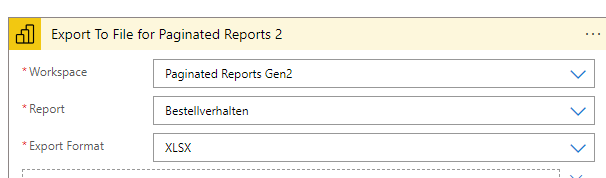
In the Send Email action, I have this as an attachment. 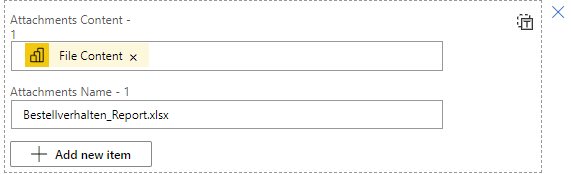
What could be the reason for this?

Hi @Nimisha Vernekar ,
Did you download the file to local?
What version of Excel did you use?
If the file is download in the local, I suggest you right click the File- Properties- under General tab- you can confirm if there is "unblock" option, check it:

You can also try to open and repair the file, maybe the file has come corrupt or damaged:
https://support.microsoft.com/en-gb/office/repairing-a-corrupted-workbook-7abfc44d-e9bf-4896-8899-bd10ef4d61ab
Just checking in to see if the information was helpful. Please let us know if you would like further assistance.
If the response is helpful, please click "Accept Answer" and upvote it.
Note: Please follow the steps in our documentation to enable e-mail notifications if you want to receive the related email notification for this thread.
Hi @Emi Zhang-MSFT ,
Yes, I downloaded the file to local and tried to open and repair as well. But unfortunately its not working either.
I am using Microsoft 365.