Microsoft Security | Microsoft Entra | Microsoft Entra ID
A cloud-based identity and access management service for securing user authentication and resource access

This browser is no longer supported.
Upgrade to Microsoft Edge to take advantage of the latest features, security updates, and technical support.
' cx='32' cy='32' r='32' /%3E%3Ctext x='50%25' y='55%25' dominant-baseline='middle' text-anchor='middle' fill='%23FFF' %3EAU%3C/text%3E%3C/svg%3E)
I am assigning Microsoft 365 E3 whose SKU is "05e9a617-0261-4cee-bb44-138d3ef5d965 " using assignLicense API.
This works fine sometime but sometime I am getting this error :
'message': 'Subscription with SKU 05e9a617-0261-4cee-bb44-138d3ef5d965 does not have any available licenses.
Let me know, why this is happening & what needs to be taken care while using this API.
Here is the API :
POST - https://graph.microsoft.com/v1.0/users/{userPricipalName}/assignLicense
body :
{
"addLicenses": [
{
"skuId": "05e9a617-0261-4cee-bb44-138d3ef5d965"
}
],
"removeLicenses": [ ]
}
' cx='32' cy='32' r='32' /%3E%3Ctext x='50%25' y='55%25' dominant-baseline='middle' text-anchor='middle' fill='%23FFF' %3EZY%3C/text%3E%3C/svg%3E)
Hi @Ayan Usmani , would you mind providing the URL you are using?
Hi @Ayan Usmani ,
Per my test, before using the API, you must have the relevant license in your tenant that you can see in AD.
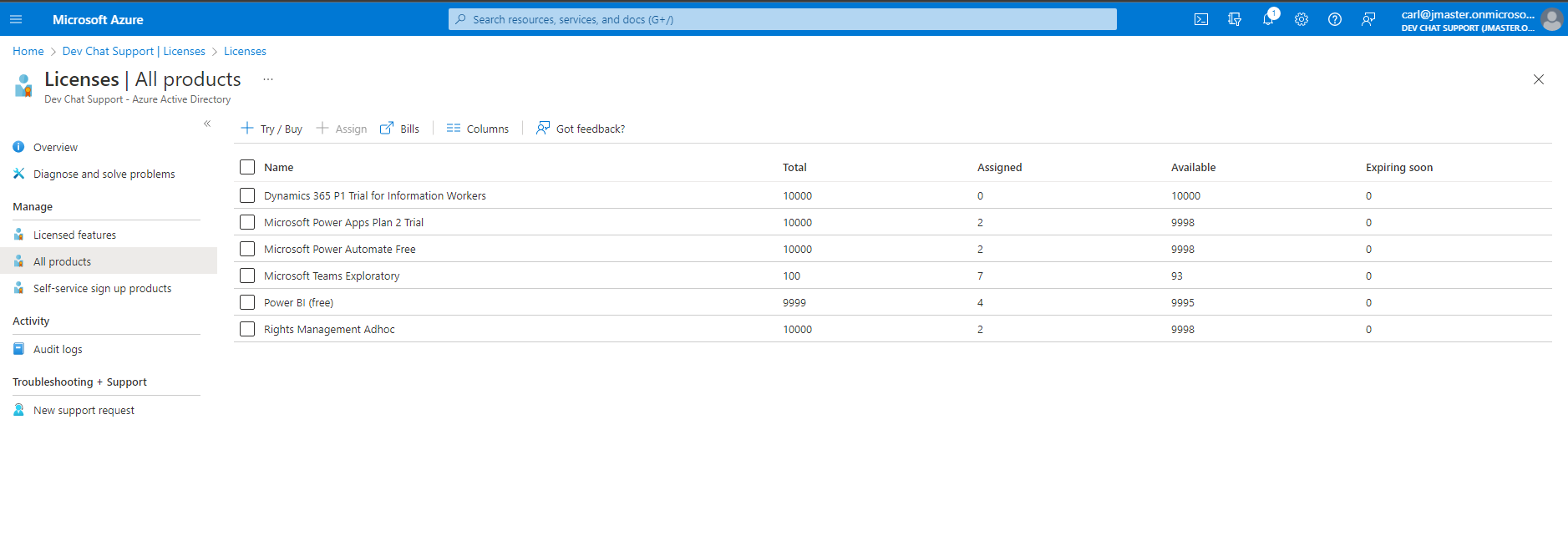
Then you can use the List subscribedSkus API: GET /subscribedSkus to list the license that you have subscribed to. You can check if the Sku: 05e9a617-0261-4cee-bb44-138d3ef5d965 is being subscribed. And the skuId property can be used to assign license.
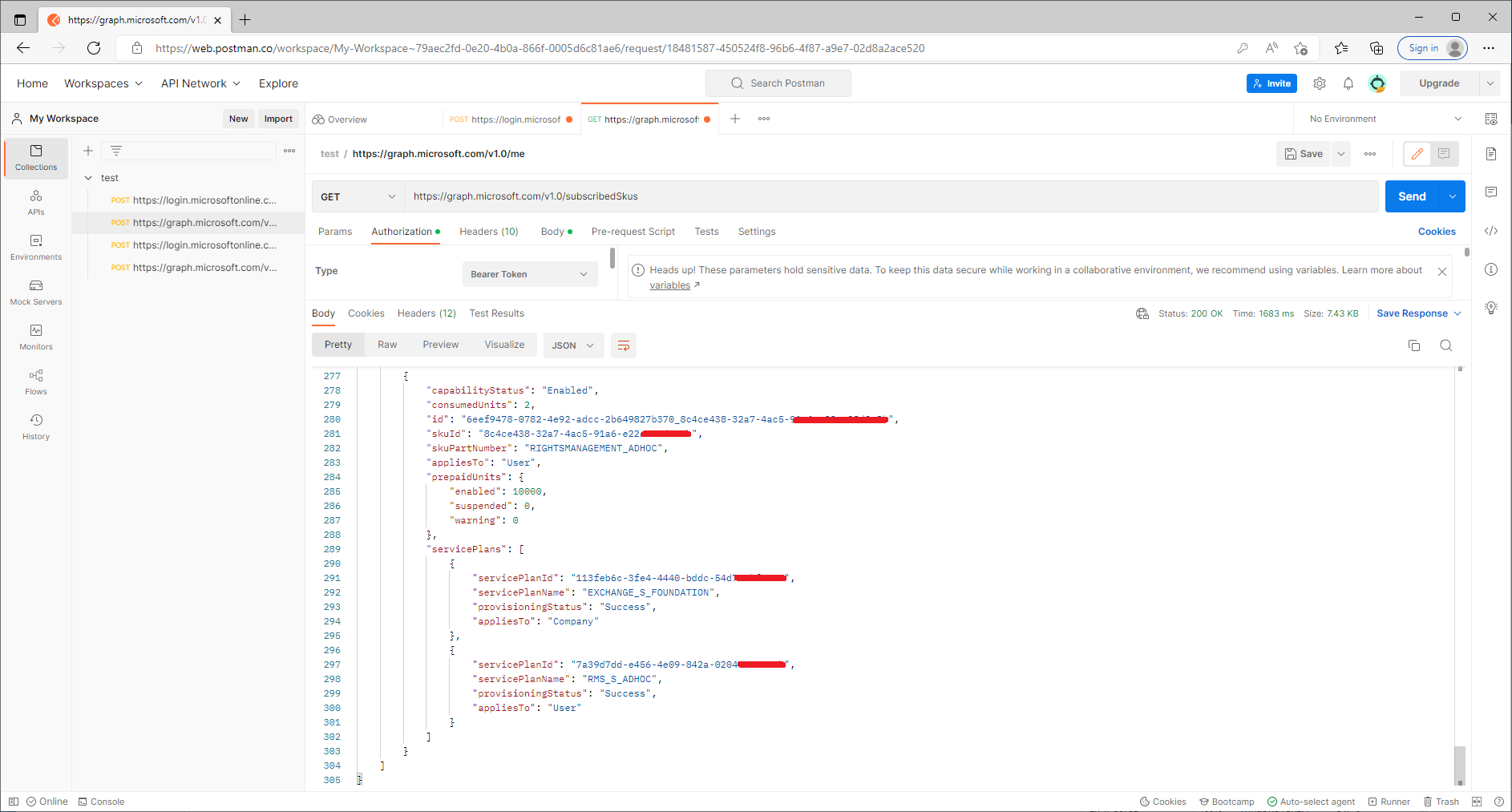
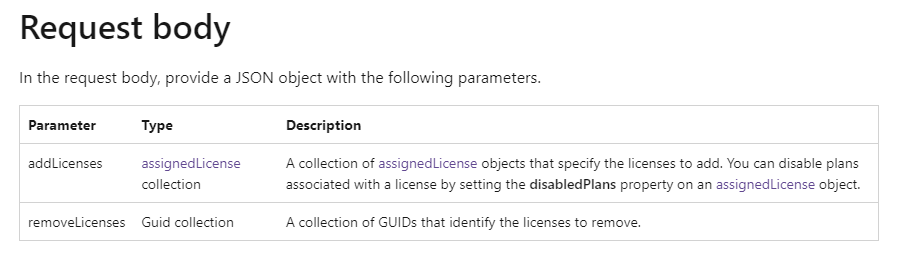
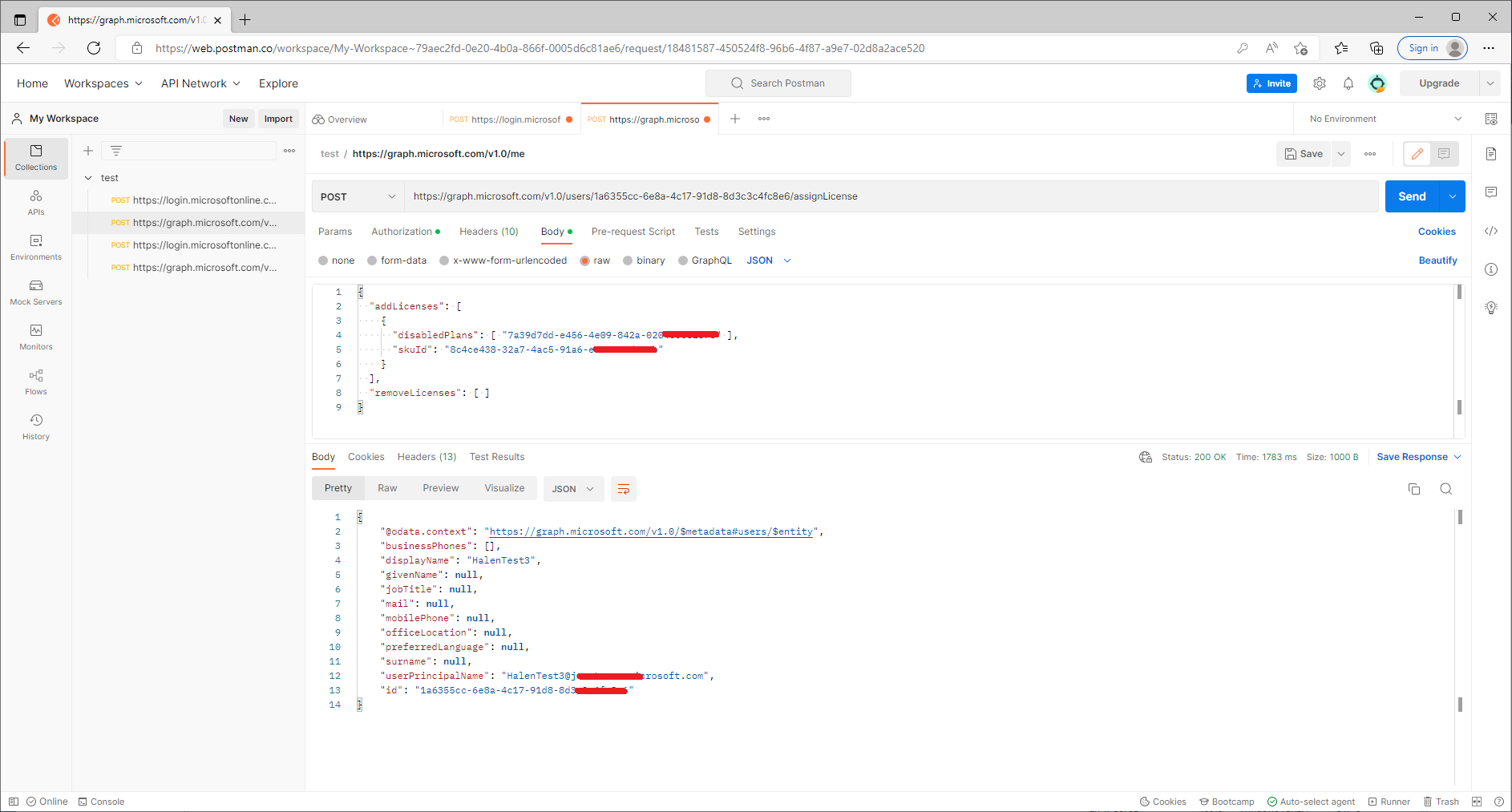
I tested it locally and then made it run successfully by adding the disabledPlans property, the value of which is the servicePlanId in the response of the /subscribedSkus endpoint.
Hope this helps. Wish you all the best.
If the answer is helpful, please click "Accept Answer" and kindly upvote it. If you have extra questions about this answer, please click "Comment".
Note: Please follow the steps in our documentation to enable e-mail notifications if you want to receive the related email notification for this thread.

OK, so is it possible to assign the M365 E3 {05e9a617-0261-4cee-bb44-138d3ef5d965} using the Graph Powershell ?
Thanks @Zehui Yao_MSFT .... i have done the same.
I had fetched the details of license and I can see that we have license with skuID - 05e9a617-0261-4cee-bb44-138d3ef5d965 .
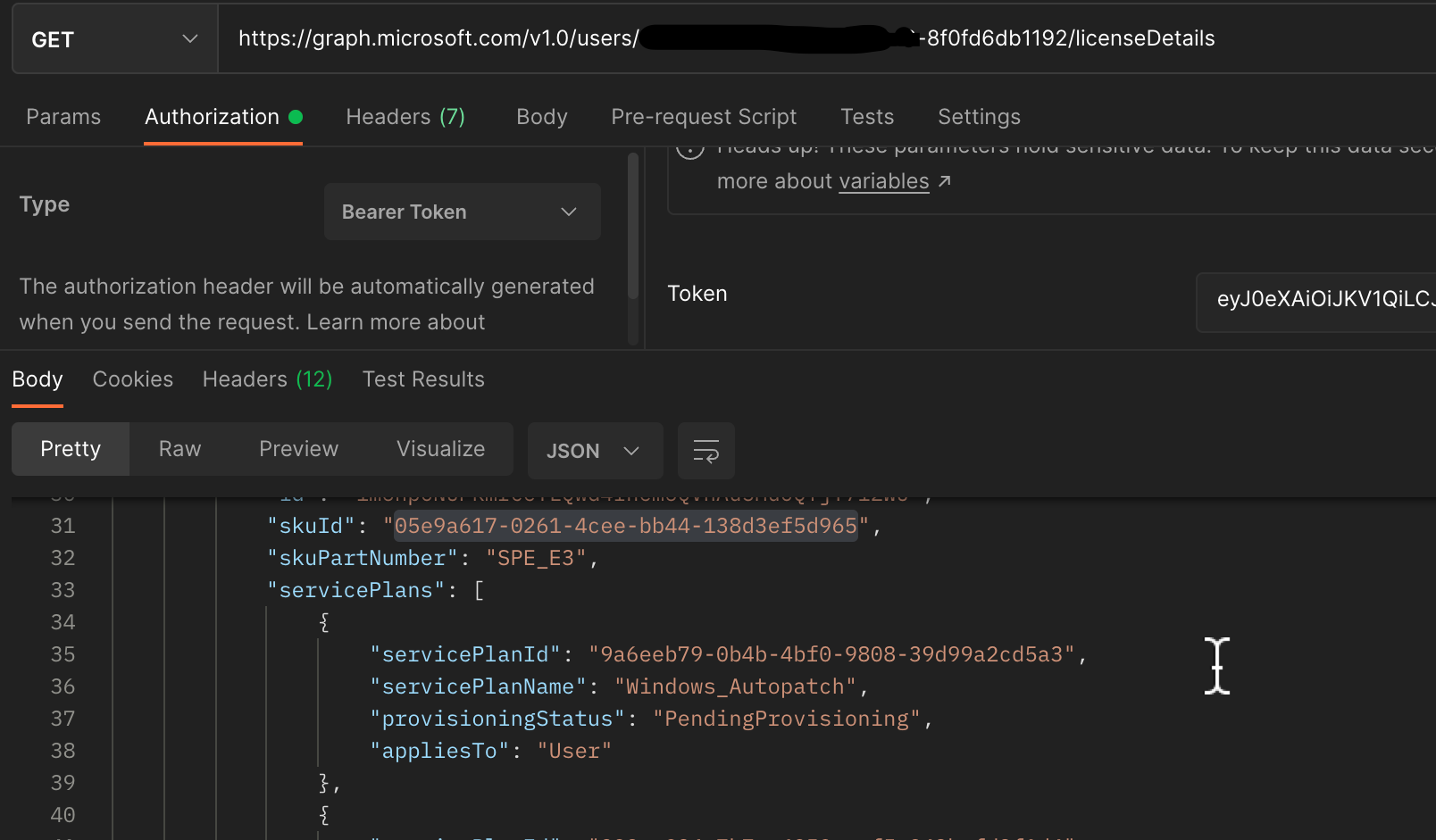
But when I am trying to add the same license for another user it throws me the below error :
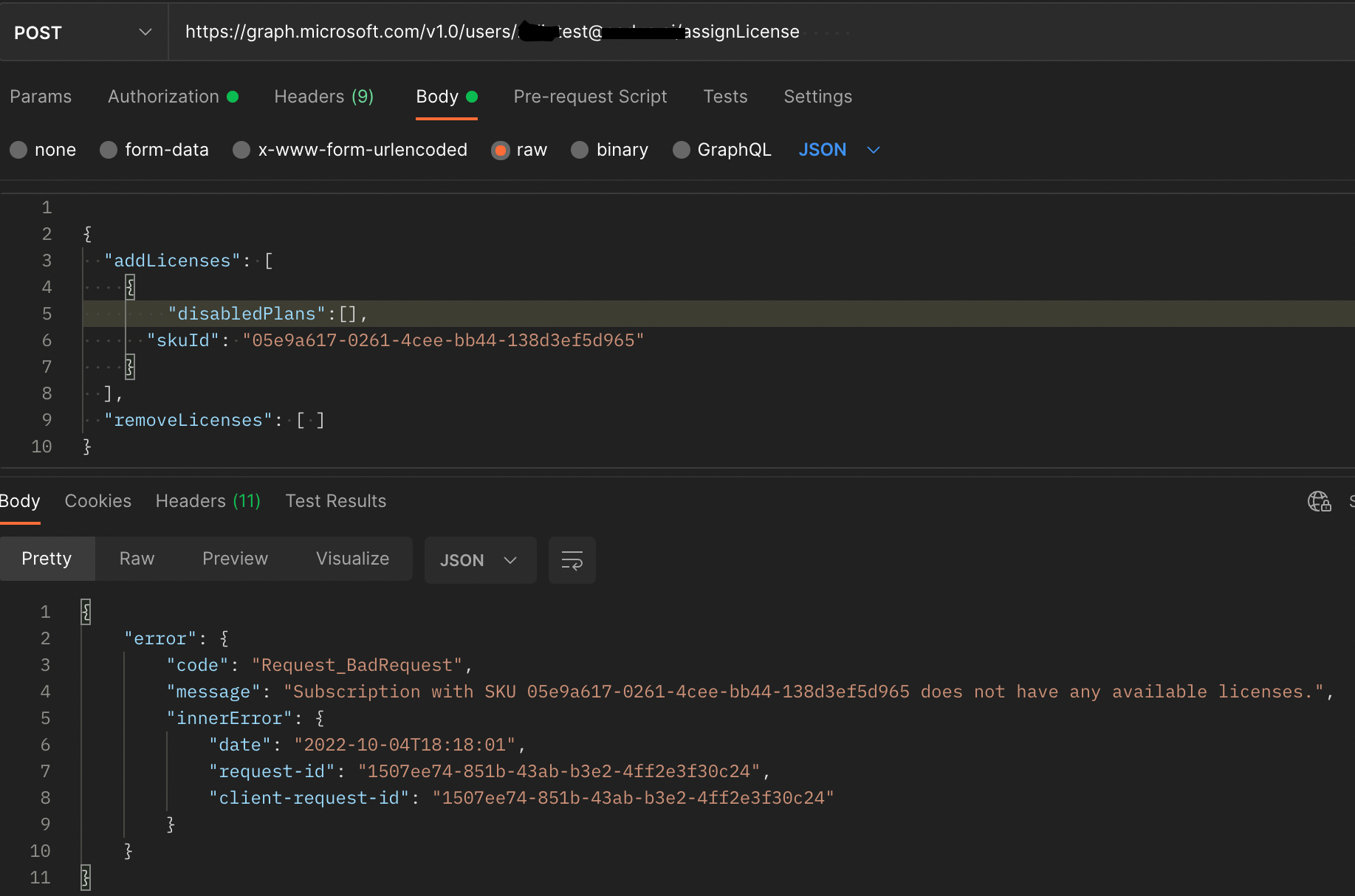
Do let me know what's going wrong over here.
Hi @Ayan Usmani , do you have any remaining quantities for this license?
Hi @Ayan Usmani , Is the issue solved?
Thanks @Zehui Yao_MSFT , i wasn't aware that I am trying to assign license which are not present.
This has resolved my issue !!
Hi @Ayan Usmani , If the answer is helpful, please click Accept Answer and kindly upvote. If you have any further questions about this answer, please click Comment.