' cx='32' cy='32' r='32' /%3E%3Ctext x='50%25' y='55%25' dominant-baseline='middle' text-anchor='middle' fill='%23FFF' %3EB%3C/text%3E%3C/svg%3E)
3,285 questions


' cx='32' cy='32' r='32' /%3E%3Ctext x='50%25' y='55%25' dominant-baseline='middle' text-anchor='middle' fill='%23FFF' %3ES%3C/text%3E%3C/svg%3E)
Hello @BlackCat ,
Welcome to the MS Q&A Forum.
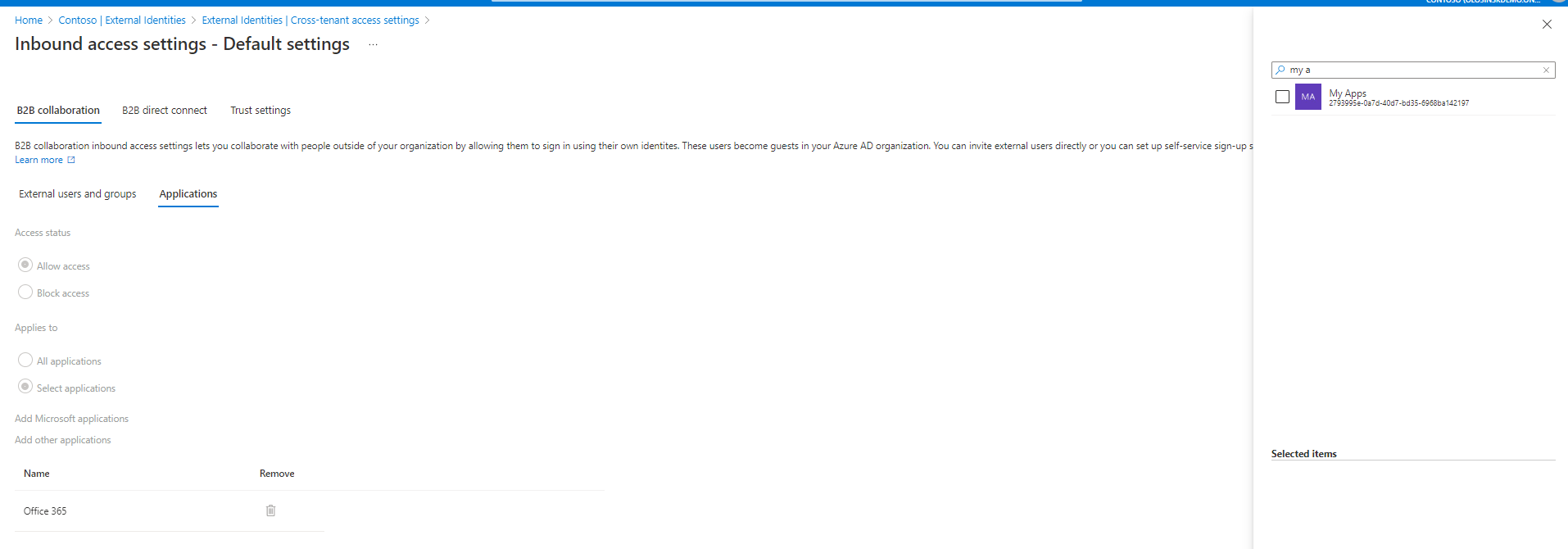
As I understand, you configured inbound cross tenant access in B2B collaboration:
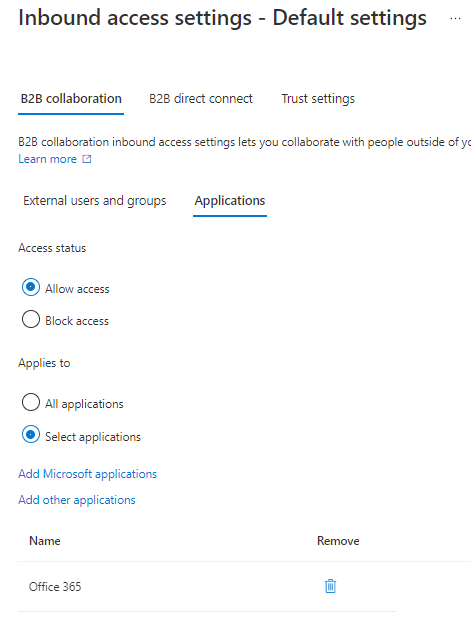
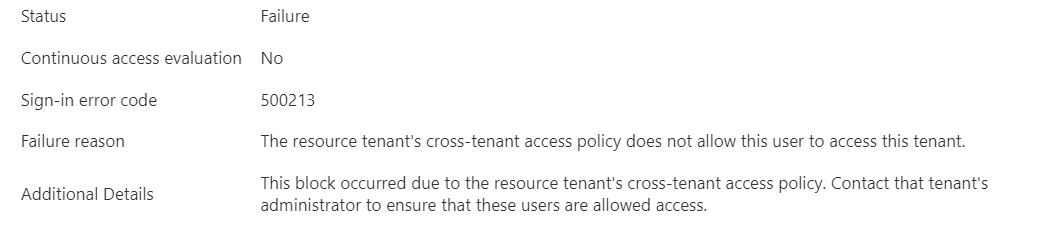
Could you please share which exactly error users face during the sign-in attempt?
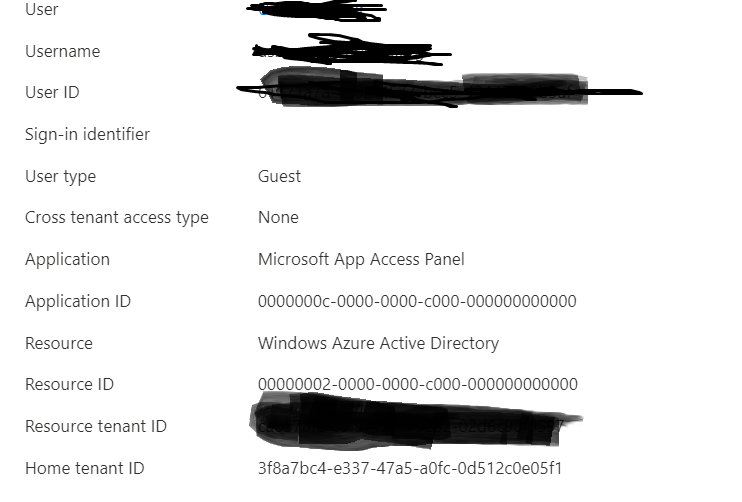
Especially, I am wondering which Resource is being populated in the sign-in logs. There are cloud apps with dependencies to other cloud apps.
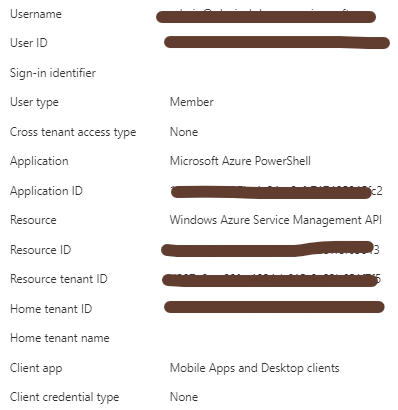
For example: The Exchange Online app is tied to traditional Exchange Online data like mail, calendar, and contact information. Related metadata may be exposed through different resources like search.
The following key applications are included in the Office 365 client app:
- Exchange Online
- Microsoft 365 Search Service
- Microsoft Forms
- Microsoft Planner (ProjectWorkManagement)
- Microsoft Stream
- Microsoft Teams
- Microsoft To-Do
- Microsoft Flow
- Microsoft Office 365 Portal
- Microsoft Office client application
- Microsoft Stream
- Microsoft To-Do WebApp
- Microsoft Whiteboard Services
- Office Delve
- Office Online
- OneDrive
- Power Apps
- Power Automate
- Security & compliance portal
- SharePoint Online
- Skype for Business Online
- Skype and Teams Tenant Admin API
- Sway
- Yammer
A complete list of all services included can be found in the article Apps included in Office 365 app suite.
As you could see "Microsoft App Access Panel" is not in the list.
Sincerely,
Olga Os