Azure Blob Storage
An Azure service that stores unstructured data in the cloud as blobs.
This browser is no longer supported.
Upgrade to Microsoft Edge to take advantage of the latest features, security updates, and technical support.
' cx='32' cy='32' r='32' /%3E%3Ctext x='50%25' y='55%25' dominant-baseline='middle' text-anchor='middle' fill='%23FFF' %3EEG%3C/text%3E%3C/svg%3E)
I have two containers in Azure storage, in order to do translations
original and transcribed, they are containers, because I need to access it
I have a method, to upload my document
    public async Task<Uri> UploadToAzureBlobStorage(string FilePath) {

            ContainerClient = new BlobContainerClient(ConectionString, Constants.AZURE_CONTAINER_ORIGINAL_DOCUMENT);

            var blob = ContainerClient.GetBlobClient(Path.GetFileName(FilePath));
            await blob.UploadAsync(FilePath, true);

            return new Uri($"https://transcribemedocs.blob.core.windows.net/original{Path.GetFileName(FilePath)}");
        }
The document gets uploaded successfully (https://transcribemedocs.blob.core.windows.net/original/Articulo 6 (1).docx)
I have declared a method for translating the document
   public static async Task TranslatorAsync(Uri sourceUrl, Uri TargetUrl, string language = "en") {

            DocumentTranslationClient client = new(new Uri(Constants.ENDPOINT), new AzureKeyCredential(Constants.KEY));

            var input = new DocumentTranslationInput(sourceUrl, TargetUrl, language);

            DocumentTranslationOperation operation = await client.StartTranslationAsync(input);

            await operation.WaitForCompletionAsync();

        }
I got this error
Azure.RequestFailedException: 'Cannot access source document location with the current permissions.
Status: 200 (OK)
ErrorCode: InvalidRequest
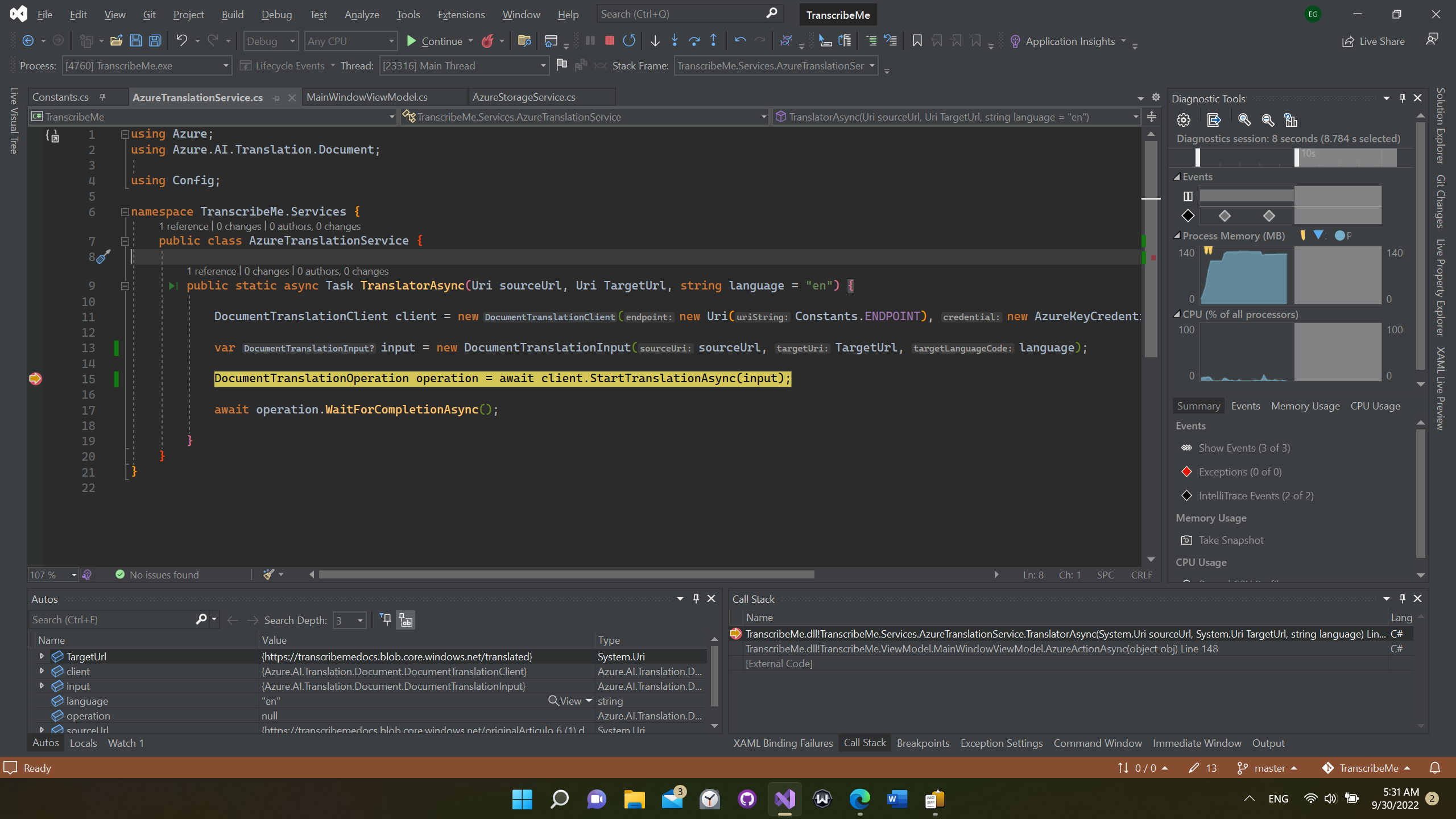
But when I go o the URL, I got this error
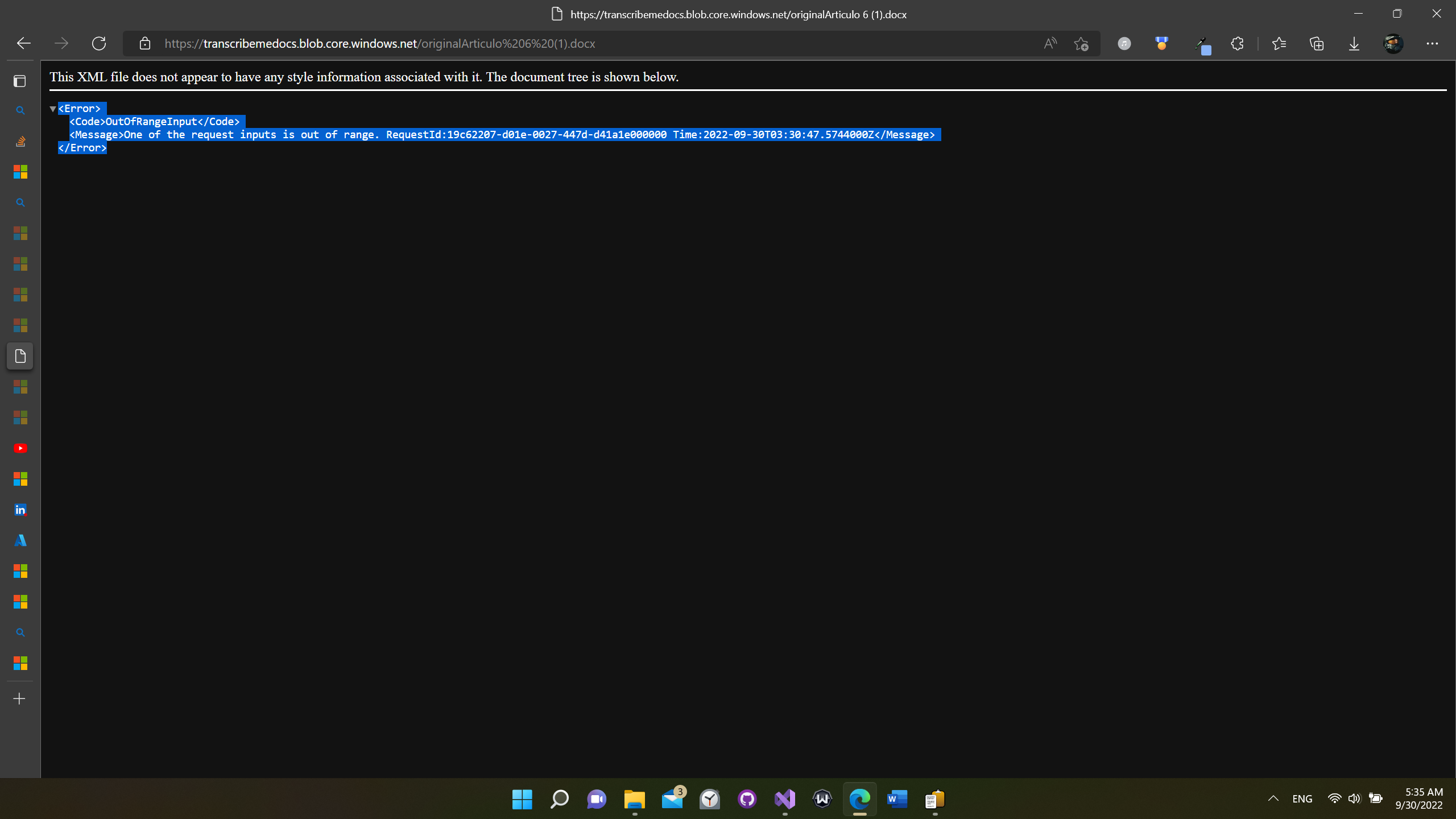
' cx='32' cy='32' r='32' /%3E%3Ctext x='50%25' y='55%25' dominant-baseline='middle' text-anchor='middle' fill='%23FFF' %3EEA%3C/text%3E%3C/svg%3E)
Hello,
I am having the same issue. I set up the managed identity and grant the Translator access to the storage account. Nothing seem to work.
How did you get it to work?
Thanks

@Eduardo Gomez Welcome to Microsoft Q&A Forum, Thank you for posting your query here!
I see you have posted the similar query in SO forum: https://stackoverflow.com/questions/73905176/azure-requestfailedexception-cannot-access-source-document-location-with-the-cutried
Have you tried the suggestion mentioned over there? If the issue still persist, I would like to work closer on this issue.
If you have any additional questions or need further clarification, please let me know.
----------
Please do not forget to  and “up-vote” wherever the information provided helps you, this can be beneficial to other community members.