Azure Virtual Machines
An Azure service that is used to provision Windows and Linux virtual machines.
This browser is no longer supported.
Upgrade to Microsoft Edge to take advantage of the latest features, security updates, and technical support.
' cx='32' cy='32' r='32' /%3E%3Ctext x='50%25' y='55%25' dominant-baseline='middle' text-anchor='middle' fill='%23FFF' %3ESN%3C/text%3E%3C/svg%3E)
Hi
I run Lab 14 in MS online course AZ-220
I follow the instructions but for the creation of a vm (rg-az220vm name according to the instruction) when I selected the region WEST US for a vm source creation,
I got the error message that the resource for subscription is not currently available for wetsus zones.
So I tried with EAST US instead but then I get the error message the deployment 'vmRG' already exists in location westus.
I have remove all resources I can find in my subscription but still get the same error message (the deployment 'vmRG' already exists in location westus.) any hints of how to proceed ? Maybe simply delete my subscription and create a new one with a new email and credit card ? :-)
BR

you can go to resource groups and delete the vmRG, try to filter by all locales and subscriptions
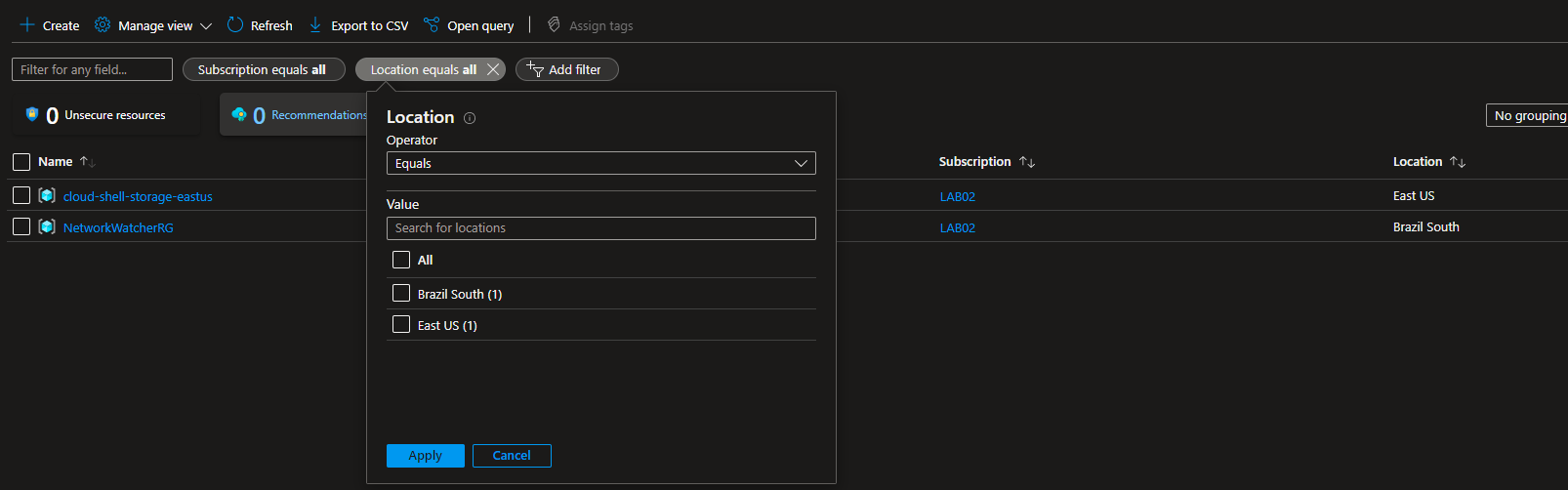

Hi,
I checked your lab. Looks like you are deploying the lab via Template. Can you try to find the template and try to delete them and start fresh ?
You can find the template under "Deployment Scripts".
Regards,
Karthik Srinivas