Microsoft 365 and Office | SharePoint | Development
The process of building custom applications and tools that interact with Microsoft SharePoint, including SharePoint Online in Microsoft 365.

This browser is no longer supported.
Upgrade to Microsoft Edge to take advantage of the latest features, security updates, and technical support.
' cx='32' cy='32' r='32' /%3E%3Ctext x='50%25' y='55%25' dominant-baseline='middle' text-anchor='middle' fill='%23FFF' %3ESB%3C/text%3E%3C/svg%3E)
Hi there,
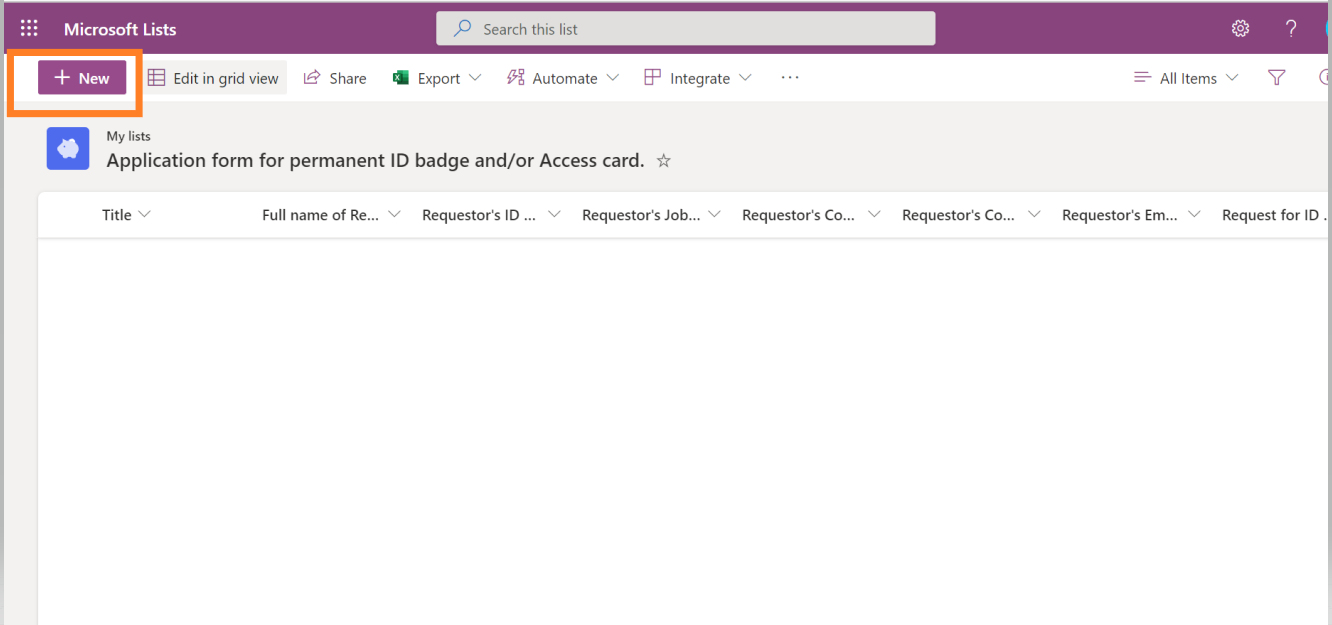
Please show me how to change color of New button in Sharepoint List , the shape color ?
' cx='32' cy='32' r='32' /%3E%3Ctext x='50%25' y='55%25' dominant-baseline='middle' text-anchor='middle' fill='%23FFF' %3EED%3C/text%3E%3C/svg%3E)
The "New" button color and column shape color are determined by the theme.
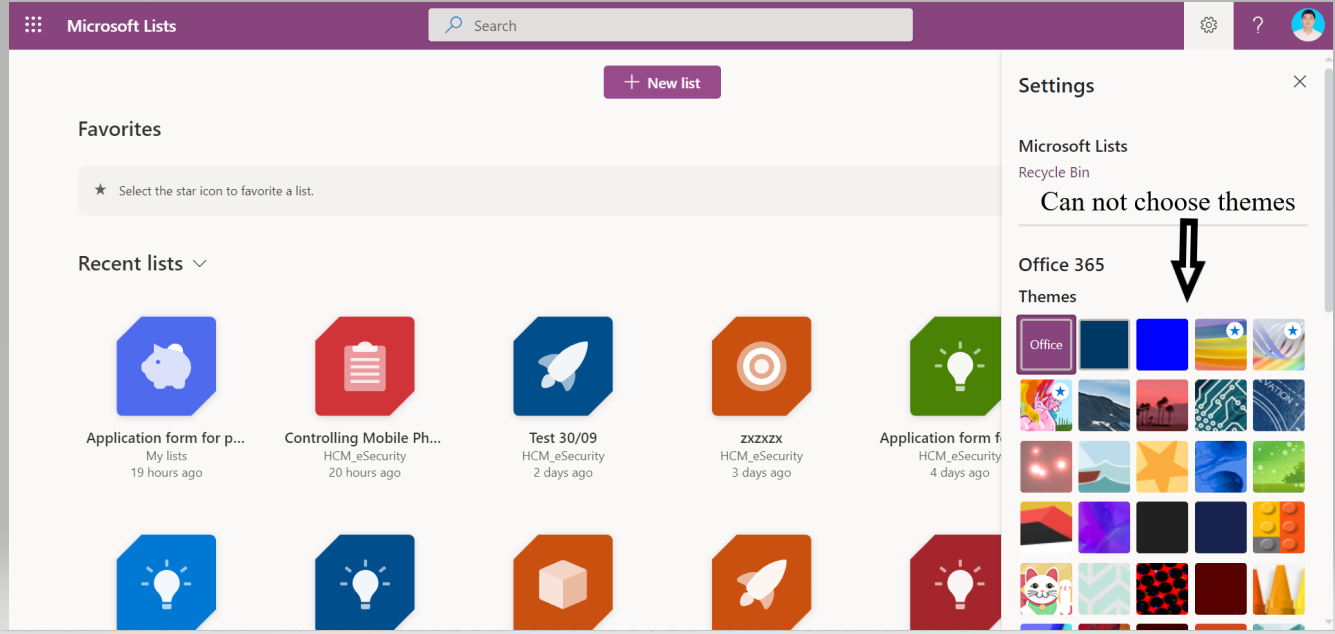
Please go to top right corner of the page -> site settings -> change the look -> theme -> choose the color you want to.
If the answer is helpful, please click "Accept Answer" and kindly upvote it. If you have extra questions about this answer, please click "Comment".
Note: Please follow the steps in our documentation to enable e-mail notifications if you want to receive the related email notification for this thread.
Hi EmilyDu-MSFT,
Look like my user don't have rights to change to other themes.
Thank you for your detail support.