Microsoft Security | Microsoft Entra | Microsoft Entra ID
A cloud-based identity and access management service for securing user authentication and resource access

This browser is no longer supported.
Upgrade to Microsoft Edge to take advantage of the latest features, security updates, and technical support.
' cx='32' cy='32' r='32' /%3E%3Ctext x='50%25' y='55%25' dominant-baseline='middle' text-anchor='middle' fill='%23FFF' %3EBK%3C/text%3E%3C/svg%3E)
Hello All,
External user having Guest account in the Tenant has lost her Phone. We have tried to revoke/requires re-registering MFA. but still it is routing the request old phone where authenticator app was configured. I have deleted the guest account and re-sent the invite. She accepted the invite but still the request is going to old phone. We have tried in incognito browser and Edge browser but the issue is same.
Can you please advise how can we resolve the issue.
Thank you.
Regards,
Ben,
' cx='32' cy='32' r='32' /%3E%3Ctext x='50%25' y='55%25' dominant-baseline='middle' text-anchor='middle' fill='%23FFF' %3EMS%3C/text%3E%3C/svg%3E)
Hi Ben,
The verification number for the user is under the authentication methods of the user profile.
Can you ensure the correct number is entered here and please click "Require re-register multifactor authentication"
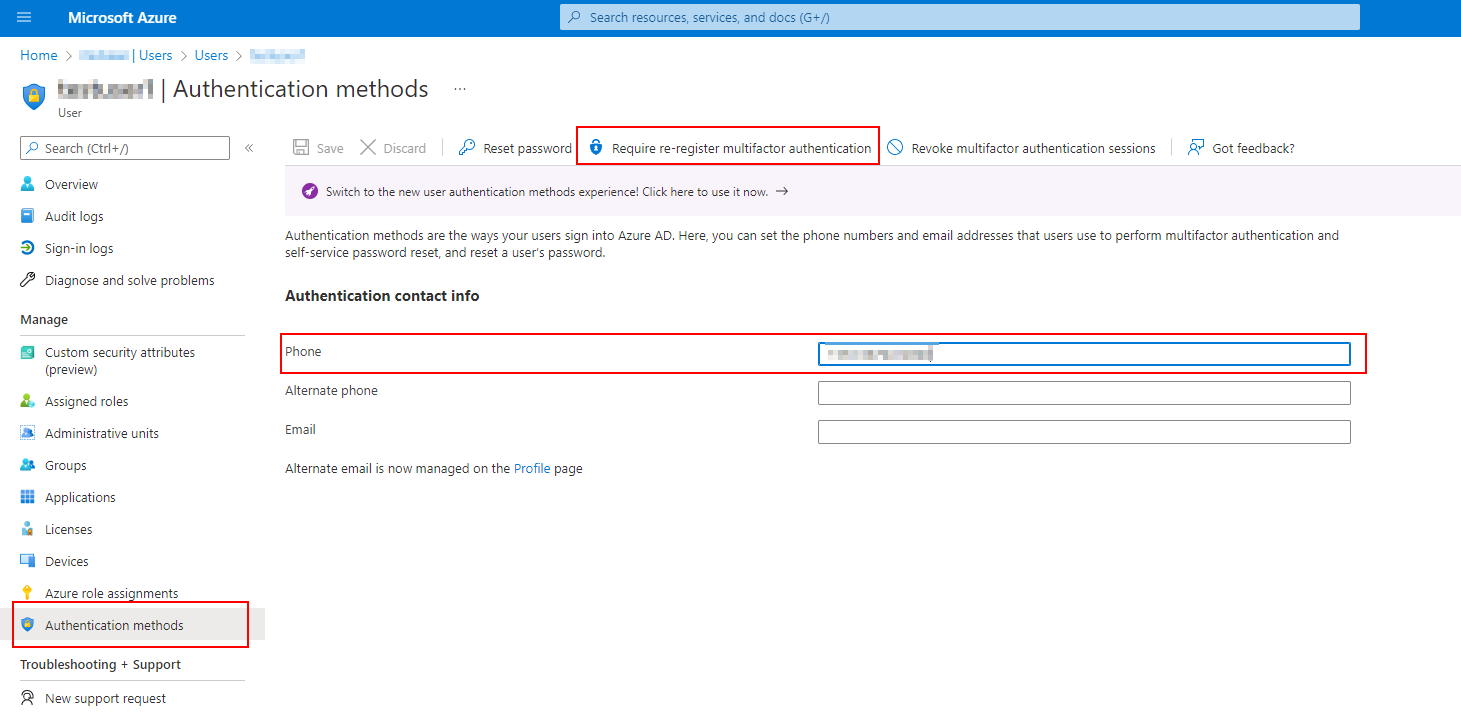

Try resetting her contact methods through the MFA Dashboard:
2) Search the name with the magnifying glass
3) Double click the name
4) On the right hand side hit Manage user settings
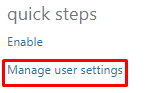
5) Check off Require selected users to provide contact methods again.
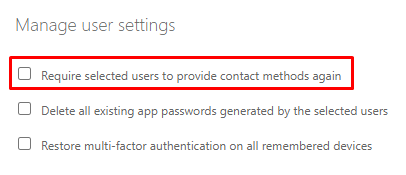
6) Press Save
Have the guest sign out and sign back in and they should be presented with the screen to add a different phone number.
If this is helpful please accept answer.
Thank you for the update. I have cleared all the setting under "Manage User Settings" but still no luck.
Regards,
Ben

@BENERJEE KOTA
Thank you for your post!
Since the external user that you're inviting to your tenant lost their phone, and the MFA requests are still going to their old number/authenticator app, you'll have to update or add an Alternate Mobile number to their Authentication methods via their profile within Azure AD.
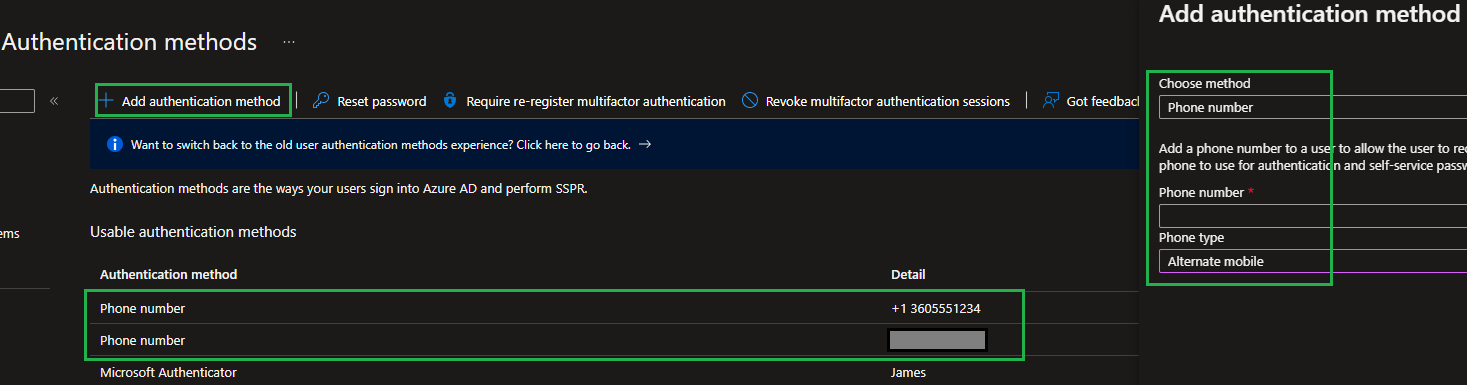
Once you've added the Alternate Mobile number, when the user is logging in, they'll have to select the alternate number when performing MFA.
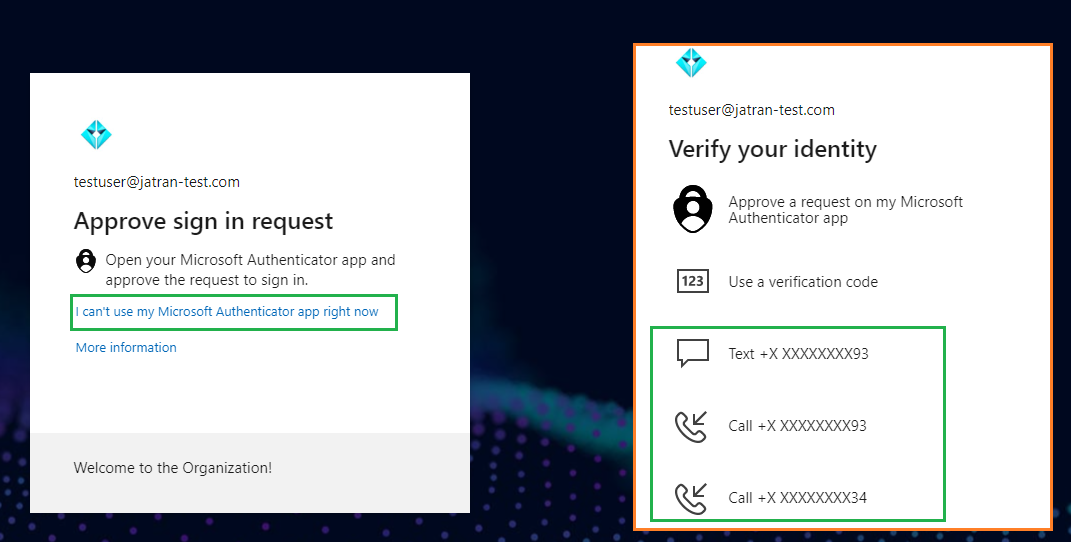
I hope this helps!
If you have any other questions, please let me know.
Thank you for your time and patience throughout this issue.
----------
Please remember to "Accept Answer" if any answer/reply helped, so that others in the community facing similar issues can easily find the solution.
@BENERJEE KOTA
I just wanted to check in and see if you had any other questions or if you were able to resolve this issue?