Unable to create an active directory inside windows server 2016 inside vmware workstation

john john 1,026 Reputation points
2022-10-07T02:28:51.037+00:00

I am a software developer and i want to test my asp.net core MVC web application to integrate with active directory using LDAP. since i am using Windows 10 home edition so i can not create a test AD inside my windows 10 home edition. so i did the following:-

1) inside my windows 10 home edition >> i installed vmware workstation
2) download windows server 2016 datacenter iso image.
3) I install windows server 2016 inside the vmware workstation.

then i enable all those roles and features:-
enter image description here

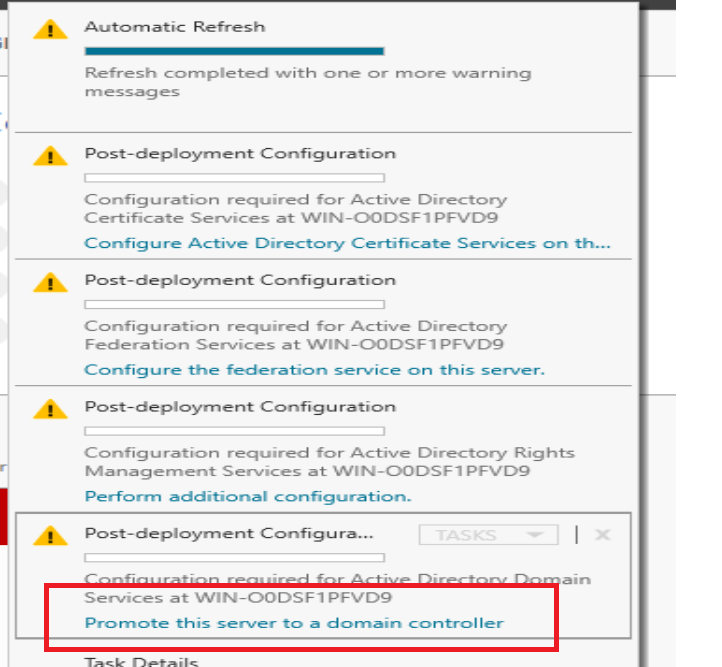
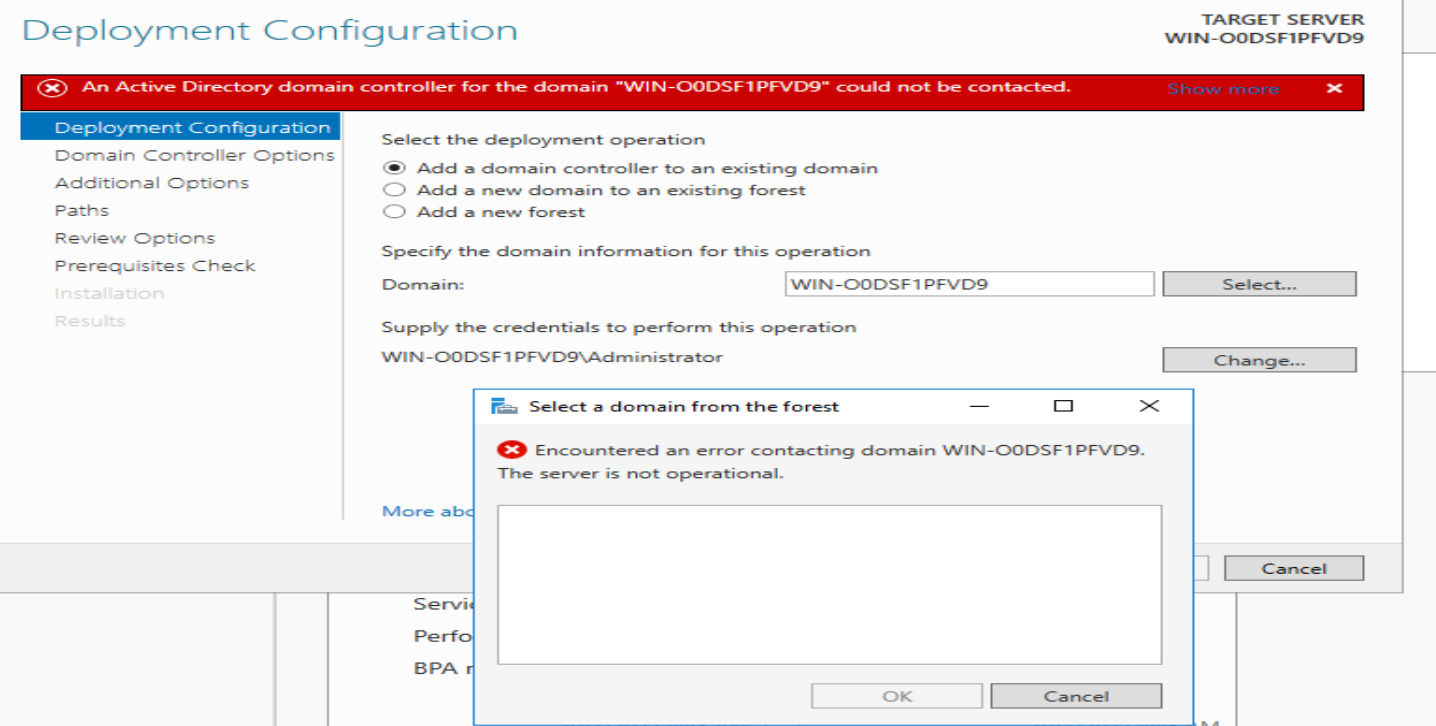
the VM got this domain name "WIN-O0DSF1PFVD9" >> I restarted my VM >> but when i tired to configure my VM (mainly prompt this server to domain), i got this error:-

enter image description here

enter image description here

any advice how i can define AD and define LDAP string for this windows server 2016? to test my code?

Windows for business | Windows Client for IT Pros | Directory services | Active Directory
0 comments No comments
{count} votes

1 answer

Sort by: Most helpful
  1. Anonymous
    2022-10-07T02:33:44.44+00:00

    Might check that the domain controller has a static ip address and that the DC now has own static address listed for DNS and no others such as router or public DNS. Also check the logs for details.
    https://learn.microsoft.com/en-us/windows-server/identity/ad-ds/deploy/troubleshooting-domain-controller-deployment

    --please don't forget to upvote and Accept as answer if the reply is helpful--


Your answer

Answers can be marked as 'Accepted' by the question author and 'Recommended' by moderators, which helps users know the answer solved the author's problem.