Rename RDWeb and WebClient website

M@H 1 Reputation point
2022-10-08T09:10:05.94+00:00

Hi,

On the RD Web Access server, Is it possible to rename the RDWeb website under the Default Web Site and the webclient for HTML5 Web Client?

For example: change from "www.MyDomain.com/RDWeb/webclient" to "www.MyDomain.com/Cloud/ERP"
I want to keep the URL in the browser like www.MyDomain.com/Cloud/ERP not just redirection to the default URLs.

What I've already tried:

Method 1:

  • C:\Windows\System32\inetsrv\appcmd.exe set app "Default Web Site/RDWeb" -path:/Cloud
  • C:\Windows\System32\inetsrv\appcmd.exe set vdir "Default Web Site/Cloud/WebClient" -path:/ERP

Method 2:
Renamed the folder "C:\Windows\Web\RDWeb\" to "C:\Windows\Web\Cloud\"

  • Replace "RDWeb" to "Cloud" and "WebClient" to "ERP" in
    ○ C:\Windows\System32\inetsrv\config\applicationHost.config
    ○ C:\Windows\Web\Cloud\Web.config
    ○ C:\Program Files\RemoteDesktopWeb\Internal\Clients\tqlv2tws.il2\content*

Method 3:
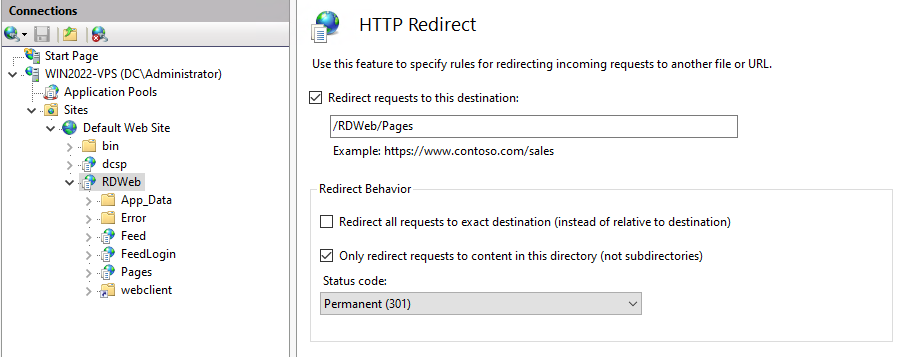
Using IIS Rewrite Module

I always got "The page isn’t redirecting properly" Status 302

Thanks in advance

Windows development | Internet Information Services
Windows for business | Windows Client for IT Pros | User experience | Remote desktop services and terminal services
0 comments No comments
{count} votes

2 answers

Sort by: Most helpful
  1. Sam Wu-MSFT 7,566 Reputation points Microsoft External Staff
    2022-10-10T02:07:28.903+00:00

    @M@H

    I always got "The page isn’t redirecting properly" Status 302

    What url rewrite rule are you using? May be you can try the following rule:

    <rule name="test" stopProcessing="true">  
      <match url="^RDWeb/webclient$" />  
        <conditions>  
          <add input="{HTTP_HOST}" negate="true" pattern="^MyDomain.com$" />  
        </conditions>  
      <action type="Redirect" url="Cloud/ERP" redirectType="Permanent" />  
    </rule>  
    

    If the answer is the right solution, please click "Accept Answer" and kindly upvote it. If you have extra questions about this answer, please click "Comment".

    Note: Please follow the steps in our documentation to enable e-mail notifications if you want to receive the related email notification for this thread.

  2. Sam Wu-MSFT 7,566 Reputation points Microsoft External Staff
    2022-10-10T09:39:15.717+00:00

    @M@H

    The only missing part is I want to keep the url in the browser as https://win2022-vps.dc.local/Cloud/ERP

    A rewrite doesn't change the URL in the browser, if you rewrite https://win2022-vps.dc.local/Cloud/ERP, it shouldn't change the url.

    URL Rewrite vs. Redirect; What’s the difference?


    If the answer is the right solution, please click "Accept Answer" and kindly upvote it. If you have extra questions about this answer, please click "Comment".

    Note: Please follow the steps in our documentation to enable e-mail notifications if you want to receive the related email notification for this thread.


Your answer

Answers can be marked as 'Accepted' by the question author and 'Recommended' by moderators, which helps users know the answer solved the author's problem.
