Hi Everyone,
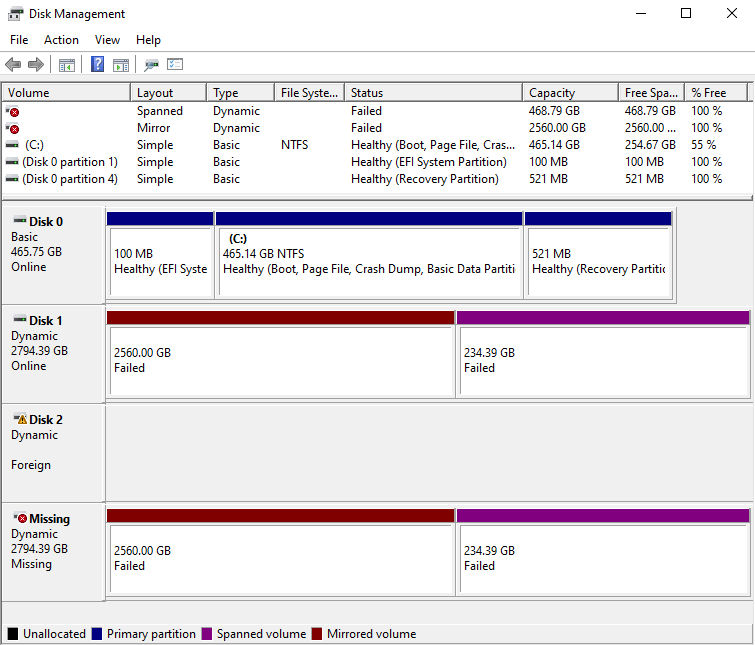
Windows does not recognize me a dynamic volume configured partly in mirroring and partly in spanning, consisting of two 3TB disks.
In short, having run out of space, I added two new 18TB drives by enabling RAID1 from controller on X570 motherboard and installing AMD drivers.
Before the procedure I disconnected the old 3TB disks (those in mirroring + spanning) and I reconnected them after the configuration of the new disks, to copy their contents.
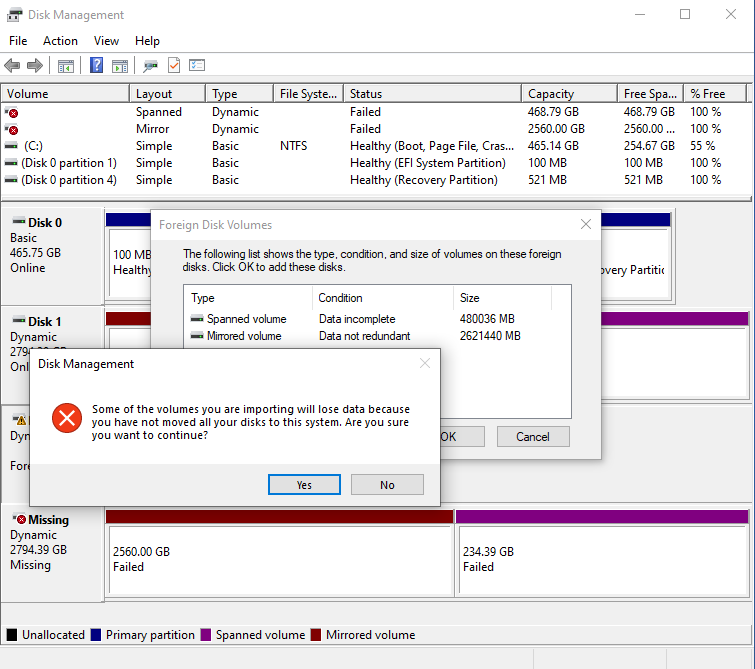
Surprisingly, a 3TB physical disk is no longer recognized and disk management reports it to me.
I tried to unplug the new 18TB disks, reset the AHCI option from bios, but the situation doesn't change.
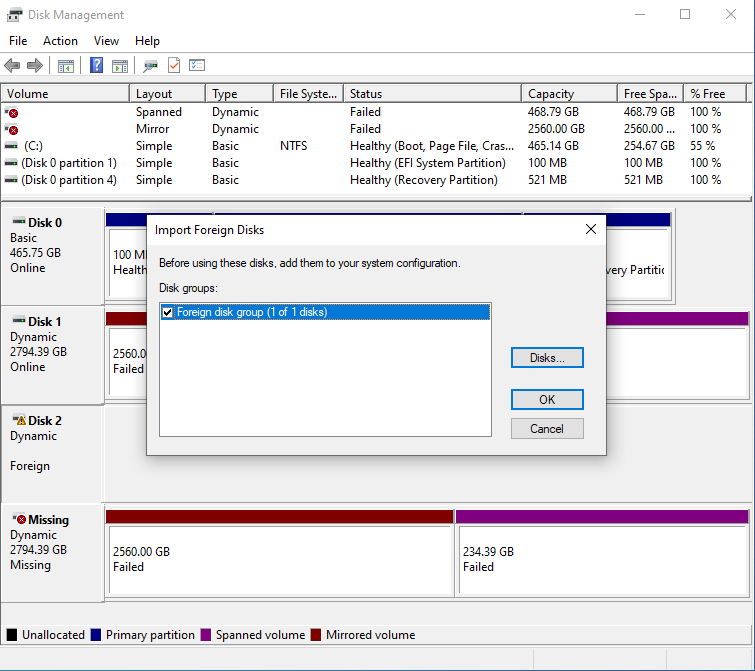
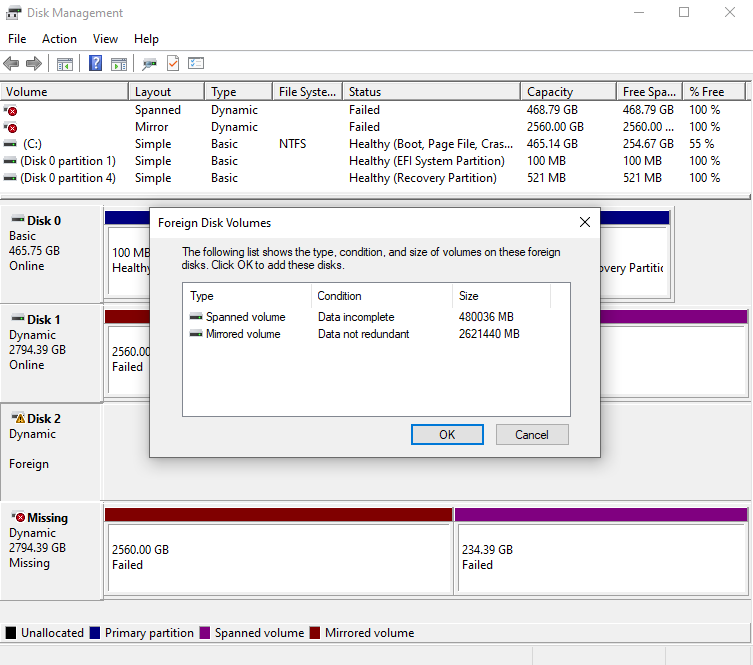
More precisely, disk management finds me an "Foreign" disk, which I could import. Before importing it rightly recognizes that it is a disk with a mirrored volume and a spanned volume. At the time of import, however, it informs me that the procedure can cause data loss.
So here I stopped.
I have not yet trusted to reactivate the recognized disk, fearing that it may lose data on the spanned portion, and perhaps not only.
So I wanted to ask if there is a way to automatically recognize the drives to Windows as before.
Or if there is a safe procedure to reactivate the unrecognized disk automatically.
Finally, a curiosity: in the spanned portion, the data are stored in a raw on both disks (therefore without the possibility of recovery) or are they sorted progressively while remaining readable?
Given the delicacy of the question, I thank anyone who can give me safe indications!
248657-e1.png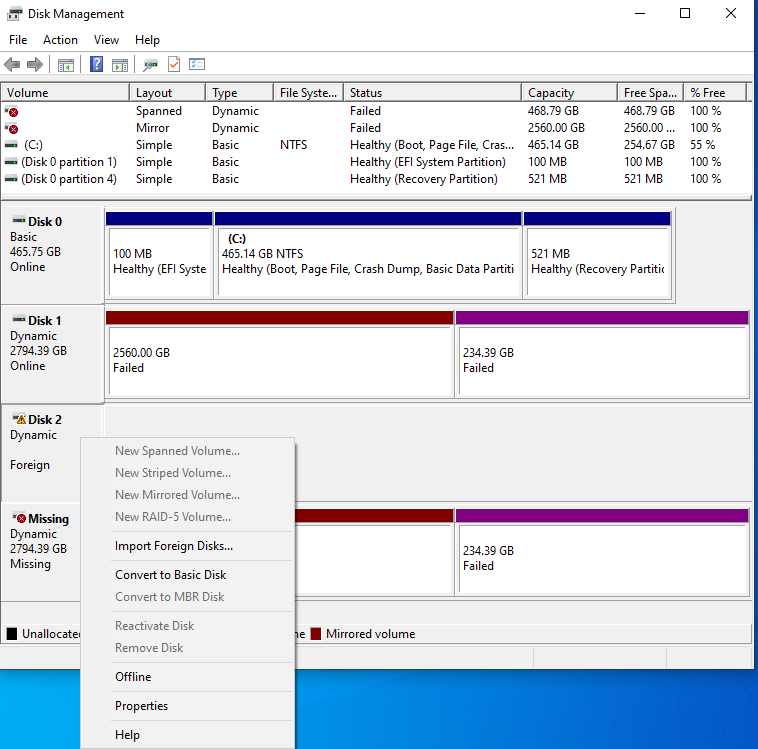
' cx='32' cy='32' r='32' /%3E%3Ctext x='50%25' y='55%25' dominant-baseline='middle' text-anchor='middle' fill='%23FFF' %3EJ%3C/text%3E%3C/svg%3E)

' cx='32' cy='32' r='32' /%3E%3Ctext x='50%25' y='55%25' dominant-baseline='middle' text-anchor='middle' fill='%23FFF' %3ELT%3C/text%3E%3C/svg%3E)