Community Center | Not monitored
Tag not monitored by Microsoft.

This browser is no longer supported.
Upgrade to Microsoft Edge to take advantage of the latest features, security updates, and technical support.
' cx='32' cy='32' r='32' /%3E%3Ctext x='50%25' y='55%25' dominant-baseline='middle' text-anchor='middle' fill='%23FFF' %3ERM%3C/text%3E%3C/svg%3E)
I am experiencing an issue with the Automated ML for time series forecasting. I can manually trigger the job and it trains the model successfully: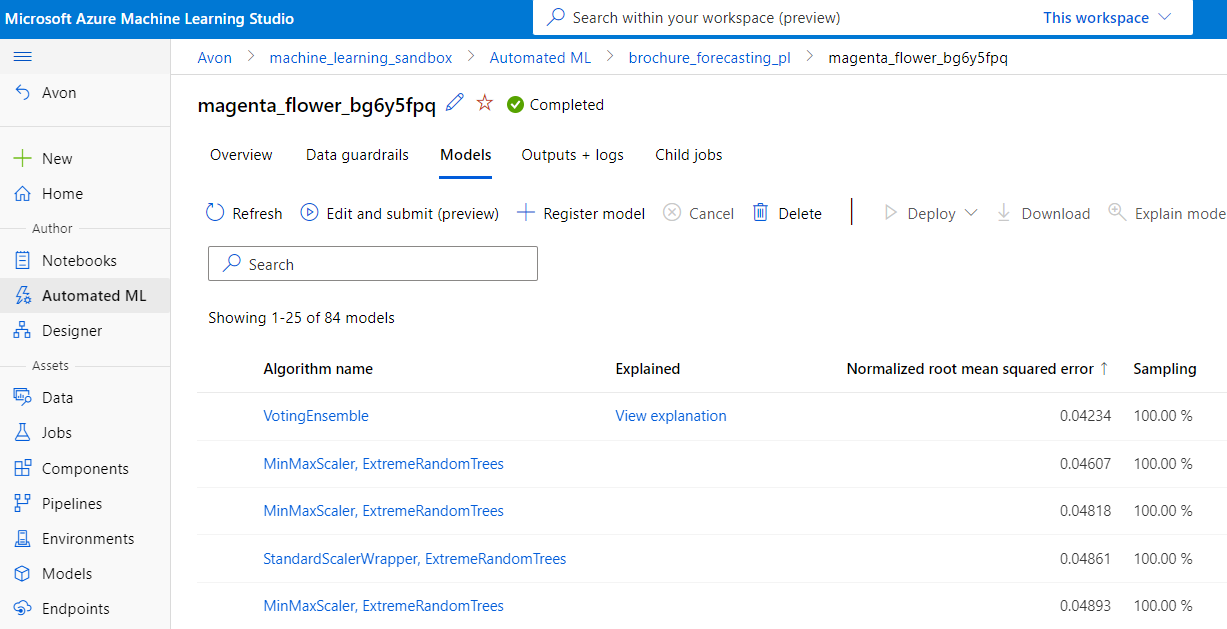
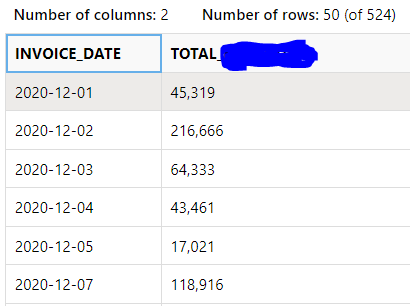
The data that I am using consists of 2 columns Invoice-date and total. I am using the first one as a date variable and the second as a target variable:
The issue that I have is that I cannot retrain the same model from the generated code which I am downloading straight from Azure: 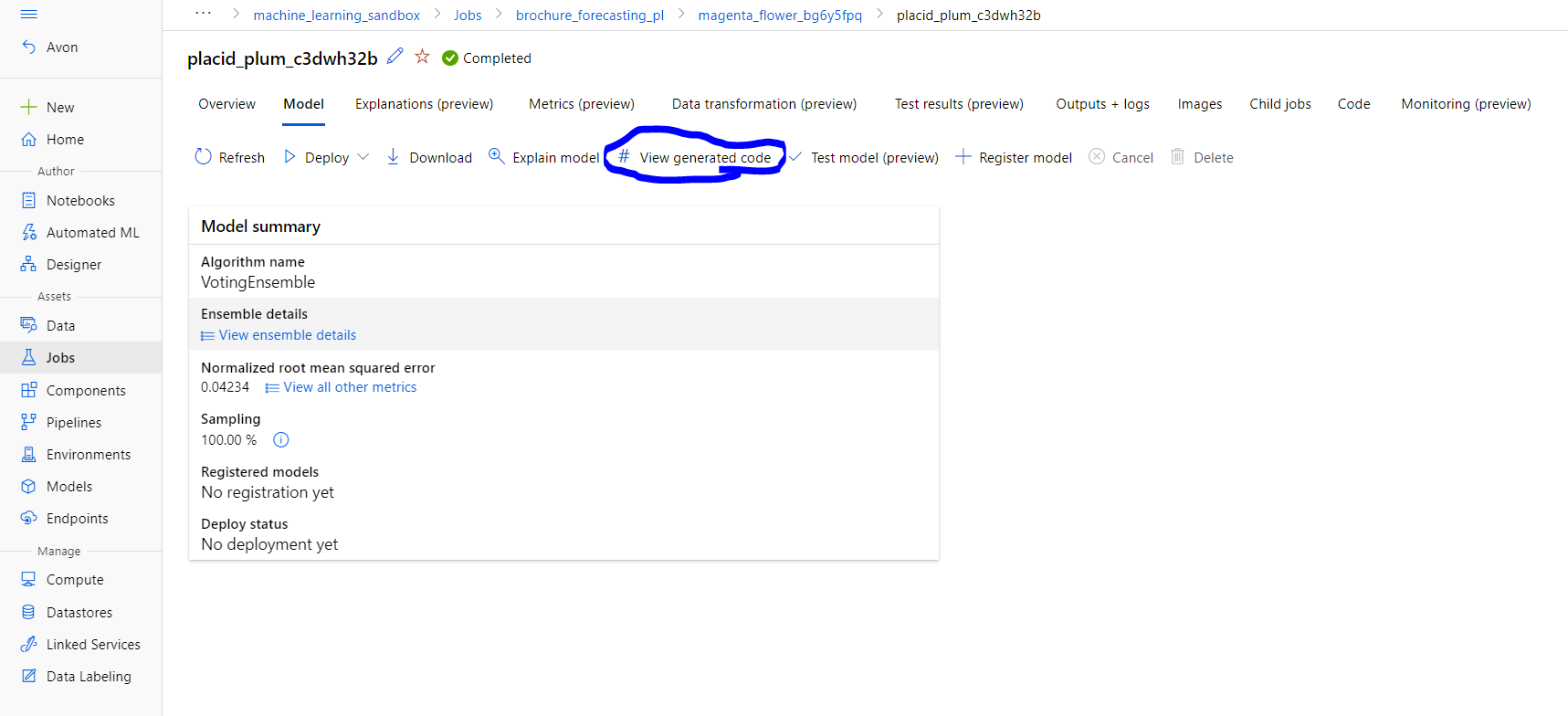
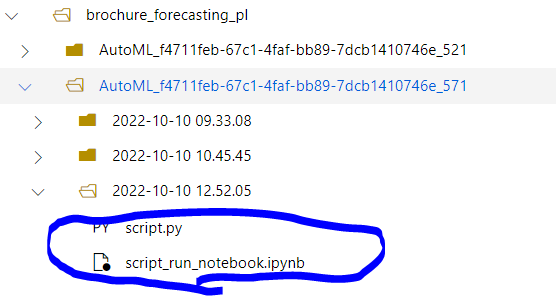
This approach of recreating the model from generated code worked for me when I was training the Classification models some time ago, so I believe that it should work in a similar way as well.
The error that I am getting after running the script_run_notebook.ipynb is the following:
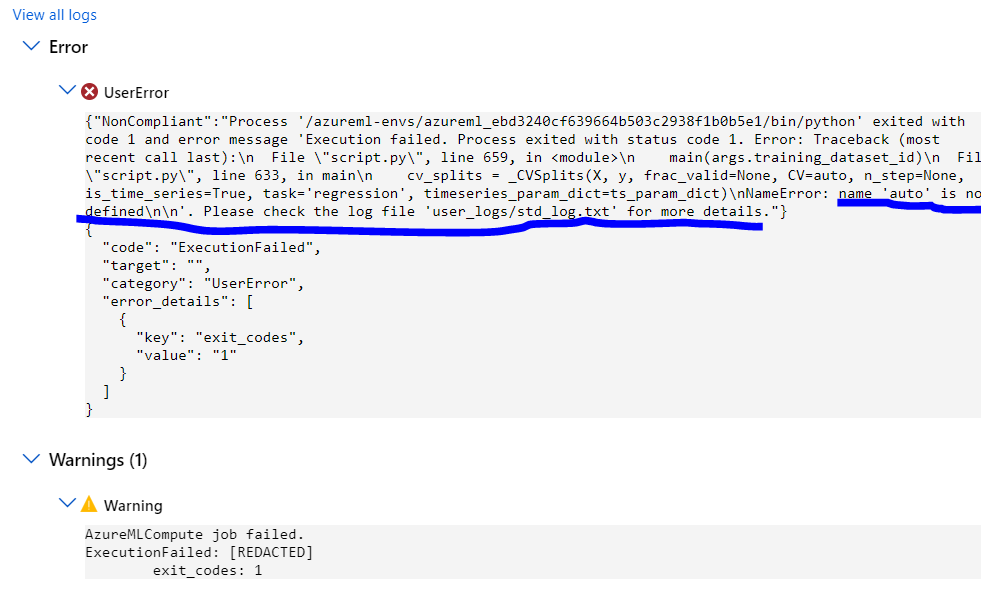
This makes sense because in the script.py file the auto variable is not defined which is reported by VS Code:
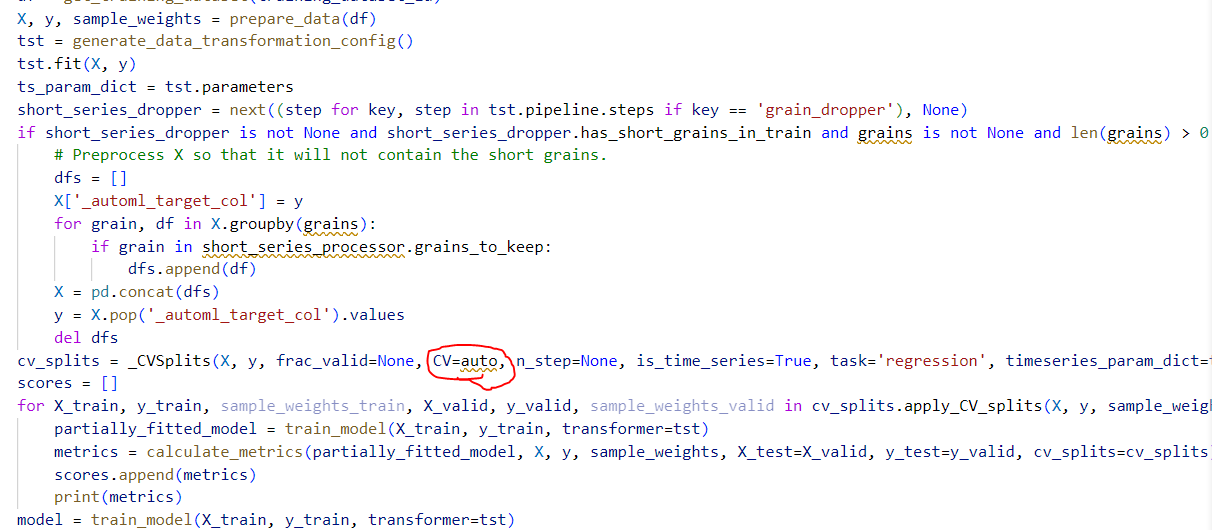

Is there anything that I am missing, or currently it is not possible to recreate the model from Automated ML in Azure by using generated code?
' cx='32' cy='32' r='32' /%3E%3Ctext x='50%25' y='55%25' dominant-baseline='middle' text-anchor='middle' fill='%23FFF' %3EYM%3C/text%3E%3C/svg%3E)
Hello @Rafal Manda
Thanks for reaching out to us, we are checking internally for this issue, will let you know soon.
Regards,
Yutong