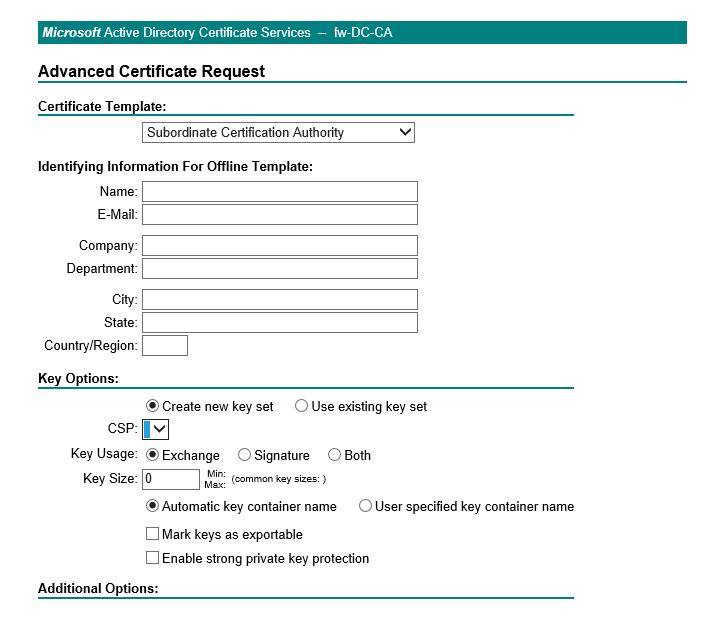
Cannot get web enrollment working

Tristano,G,Giuseppe,JBP12 R 111 Reputation points
2022-10-12T13:25:46.563+00:00

Situatiation,

installed an Enterprise CA on windows 2022
installed a computer certificate on IIS to get https

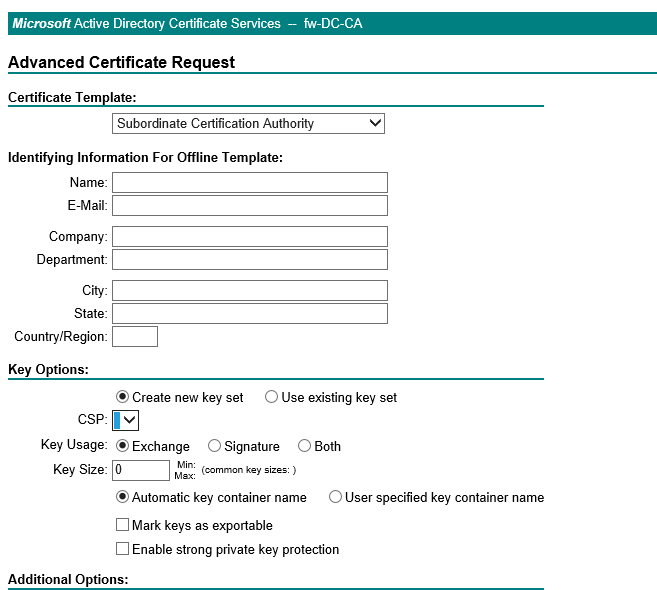
if I go to https://UNC/certsrv

249670-image.png

CSP is not loading. The same if I go to HTTP://unc/certsrv

Can you please advise?

Thank you and best regards
giuseppe

Windows for business | Windows Server | User experience | Other
{count} votes

3 answers

Sort by: Most helpful
  1. Anonymous
    2022-10-14T03:12:32.947+00:00

    Hello TristanoGGiuseppeJBP12R-7414,

    Thank you for posting in our Q&A forum.

    Please try to add the https://UNC/certsrv to browser trusted site.

    And then check if it helps.

    For more information about adding the https://UNC/certsrv to browser trusted site, please refer to information in link below.
    https://www.computerhope.com/issues/ch001952.htm#edge

    Hope the information above is helpful.

    Best Regards,
    Daisy Zhou

    ============================================

    If the Answer is helpful, please click "Accept Answer" and upvote it.

    0 comments No comments

  2. Limitless Technology 45,126 Reputation points
    2022-10-14T07:36:19.647+00:00

    Hello there,

    Are you facing this issue only in the Edge browser?

    This article provides a solution to enable active scripting in the security zone so that the webpage can receive your instruction to issue a certificate request.

    CSP shows Loading when using Advanced Certificate Request to submit a request to an enterprise CA https://learn.microsoft.com/en-US/troubleshoot/developer/browsers/security-privacy/csp-shows-loading-for-certificate-request

    Not able to request certificate using web enrollment https://learn.microsoft.com/en-us/troubleshoot/windows-server/windows-security/cannot-request-certificate-with-web-enrollment

    Error when a user requests certificate from CA web enrollment pages: No certificate templates could be found https://learn.microsoft.com/en-us/troubleshoot/windows-server/windows-security/no-certificate-templates-be-found

    ------------------------------------------------------------------------------------------------------------------------------------------

    --If the reply is helpful, please Upvote and Accept it as an answer–

    0 comments No comments

  3. Tristano,G,Giuseppe,JBP12 R 111 Reputation points
    2022-10-17T10:10:58.07+00:00

    Hello there,

    and thank you for your answers. I run in another issue.
    I installed a fresh forest with a Windows 2022 dc and a CA.

    I put the CA website in the Trusted Site and when I browse it
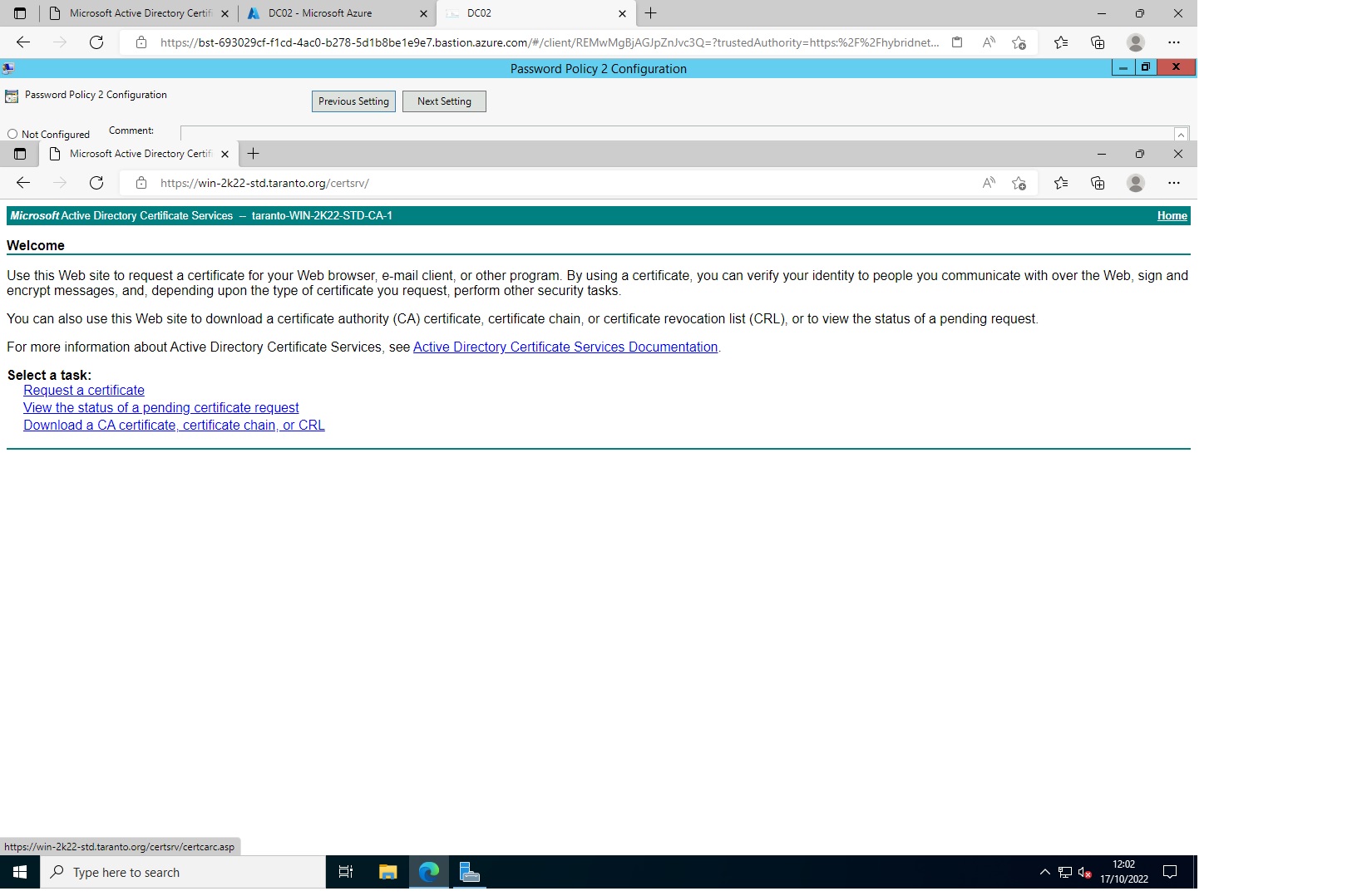
    First

    250950-ca1.jpg

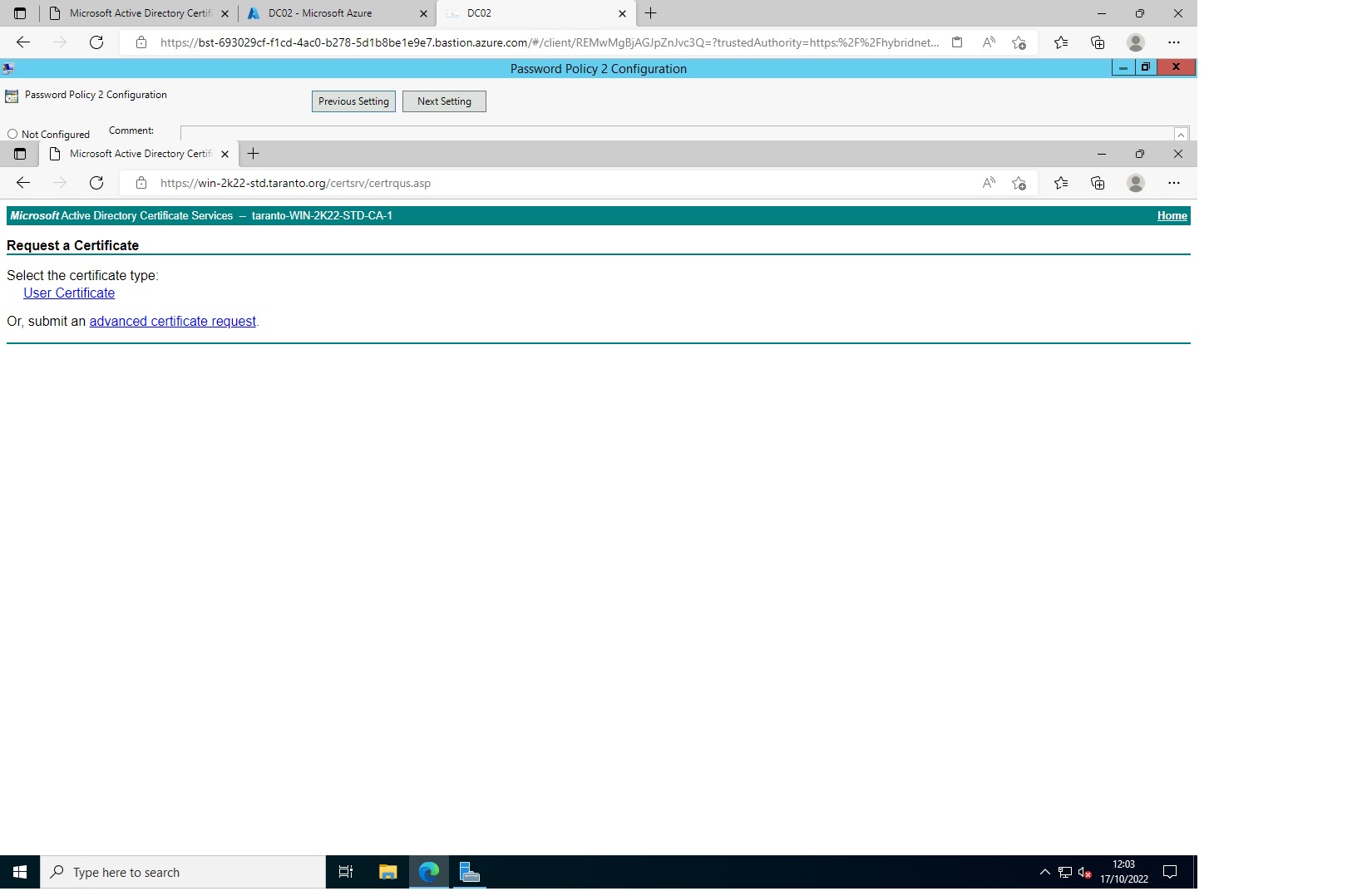
    I click on request certificate and the web site takes me here

    250989-ca2.jpg

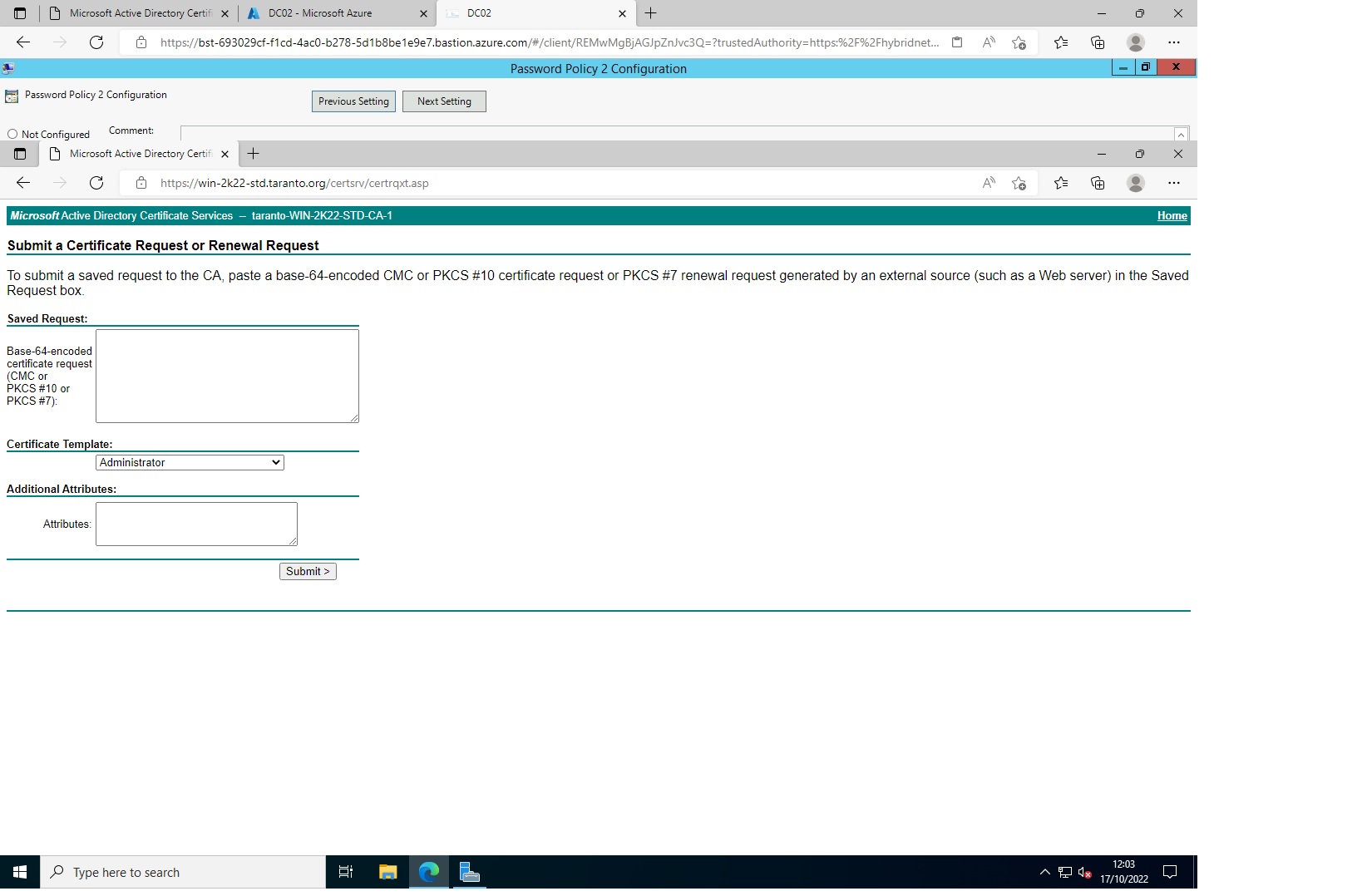
    submit an advanced request takes me here

    251091-ca3.jpg

    As you can see I cannot get this page

    251092-ca4.jpg

    Can you please advise?
    Thank you in advance for your reply
    beppe

    0 comments No comments

Your answer

Answers can be marked as 'Accepted' by the question author and 'Recommended' by moderators, which helps users know the answer solved the author's problem.