Azure Synapse Analytics
An Azure analytics service that brings together data integration, enterprise data warehousing, and big data analytics. Previously known as Azure SQL Data Warehouse.
This browser is no longer supported.
Upgrade to Microsoft Edge to take advantage of the latest features, security updates, and technical support.
' cx='32' cy='32' r='32' /%3E%3Ctext x='50%25' y='55%25' dominant-baseline='middle' text-anchor='middle' fill='%23FFF' %3EPJ%3C/text%3E%3C/svg%3E)
Hi All,
I have a pipeline parameter which is a nested array as below:
[[1,2,3],[2,3,4],[3,4,5]]
I want to copy this array into a csv file in below format,
1,2,3
2,3,4
3,4,5
' cx='32' cy='32' r='32' /%3E%3Ctext x='50%25' y='55%25' dominant-baseline='middle' text-anchor='middle' fill='%23FFF' %3EKM%3C/text%3E%3C/svg%3E)
Hello @Priya Jha ,
We still have not heard back from you. Just wanted to check if the below solution was helpful? If it answers your query, please do click Accept Answer and/or Up-Vote, as it might be beneficial to other community members reading this thread. And, if you have any further query do let us know.
Hello @Priya Jha ,
Thanks for the question and using MS Q&A platform.
I was working on a similar requirement where my source was like below(similar to yours):
[
	{
		"name": "jsonData",
		"value": "[[1,22,\"AAAA\"],[888,999,\"AXAXAXAX\"]]"
	}
]
Which I would like to transform to below output format in CSV/txt:
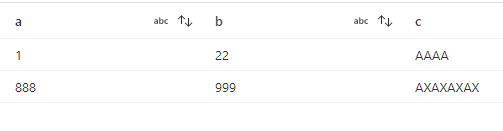
Below are the transformations I have followed to achieve it.

First use a derived column transformation to unfold the nested arrays using the below expression.
unfold(split(dropRight(dropLeft(value, 2),2),'],['))

The data preview of dataflow will look like below:
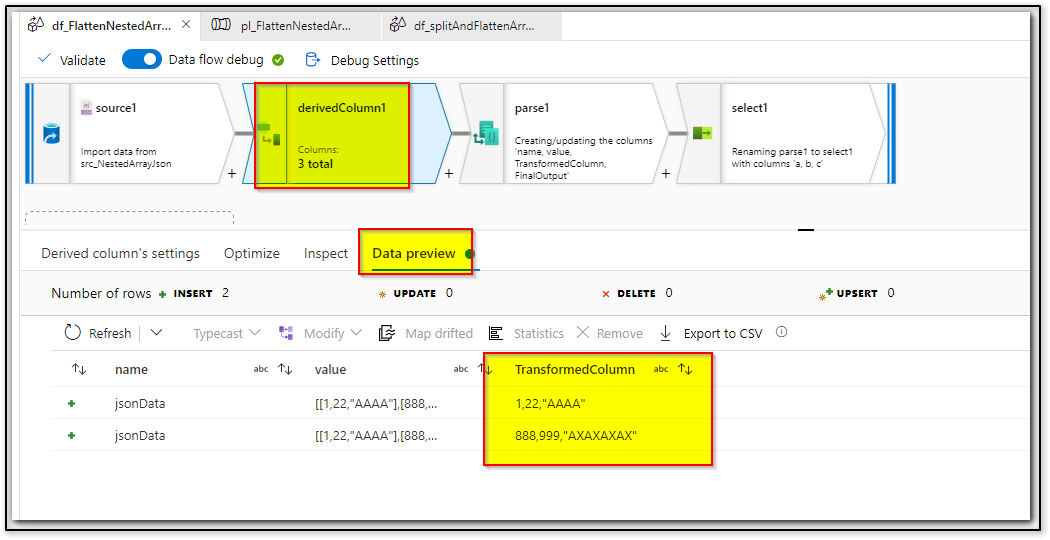
Then use a parse transformation to parse the coma separated string values and split them to individual column as shown below:

The data preview would look like below. (Note: Looks like there is a visual/UI bug in while previwing the data for parse transofrmation, I'll work with product team to fix this issue, but this is not a blocker as it is visual issue)

Then lastly have a select transformation and select the columns that you would like to copy to your sink. In my example, I will have to select columns a , b, c .
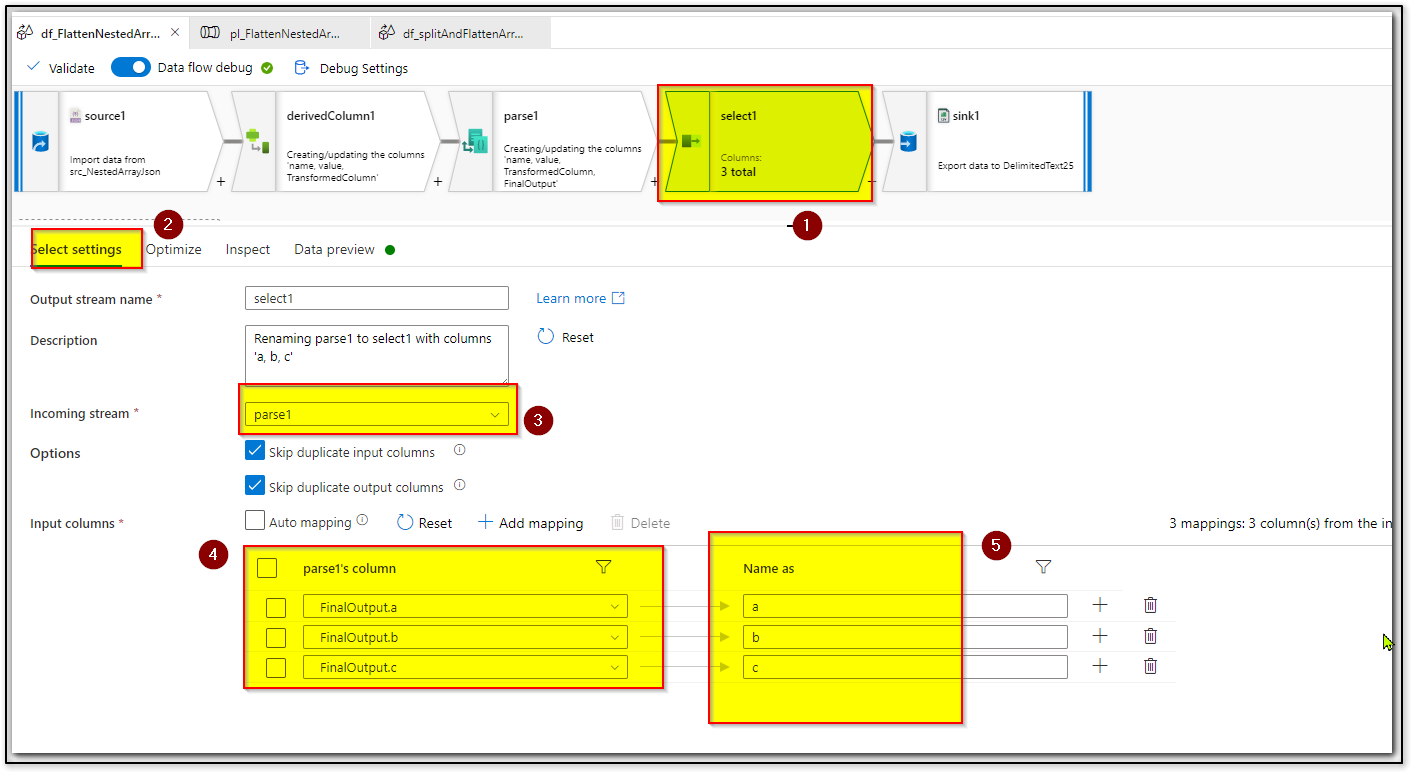
Lastly have a sink transformation and write to your desired sink.
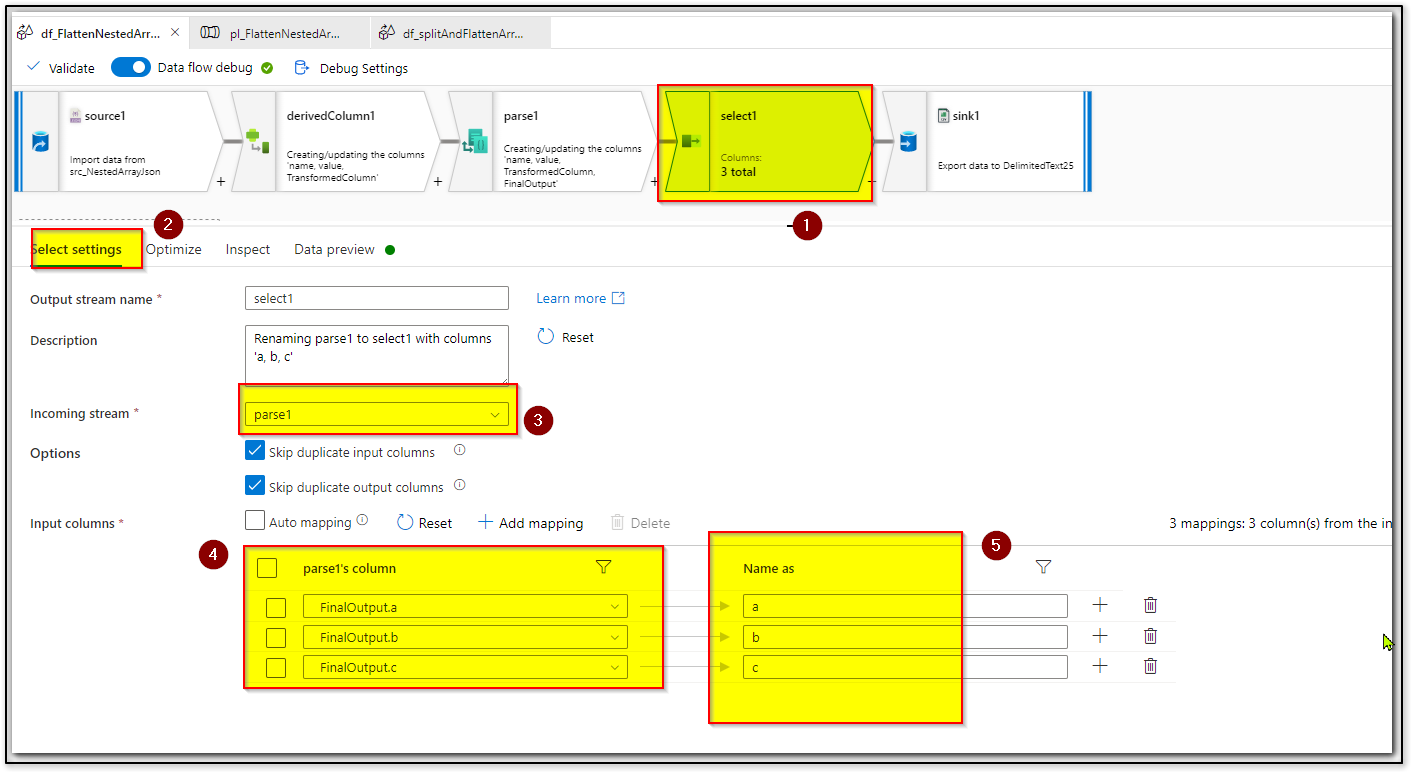
Hope this will help. Please let us know if any further queries.
------------------------------
 or upvote
  button whenever the information provided helps you. Original posters help the community find answers faster by identifying the correct answer. Here is how
Hello @Priya Jha ,
Just checking in to see if the above answer helped. If this answers your query, do click Accept Answer and Up-Vote for the same. And, if you have any further query do let us know.