Azure Virtual Machines
An Azure service that is used to provision Windows and Linux virtual machines.
This browser is no longer supported.
Upgrade to Microsoft Edge to take advantage of the latest features, security updates, and technical support.
' cx='32' cy='32' r='32' /%3E%3Ctext x='50%25' y='55%25' dominant-baseline='middle' text-anchor='middle' fill='%23FFF' %3ESS%3C/text%3E%3C/svg%3E)
Kindly provide the answer for VM Performance details (Top N List) to be download into Excel file
' cx='32' cy='32' r='32' /%3E%3Ctext x='50%25' y='55%25' dominant-baseline='middle' text-anchor='middle' fill='%23FFF' %3EKM%3C/text%3E%3C/svg%3E)
Hi @subash S I do not see an option to export to excel from the path VM-> Insights -> Performance.
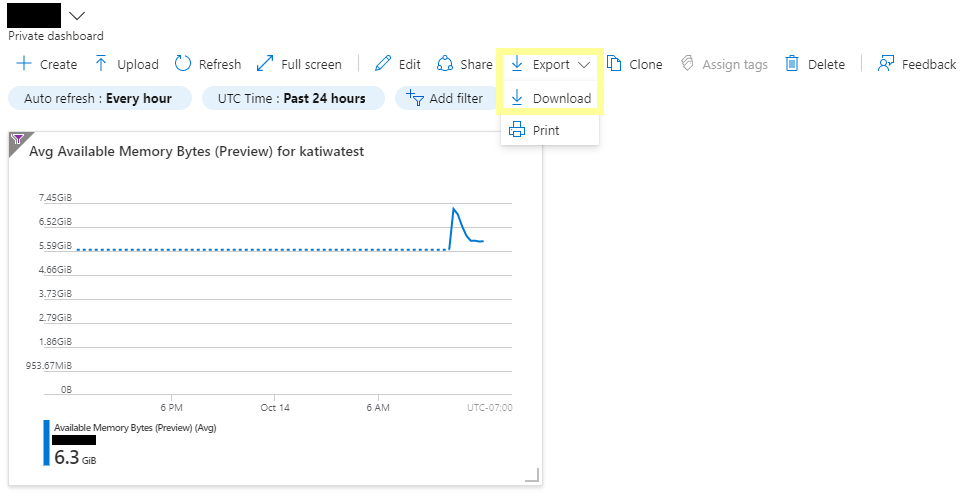
However, Clicking on the pin icon at the upper right-hand corner of any one of the charts pins the selected chart to the last Azure dashboard you viewed. From the dashboard, you have the option to Export into JSON file.
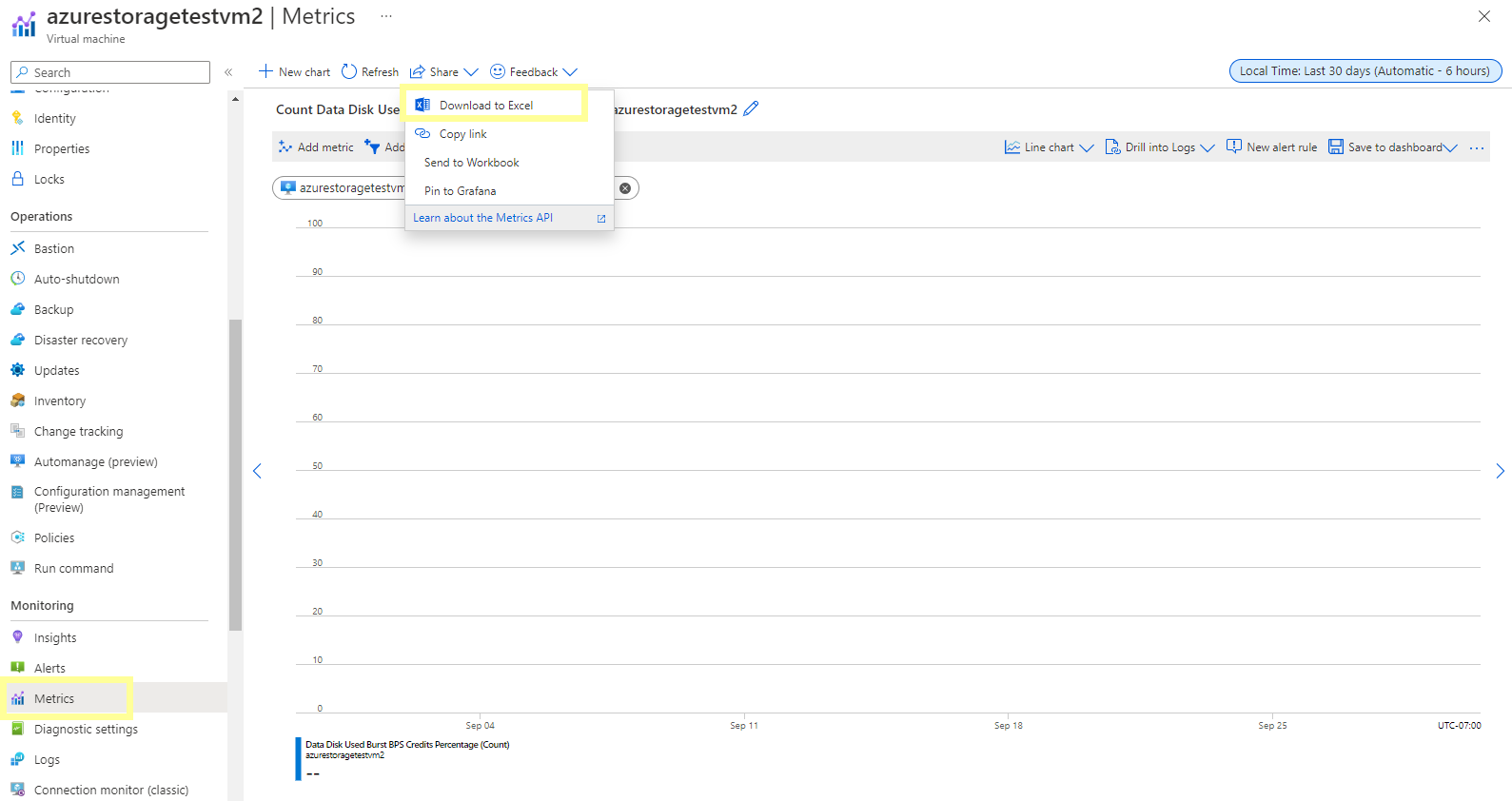
OR you can go to the VM -> Monitoring -> Insights -> select the metrics you are looking for -> Share-> Download to Excel.
Let me know if that helps.