Azure Monitor
An Azure service that is used to collect, analyze, and act on telemetry data from Azure and on-premises environments.
This browser is no longer supported.
Upgrade to Microsoft Edge to take advantage of the latest features, security updates, and technical support.
' cx='32' cy='32' r='32' /%3E%3Ctext x='50%25' y='55%25' dominant-baseline='middle' text-anchor='middle' fill='%23FFF' %3EMJ%3C/text%3E%3C/svg%3E)
Hello Team,
I hope you're doing fine,
I created recently a dcr to collect Error logs on a virtual Machine, here is the configuration :
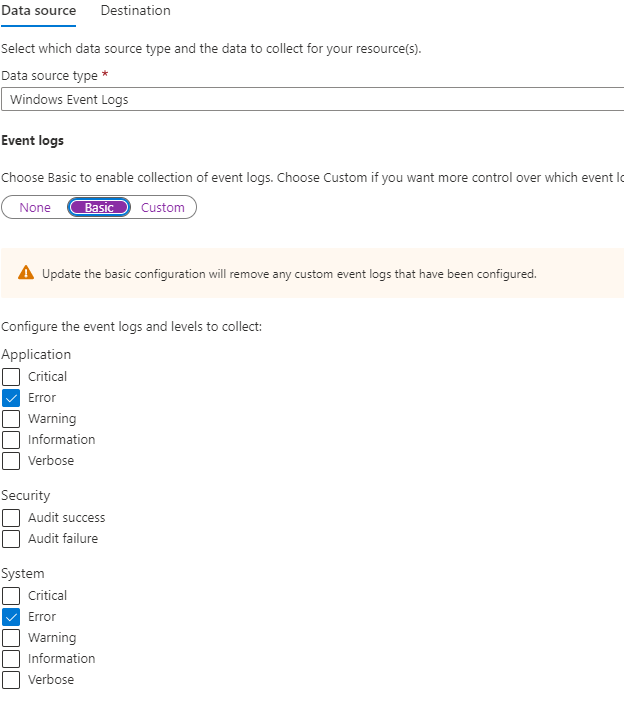
The DCR is writing to a log analytic workspace.
When i try to query the events from the workspace, i'm having this weird result :
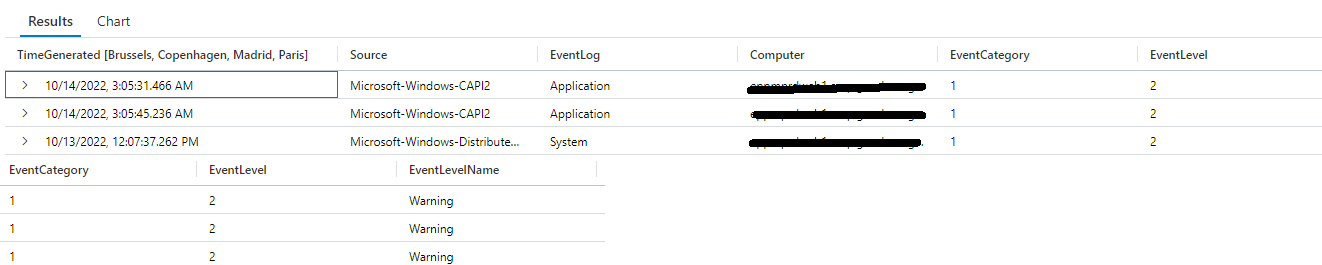
Event level = 2
Event levelname = Warning
Normally, Event level = 2 is error not warning, for a reason it appearing as warning, and i don't know why
Any help? thanks
The query that i'm using is :
Event
| where Computer == 'ComputerName'
' cx='32' cy='32' r='32' /%3E%3Ctext x='50%25' y='55%25' dominant-baseline='middle' text-anchor='middle' fill='%23FFF' %3EGM%3C/text%3E%3C/svg%3E)
Hello George,
Thank you for taking time to reproduce the issue, and thanks for the feedback,
That's a weird behavior
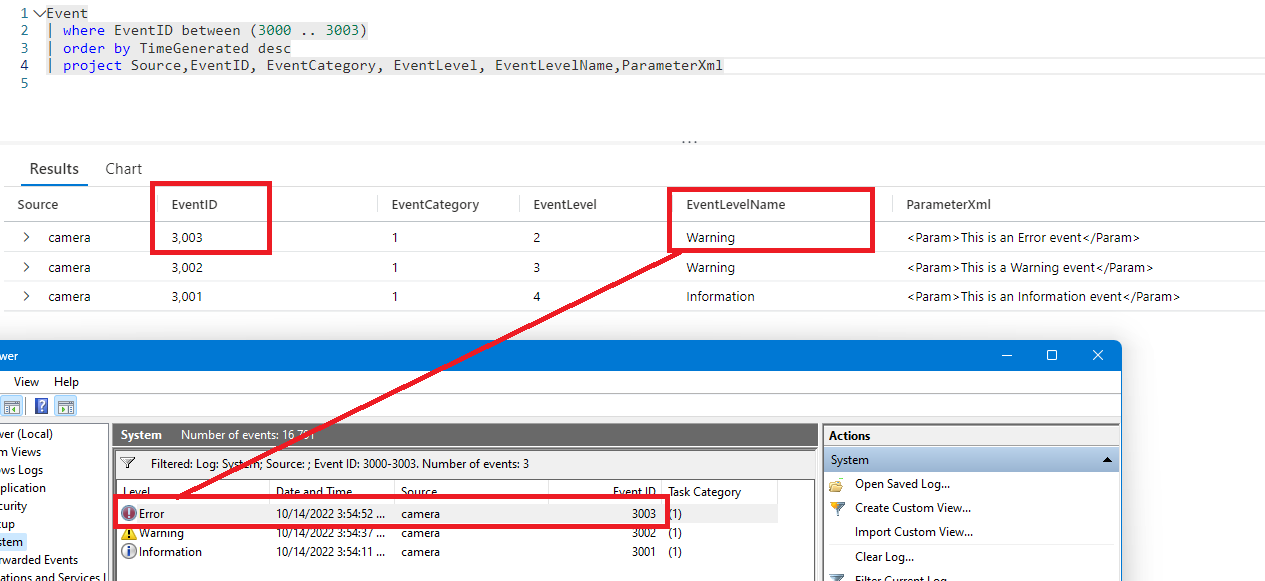
The eventLevel =2 is correct (2 = Error, 3=Warning) but the EventLevelName is wrong.
I created Alerts using the EventLevel, and not the EventLevelName to bypass the anomaly

Follow the workaround:
Event
| extend MyEventLevel = case (tostring(EventLevel) == "3", "Warning", tostring(EventLevel) == "4", "Information","Error")
| project Source, EventData, EventLevel, MyEventLevel
It worked for me
Thank you