Azure SQL Database
An Azure relational database service.
This browser is no longer supported.
Upgrade to Microsoft Edge to take advantage of the latest features, security updates, and technical support.
' cx='32' cy='32' r='32' /%3E%3Ctext x='50%25' y='55%25' dominant-baseline='middle' text-anchor='middle' fill='%23FFF' %3EVL%3C/text%3E%3C/svg%3E)
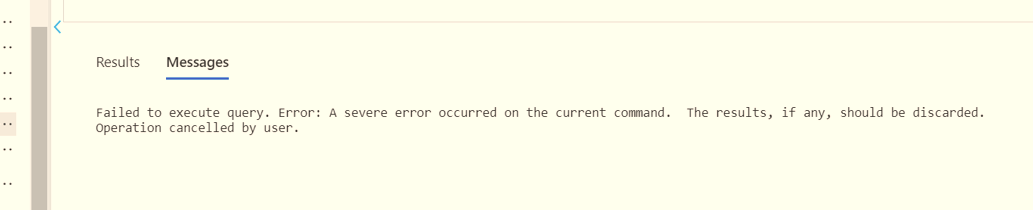
Error: A severe error occurred on the current command. The results, if any, should be discarded. Operation cancelled by user.
' cx='32' cy='32' r='32' /%3E%3Ctext x='50%25' y='55%25' dominant-baseline='middle' text-anchor='middle' fill='%23FFF' %3ESM%3C/text%3E%3C/svg%3E)
Hi @Vaibhav Lambat ,
Welcome to Microsoft Q&A platform and thanks for using Azure Services.
Regarding the Error, could you please share more details about the query you try to execute?
Thanks!
Hi @Vaibhav Lambat ,
Just checking if you could please share more details about the query you try to execute so that we can assist you.
Thanks!
when we are trying to run any table on Azure SQL DB we are getting this error ?
query eg - select column_name1,column_name2 from tablename;
Hi @Vaibhav Lambat ,
Following up to see if the below suggestions were helpful. If this answers your query, do click Accept Answer and Up-Vote for the same. And, if you have any further query do let us know.
Hi @Vaibhav Lambat ,
Thanks for the reply.
The issue looks strange. I would suggest you to please check few points:
1). This might be caused due to Corrupted Index. Reindexing the table could fix the problem.
2). Check if you're out of disk space or low on memory.
Additionally, please refer to the link kb3139489-fix-a-severe-error-occurred-on-the-current-command-when-a-table-valued-user-defined-function-is-referred-to-by-a-synonym and sql-server-error-on-update-command-a-severe-error-occurred-on-the-current-com with details about this error handling.
Hope this will help. Please let us know if any further queries.
------------------------------
 or upvote
  button whenever the information provided helps you.
You should be getting error number 40540 that usually comes with that error message and for this error it is recommended a retry logic should be implemented.
Documentation used to have this explanation:
The service has encountered an error processing your request. Please try again. Error code %d. You will receive this error, when the service is down due to software or hardware upgrades, hardware failures, or any other failover problems. Reconnecting to your SQL Database server will automatically connect you to a healthy copy of your database. You may see error codes 40143 and 40166 embedded within the message of error 40540. The error codes 40143 and 40166 provide additional information about the kind of failover that occurred. Do not modify your application to catch error codes 40143 and 40166. Your application should catch 40540 and try reconnecting to SQL Database until the resources are available and your connection is established again.
Your application should catch 40540 and try reconnecting to SQL Database until the resources are available and your connection is established again.
See this forum thread in StackOverflow for more information.