Azure SQL Database
An Azure relational database service.
This browser is no longer supported.
Upgrade to Microsoft Edge to take advantage of the latest features, security updates, and technical support.
' cx='32' cy='32' r='32' /%3E%3Ctext x='50%25' y='55%25' dominant-baseline='middle' text-anchor='middle' fill='%23FFF' %3EMJ%3C/text%3E%3C/svg%3E)
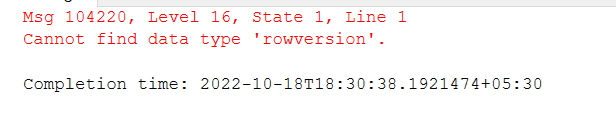
I need to create a column with rowversion as column name and the datatype is either rowversion or timestamp. I am getting an error saying that 'cannot find the datatype 'timestamp' and 'cannot find the datatype rowversion'. I am copying a table from external database. So it will be good for me to keep the column name as rowversion itself. Help me here to create a column in the table.
This is the syntax I have used.
alter table table_name
add rv rowversion
alter table table_name
add rv timestamp


Hi, @Maneesha John Welcome to the Microsoft Q&A platform, thanks for posting the question
Is this for an SQL server or Azure SQL, if it is an SQL server please share the version?
Regards
Geetha
This is SQL Server. I am using SSMS v18.11.1 version.
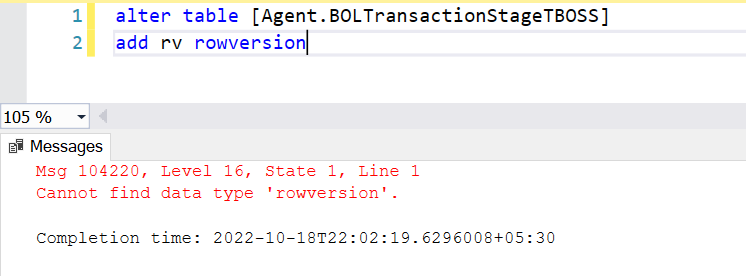
This is the query I have ran.
@Maneesha John back with the same question what version of SQL Server? I used 2019
also, can you build a new table, simple and easy add columns, and then retry it.
Regards
Geetha
' cx='32' cy='32' r='32' /%3E%3Ctext x='50%25' y='55%25' dominant-baseline='middle' text-anchor='middle' fill='%23FFF' %3EMT%3C/text%3E%3C/svg%3E)
@GeethaThatipatri-MSFT Refer to his comment to my question. He's using Azure SQL.
I'm also curious about the case sensitivity of Azure SQL. I've heard rumors that even though SQL shouldn't be case sensitive on types that in some cases it is anyway and therefore to consider always using uppercase types. Not sure if that is applicable to Azure SQL though.
@Michael Taylor I get it now, let me try to repro in Azure SQL and see.
Regards
Geetha
@Maneesha John Just checking in to see if you had the chance to check the reply and if the suggestion was helpful. If it answers your query, please do click “Accept Answer” and/or Up-Vote, as it might be beneficial to other community members.
Regards
Geetha

I have one doubt though. I am trying to do this in Azure Synapse. Is that the problem?
Yes. Azure Synapse supports most T-SQL types but there are a few exceptions. Below is an excerpt from the Query Language documentation that explains why the rowversion (a.k.a. timestamp) is not recognized (added emphasis in bold):
all Transact-SQL types except cursor, hierarchyid, ntext, text, and image, rowversion, Spatial Types, sql_variant, and xml
You can use timestamp as a column name but with an alternate data type (e.g. binary(8)). The implication is data loaded as part of an ETL process will need to be converted for ingestion and. of course, the value will not automatically change with row updates like rowversion type values do in SQL Server.
@Maneesha John Thank you for visiting the Microsoft QA forums! Have a great day!
Regards
Geetha
timestamp is deprecated and should not be used. It is an alias for rowversion.
The syntax looks valid at this point.
   ALTER TABLE TestTable
   ADD rv rowversion;
I have tried this and I am getting an error ' cannot find datatype rowversion'. I have pasted the error image above along with my question
The SQL command is valid. Your screenshot is of an error but I'm assuming that the SQL code you posted is just a made up value and not the actual script you ran. Can you confirm this? Is there any more code above or below the snippet you gave?
What version of SQL Server (not SSMS) are you running. I'm assuming it is at least SQL Server 2014 but confirmation would be nice.
I ran the command alter table table_new add rv rowversion. Also, I am using SSMS v18.11.1
The version of SSMS doesn't matter here. Please tell us the version of SQL Server that you're connected to. You can see that version using SELECT @@Version. It shouldn't really matter as you're most likely running a version of SQL that supports it.
Nevertheless the command I posted works correctly. If it doesn't work for you then there is something else going on. Please provide the table schema that you have for that table already. Also confirm there is no other SQL script as part of the command you're running.
Microsoft SQL Azure (RTM) - 12.0.2000.8 Sep 28 2022 22:33:58 Copyright (C) 2022 Microsoft Corporation
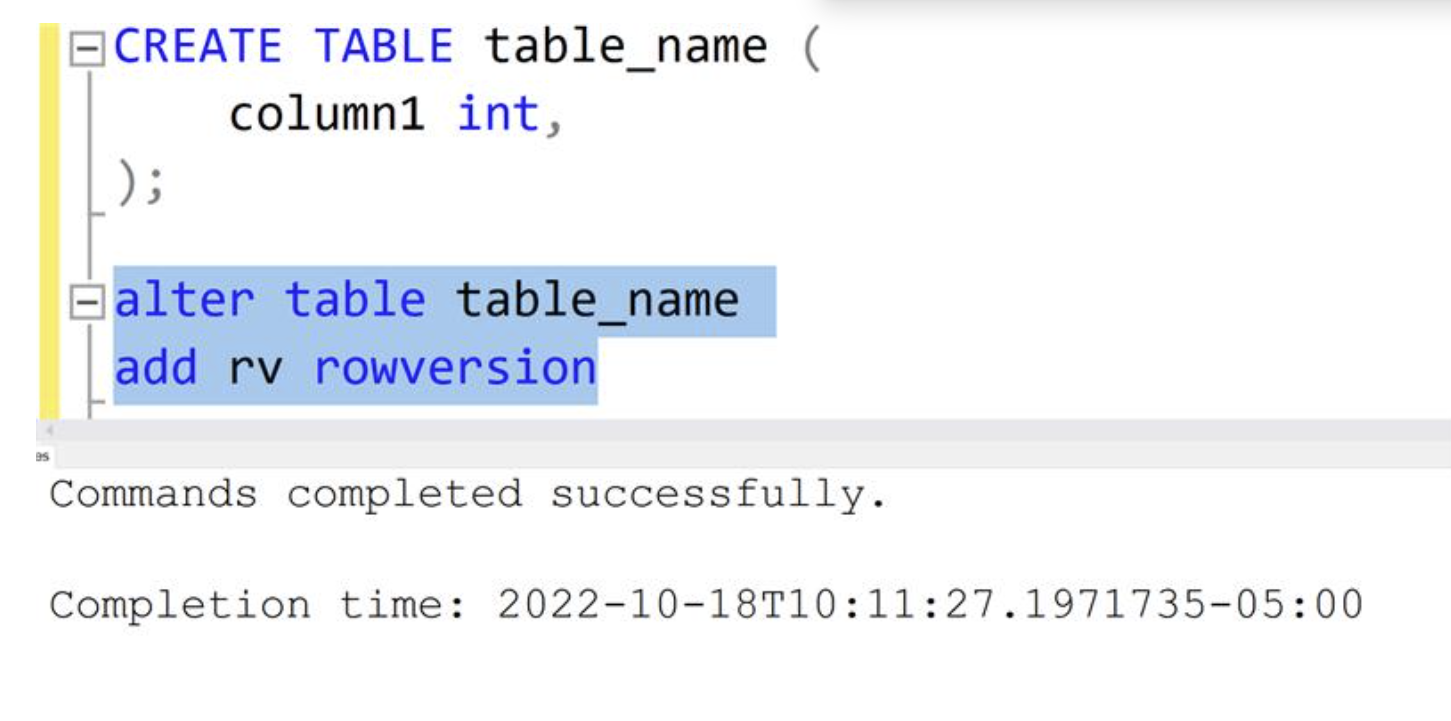
@Maneesha John I tried SSMS 18.12.1 with SQL Server 2019 and works for me
Regards
Geetha
I dont know why mine is not working as I have used the same query
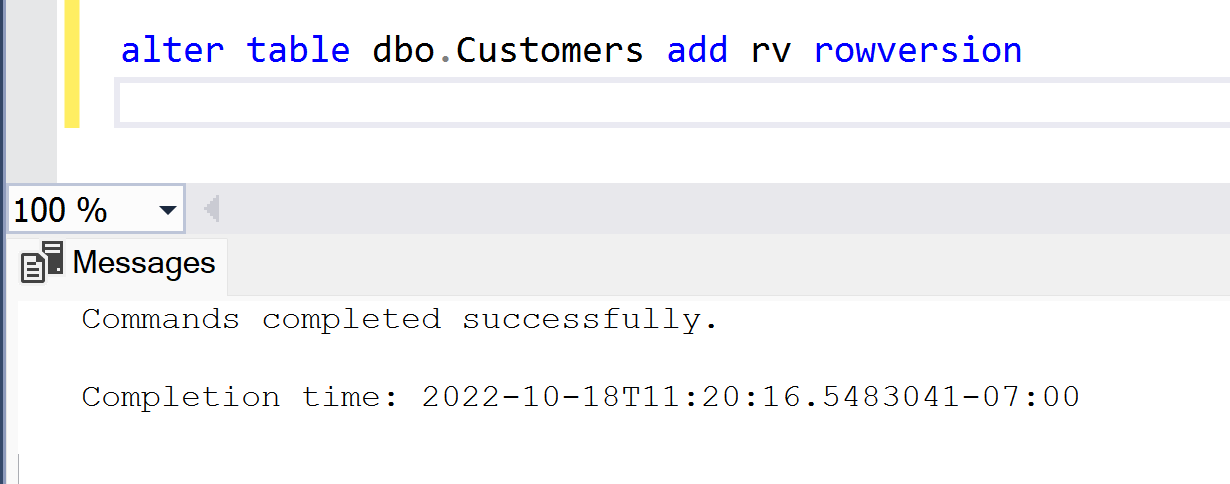
@Maneesha John I tried in Azure SQL as well still no issues
as basic troubleshooting. create a new table and try it with that if it works with that new table, then there is something with that particular table
Regards
Geetha
I tried creating a new table with the following script. 
I have one doubt though. I am trying to do this in Azure Synapse. Is that the problem?
@Maneesha John If so… rowversion is technically created as a timestamp data type which is not supported in synapse. See here for some workarounds.
Let me know if this helps
Regards
Geetha
I have one doubt though. I am trying to do this in Azure Synapse. Is that the problem?
Yes. Add the azure-synapse-analytics tag to your question for context and visibility to answers.