Microsoft Teams | Development
Building, integrating, or customizing apps and workflows within Microsoft Teams using developer tools and APIs

This browser is no longer supported.
Upgrade to Microsoft Edge to take advantage of the latest features, security updates, and technical support.
' cx='32' cy='32' r='32' /%3E%3Ctext x='50%25' y='55%25' dominant-baseline='middle' text-anchor='middle' fill='%23FFF' %3ECH%3C/text%3E%3C/svg%3E)
Hi, I want to upload my custom appt to teams but there is no app upload option on my teams
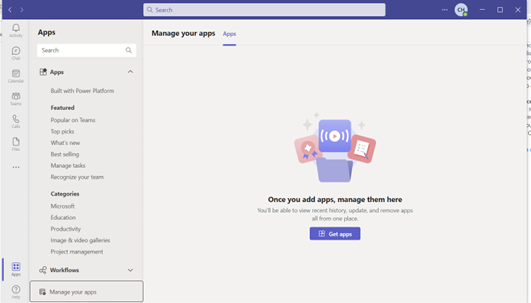
Then I went to teams admin center and check the policy. In Global (Org-wide default) policy I found I already enable the option Upload custom apps and my policy assigned is as follow:
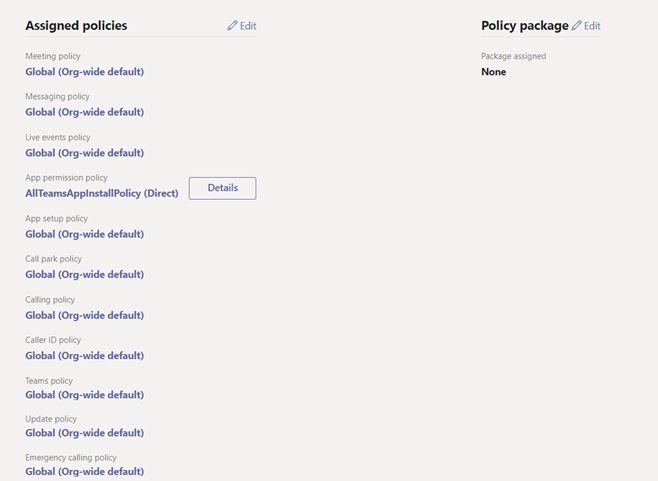
. But I still cannot find app upload option on my team. Can I ask what step I missed and how to fix it?
' cx='32' cy='32' r='32' /%3E%3Ctext x='50%25' y='55%25' dominant-baseline='middle' text-anchor='middle' fill='%23FFF' %3ESM%3C/text%3E%3C/svg%3E)
Hi @Chenguang He (c)
Do you have any further question on this topic now?
If the above suggestion helps, please be free to mark it as answer for helping more people.

How long has it been since you made the changes? I'd suggest you check via the browser client, preferably in a private session, in order to exclude any issues with the Teams cache.
Does the web client have the same problem?
According to your description, we would recommend you confirm at the Teams admin center to make sure the permission policies is set and allow all apps:
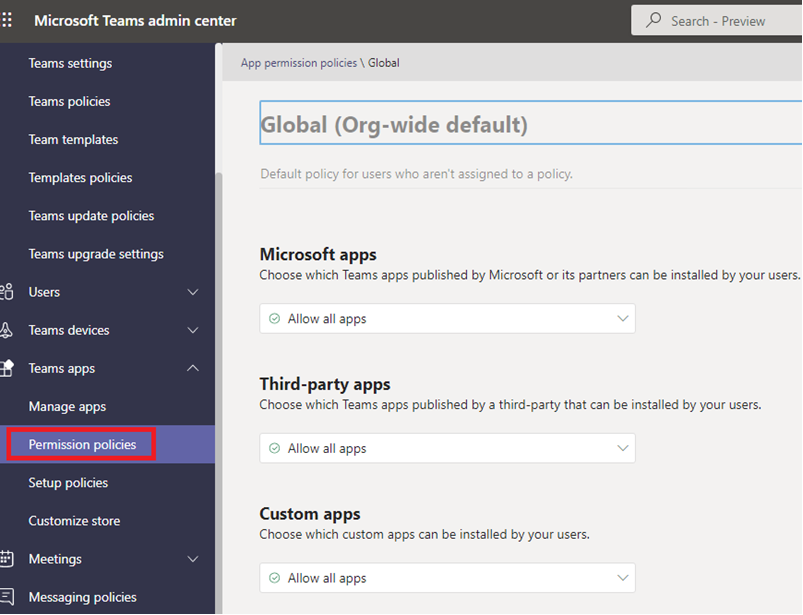
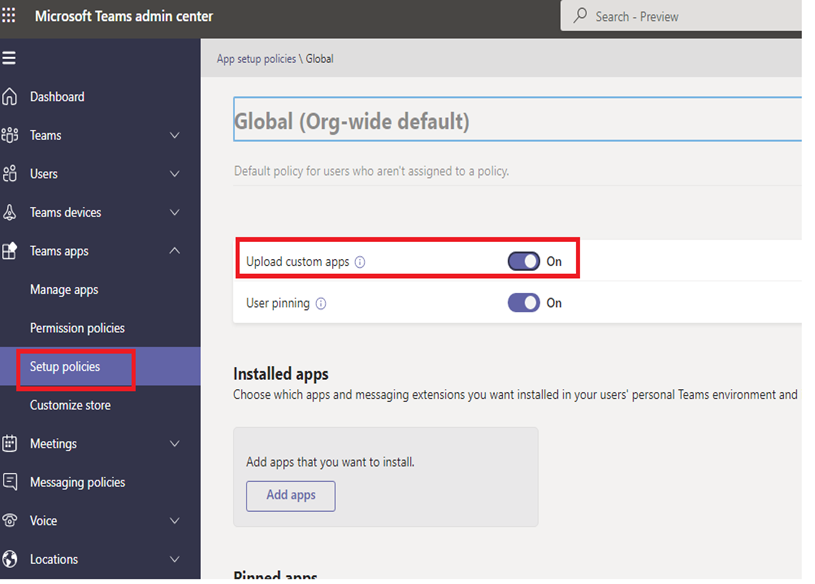
After saving the settings, you need to wait for them to take effect.
If the answer is helpful, please click "Accept Answer" and kindly upvote it. If you have extra questions about this answer, please click "Comment".
Note: Please follow the steps in our documentation to enable e-mail notifications if you want to receive the related email notification for this thread.
Haven't received your message for a long time.
Do you have any further issue on this topic? If the reply is helpful to you, you can try to mark it as a answer to close the thread.
@SokiGuo-MSFT Hi, this problem has been solved. thanks for your response
Hi @Chenguang He (c)
Thanks for your sharing, glad to see it is resolved.
If the reply is helpful to you, please try to mark it as an answer to close the thread, it will help others who encounter the same issue and read this thread.
Thank you for your understanding and patience!