Microsoft Security | Microsoft Entra | Microsoft Entra ID
A cloud-based identity and access management service for securing user authentication and resource access

This browser is no longer supported.
Upgrade to Microsoft Edge to take advantage of the latest features, security updates, and technical support.
' cx='32' cy='32' r='32' /%3E%3Ctext x='50%25' y='55%25' dominant-baseline='middle' text-anchor='middle' fill='%23FFF' %3ERF%3C/text%3E%3C/svg%3E)
Hi All
I want to export Audit Logs from Azure AD ie. who has created/deleted a user, who created/deleted group, i want to export all the admin audit logs from powershell to a csv file, experts guide me on this.
A cloud-based identity and access management service for securing user authentication and resource access
Additional Microsoft Entra services and features related to identity, access, and network security
' cx='32' cy='32' r='32' /%3E%3Ctext x='50%25' y='55%25' dominant-baseline='middle' text-anchor='middle' fill='%23FFF' %3EVS%3C/text%3E%3C/svg%3E)
@Rising Flight I wanted to follow up and know if the below response helped in answering your query. If it did, please accept the appropriate response as answer for the benefit of community. If it did not, please let us know so that we can help you further.
Answer accepted by question author
@Rising Flight Thanks for reaching out. Here are the steps which you need to follow
1) You need to import the AzureAD Preview module and connect to Azure AD account
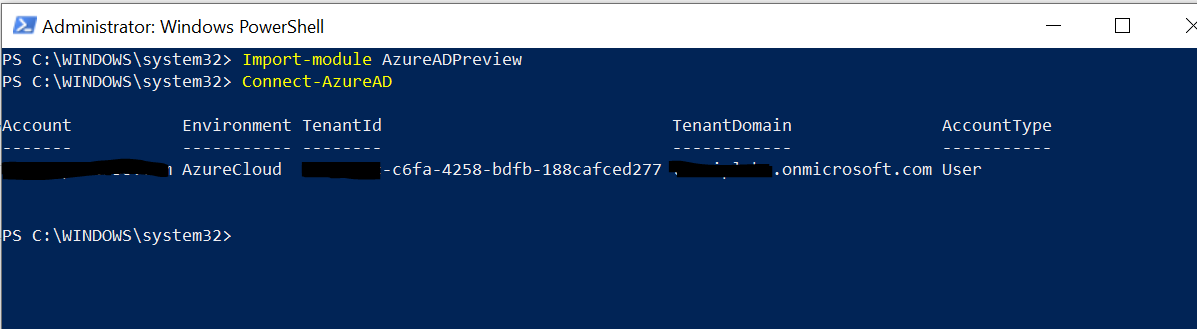
2) Next you need to run : Get-AzureADAuditDirectoryLogs | Export-Csv -path C:\Reports.csv

Once you have the reports, you can then filter it for Different ActivityDisplayName Like : Add user, update user or with any other requirement.
If the suggested response helped you resolve your issue, please do not forget to accept the response as Answer and "Up-Vote" for the answer that helped you for benefit of the community.
will the below syntax
Get-AzureADAuditDirectoryLogs -Resultsize unlimited -StartDate 09/20/2020 00:00 -EndDate 09/23/2020 23:59 | Export-Csv -path C:\Reports.csv
@Rising Flight The following would work : (note that ResultSize parameter is mostly used in EXO module and is MS internal only) :
Get-AzureADAuditDirectoryLogs -Filter "activityDateTime gt 2020-09-20 and activityDateTime le 2020-09-24" | Export-Csv -path C:\Reports.csv

You can read more about it here : https://learn.microsoft.com/bs-cyrl-ba/powershell/module/azuread/get-azureadauditdirectorylogs?view=azureadps-2.0-preview
-----------------------------------------------------------------------------------------------------------------
If the suggested response helped you resolve your issue, please do not forget to accept the response as Answer and "Up-Vote" for the answer that helped you for benefit of the community.
@Rising Flight
I wanted to follow up and know if the above response helped in answering your query. If it did not, please do let us know so that we can help you further. Also, please do not forget to accept the response as Answer; if the above response helped in answering your query.