Microsoft 365 and Office | SharePoint Server | For business
A family of Microsoft on-premises document management and storage systems.

This browser is no longer supported.
Upgrade to Microsoft Edge to take advantage of the latest features, security updates, and technical support.
' cx='32' cy='32' r='32' /%3E%3Ctext x='50%25' y='55%25' dominant-baseline='middle' text-anchor='middle' fill='%23FFF' %3ETK%3C/text%3E%3C/svg%3E)
By Mistake, I run this Powershell command on SharePoint Farm Get-SPFeature | ? { !$.Scope } | % { $.Delete() }.
After running this command the site setting link or header of SharePoint Master Page also disappears when I use this URL HTTPS://<MYSite>/_layouts/15/settings.aspx the page not showing the feature links, also when I run individual URL like HTTPS://<MySite>/_layouts/15/user.aspx the page displayed it's mean the all links are working. effect of this command is site setting disappears and all the links available on the Site Setting Page disappear.
When I run the FarmAdministration tool it appears in Cleanup Items, can anyone help me how to revert this command?
Thanks in advance.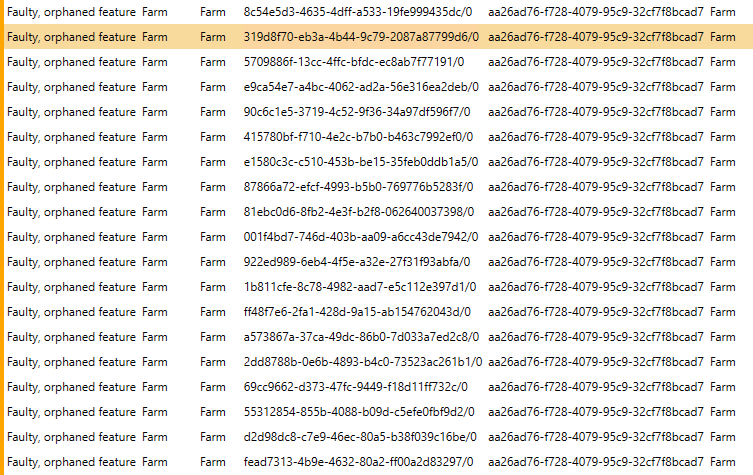
TJ
' cx='32' cy='32' r='32' /%3E%3Ctext x='50%25' y='55%25' dominant-baseline='middle' text-anchor='middle' fill='%23FFF' %3EAM%3C/text%3E%3C/svg%3E)
I'm currently looking into this thread and will get back to you when there is an update.
Thanks in advance for your efforts
Did you try my solution post below? Is there any progress?
Hi @Tahir Khan ,
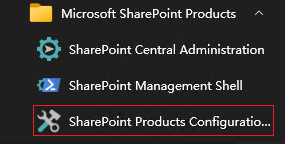
I reproduced this issue on my end and it was fixed by run SharePoint Configuration Wizard as administrator. The Site Setting Page reverted back to normal after the configuration process completed.
----------
If the answer is helpful, please click "Accept Answer" and kindly upvote it. If you have extra questions about this answer, please click "Comment".
Note: Please follow the steps in our documentation to enable e-mail notifications if you want to receive the related email notification for this thread.