Exchange | Exchange Server | Management
The administration and maintenance of Microsoft Exchange Server to ensure secure, reliable, and efficient email and collaboration services across an organization.
This browser is no longer supported.
Upgrade to Microsoft Edge to take advantage of the latest features, security updates, and technical support.
' cx='32' cy='32' r='32' /%3E%3Ctext x='50%25' y='55%25' dominant-baseline='middle' text-anchor='middle' fill='%23FFF' %3EMP%3C/text%3E%3C/svg%3E)
Hello, I have created a rule.
But I don't understand where I can specify the value to match.
It turns out the condition, all messages, except for users who have "Custom Atribute10" in AD - equal - ?
Compliance with what?
Obviously missing a parameter like "ExceptIfADComparisonAttributeValue"
There is clearly a missing value for the attribute to match.
Maybe I misunderstood, please help me understand.
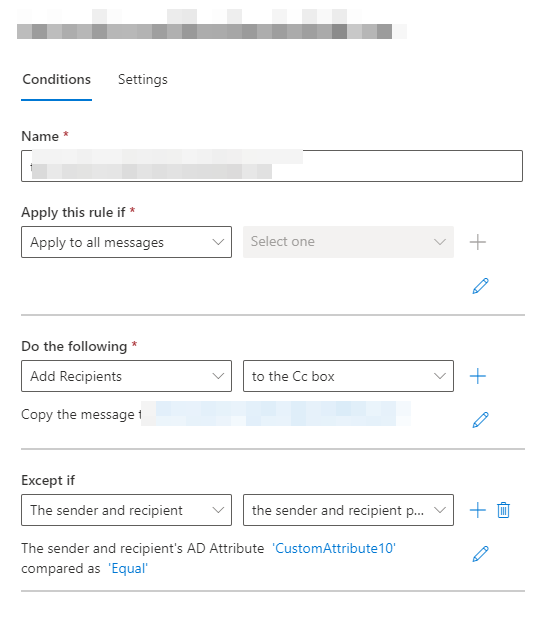
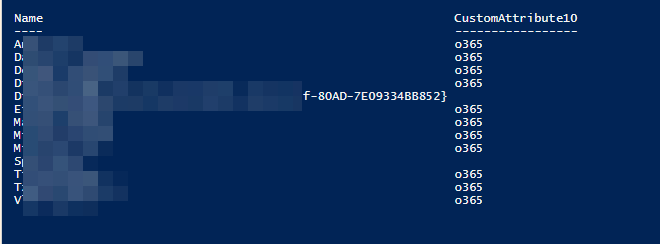
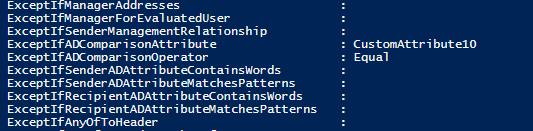


That's not what this condition is used for mate. This condition basically allows you to check whether a given attribute (say customAtribute10) matches (has the same value) for both the sender and the recipient. The value itself does not matter, it can be anything. Similarly, you can configure "not match" condition, but again the value is irrelevant.
There is no condition that allows you to directly evaluate a given custom attribute value for the sender/recipient. If that is your goal, best populate a DG with all recipients that have a given value for say customAttribute10, and then use the "is a member of this group" condition in your transport rule.
Thank you. Hopefully I can create a similar rule with DG on the On-Prem Exchange side.
As far as I remember, through powershell you can create a filter that cannot be done from the GUI.