
To disable Hyper-V in Control Panel, follow these steps: In Control Panel, select Programs and Features. Select Turn Windows features on or off. Expand Hyper-V, expand Hyper-V Platform, and then clear the Hyper-V Hypervisor regalieauguri check box.
This browser is no longer supported.
Upgrade to Microsoft Edge to take advantage of the latest features, security updates, and technical support.
' cx='32' cy='32' r='32' /%3E%3Ctext x='50%25' y='55%25' dominant-baseline='middle' text-anchor='middle' fill='%23FFF' %3EJR%3C/text%3E%3C/svg%3E)
It Becomes so annoying to me now that i cant still find any correct solutions on the internet. I cant use any android emulators because they keep detecting the hyper v . Such as (Bluestack , Memu player, Nox)
1.) I've tried the method where you should run a script in CMD with "bcdedit set hyper...to off" ( Restart it and still the hyperv is detected from my virtual android)
2.) Ive Tried the method where you put a script in Powershell where you disable all hyper-V features off. Still fails.
3.) Ive also turn off the feature in control panel and uncheck the hyper v which doesnt work too
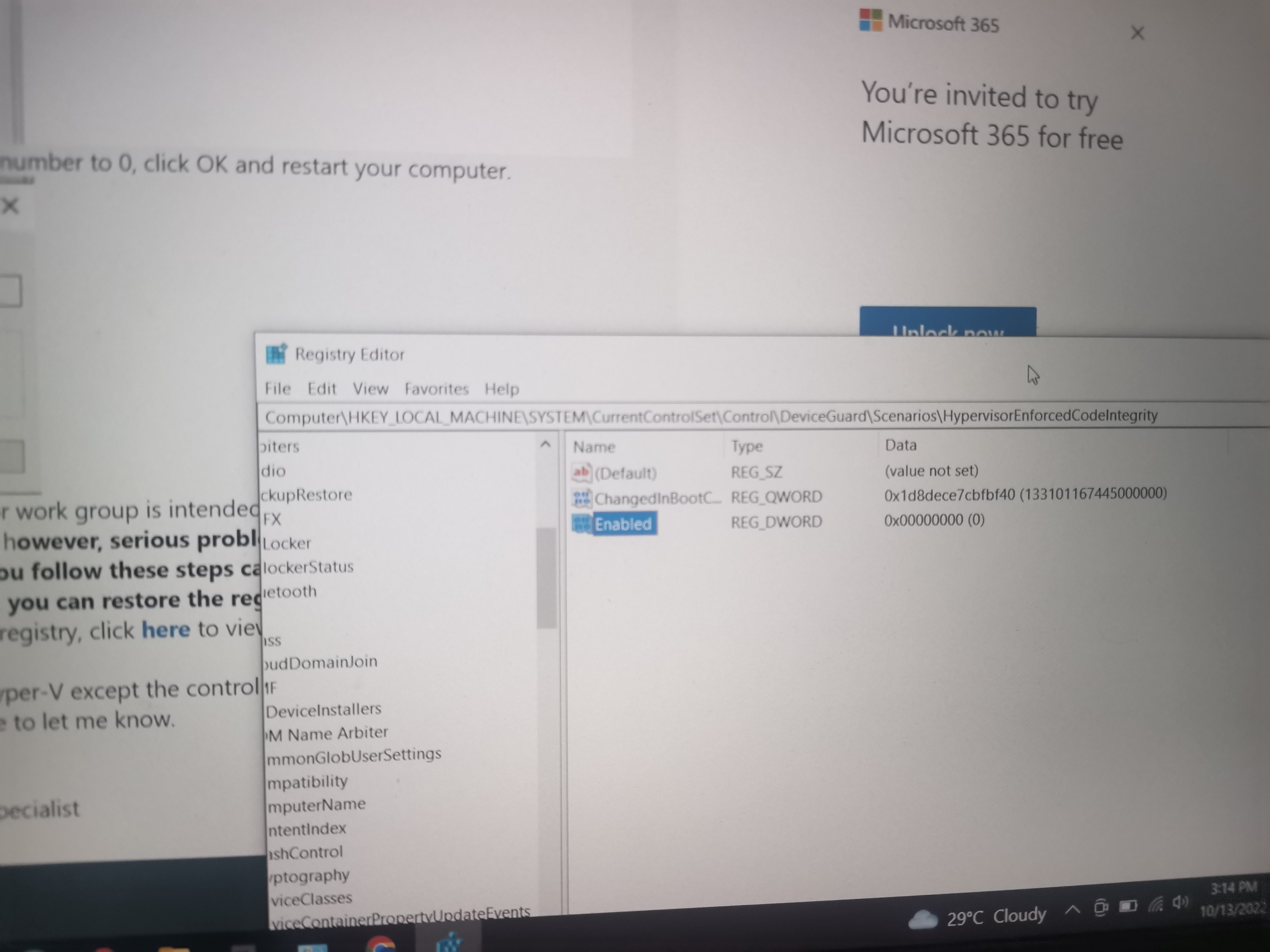
4.) Even on my registry keys I set the value to 0 (PIcture 2) . Still it doesnt work.
I Cant use any single virtual machine for android (Bluestacks , memu, Nox) Because they keep detecting my hyper v even though ive tried all the method
Ive tried this all method. Still didnt work :( . Im losing my mind now its been weeks already. I hope the team of developers will help me!

' cx='32' cy='32' r='32' /%3E%3Ctext x='50%25' y='55%25' dominant-baseline='middle' text-anchor='middle' fill='%23FFF' %3EZA%3C/text%3E%3C/svg%3E)
To disable Hyper-V in Control Panel, follow these steps: In Control Panel, select Programs and Features. Select Turn Windows features on or off. Expand Hyper-V, expand Hyper-V Platform, and then clear the Hyper-V Hypervisor regalieauguri check box.
Hello. Ive already done it. Please refer to the picture above . I Updated my post. That method still doesnt work

Hi
Thanks
Michael Durkan
That also doesnt work. Any android emulator still detecting it
Also i have this picture on my registry keys hyper-v settings. Maybe this is the one who keeps on turning it on?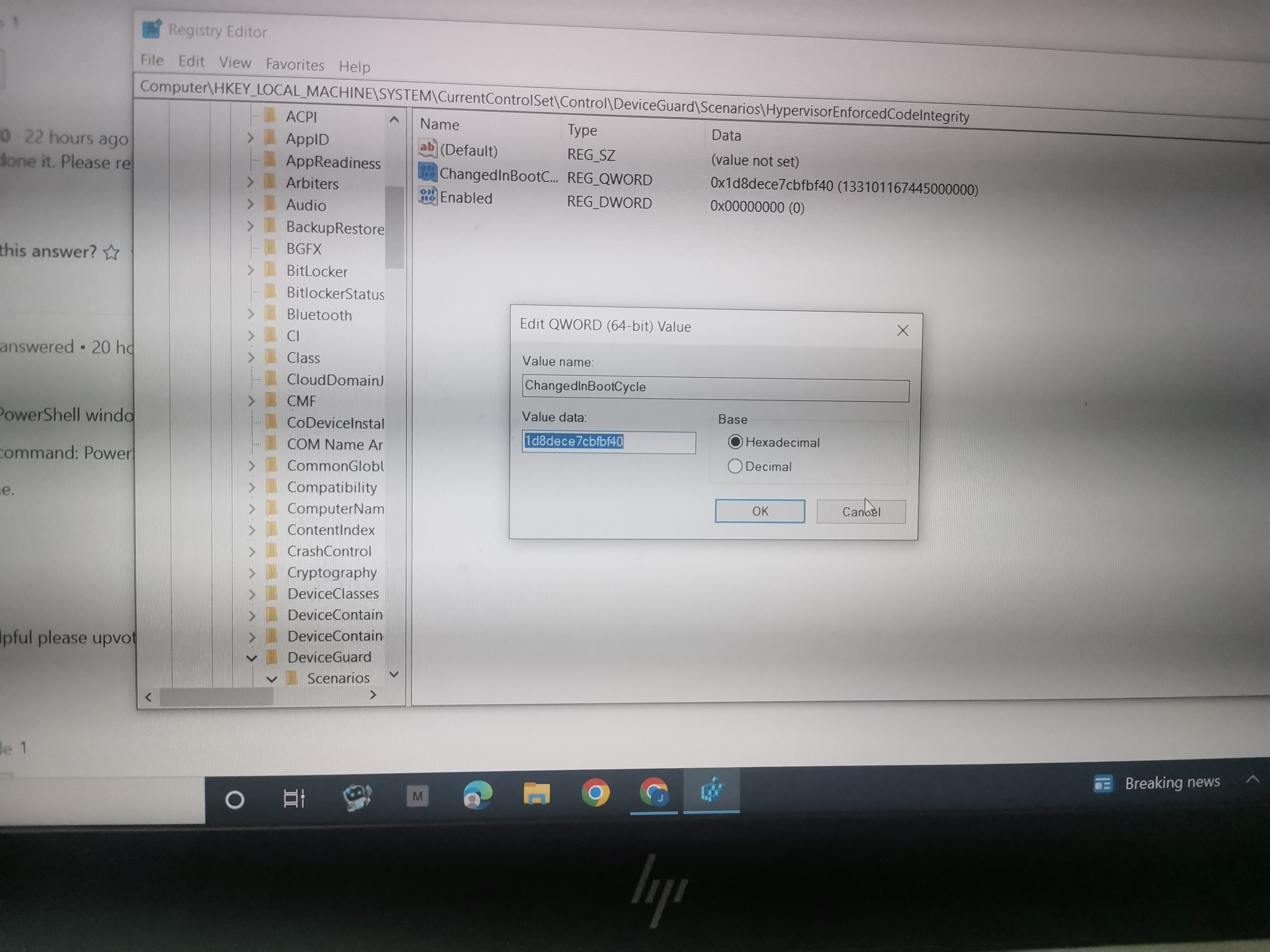
I just discoverd as of now that on my Device Manager. I have my hyper-v virtual ethernet adapter on my network ( Even though i turned of all the possible methods but this hyper v still exists ) . Is it possible that this is the reason why i cant run other android vm? should i Disable it or remove on device manager.
' cx='32' cy='32' r='32' /%3E%3Ctext x='50%25' y='55%25' dominant-baseline='middle' text-anchor='middle' fill='%23FFF' %3EE%3C/text%3E%3C/svg%3E)
Other Windows features, like WSL2, Windows Sandbox, device guard, credential guard, can all use virtualization and most detection programs just assume its Hyper-V and report that.
Do you have hardware virtualization enabled in your BIOS?
What does task manager say, virtualization enabled?
What does coreinfo show? https://learn.microsoft.com/en-us/sysinternals/downloads/coreinfo
run .\coreinfo.exe -v
it will show you something like this (this system is not running anything that used the HW virtualization:
AMD Ryzen 9 5950X 16-Core Processor
AMD64 Family 25 Model 33 Stepping 0, AuthenticAMD
Microcode signature: 00000000
HYPERVISOR      -       Hypervisor is present
SVM                   *       Supports AMD hardware-assisted virtualization
NP                      *       Supports AMD nested page tables (SLAT)
the “-” means not present, the “*” means present/supported
If you receive a different message, then something's using your hardware virtualization.
On my laptop with WSL2 enabled, but not Hyper-V this is the result of the same command
Note: Coreinfo must be executed on a system without a hypervisor running for
accurate results.

12th Gen Intel(R) Core(TM) i7-12800H
Intel64 Family 6 Model 154 Stepping 3, GenuineIntel
Microcode signature: 00000418
Error loading driver:
This driver has been blocked from loading
running .\coreinfo.exe without any switches may give you additional information, for example on this system, even though Hyper-V is not enabled, it still shows that a hypervisor is present (which is what WSL2 is using)