Azure Virtual Machines
An Azure service that is used to provision Windows and Linux virtual machines.
This browser is no longer supported.
Upgrade to Microsoft Edge to take advantage of the latest features, security updates, and technical support.
' cx='32' cy='32' r='32' /%3E%3Ctext x='50%25' y='55%25' dominant-baseline='middle' text-anchor='middle' fill='%23FFF' %3EB%3C/text%3E%3C/svg%3E)
Hi,
I just created Debian 10 server from the marketplace image for testing purposes and I now when I'm trying to update it is giving me some errors
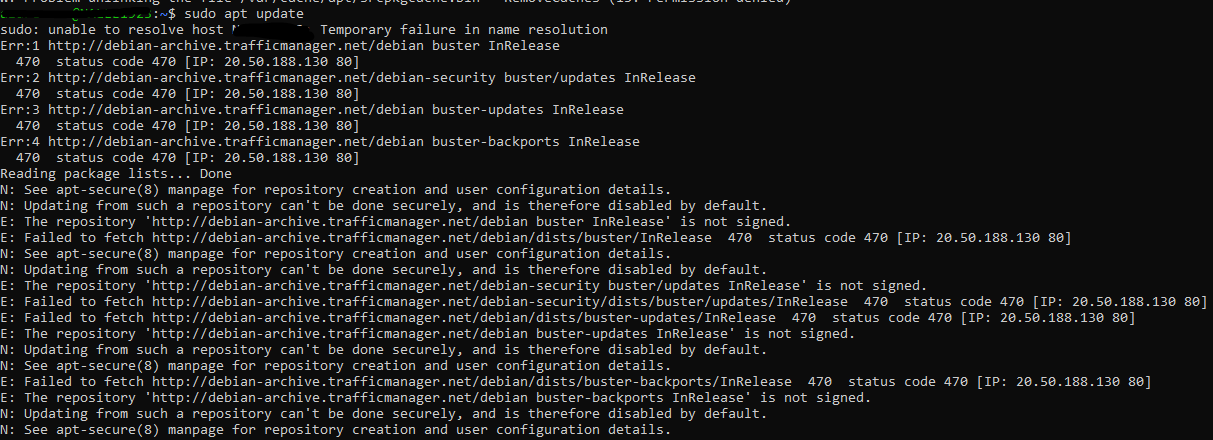
We have allowed traffic to 20.50.188.130, ports 443 and 80 so that side should be fine
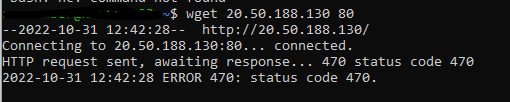
I found few commands e.g sudo apt update --allow-releaseinfo-change to try but it did not do anything.
Have anybody else came across with this issue or have idea what try next?
' cx='32' cy='32' r='32' /%3E%3Ctext x='50%25' y='55%25' dominant-baseline='middle' text-anchor='middle' fill='%23FFF' %3ESM%3C/text%3E%3C/svg%3E)
Hello @bombbe ,
Is your issue resolved? If not, please let me know.
There can be numerous reasons why this is happening.
To identify the cause of this issue, we would need to first analyze a few logs. Could you please share with us the /var/logs and the serial log (.txt) file. You can find the serial log file from under the boot diagnostics tab under your VM.
Looking forward to your response. Thanks :)

Hey @bombbe ,
Check this thread and steps for fixing the error regards to the signed repository, how-can-i-get-past-a-repository-is-not-signed-message-when-attempting-to-upgr
apt-get update --allow-unauthenticated and add the URL as trusted sources
deb [trusted=yes] http://URL
Hope this helps.
JS
==
Hmm checked that link and tried following commands
sudo apt-get update --allow-insecure-repositories and sudo apt-get update --allow-unauthenticated
But did not have any impact. Also tried to add trusted=yes to the sources like this
 ][2]
][2]
But even it did not help. Still getting 470 status code 470 [IP: 20.50.188.130 80] errors.
