Developer technologies | ASP.NET | ASP.NET Core
A set of technologies in the .NET Framework for building web applications and XML web services.
This browser is no longer supported.
Upgrade to Microsoft Edge to take advantage of the latest features, security updates, and technical support.
' cx='32' cy='32' r='32' /%3E%3Ctext x='50%25' y='55%25' dominant-baseline='middle' text-anchor='middle' fill='%23FFF' %3EC%3C/text%3E%3C/svg%3E)
I found a tutorial for learning Identity from scratch, with Core 3.1.
It shows how to implement "IEmailSender" if I download NuGet package "Microsoft.AspNetCore.Identity.UI" version 3.1.18.
So it works, and I'll continue my learning, but newer versions of Identity.UI don't include UI.Services. Does this mean I"m learning
something that is deprecated?

According to the documentation the namespace (Microsoft.AspNetCore.Identity.UI.Services) and interface (IEmailSender) are available in .NET 6 and 7.
' cx='32' cy='32' r='32' /%3E%3Ctext x='50%25' y='55%25' dominant-baseline='middle' text-anchor='middle' fill='%23FFF' %3EA%3C/text%3E%3C/svg%3E)
Hi @Coreysan ,
From the IEmailSender Interface and the Microsoft.AspNetCore.Identity.UI source code, we can see the Microsoft.AspNetCore.Identity.UI package contain the Microsoft.AspNetCore.Identity.UI.Services and the IEmailSender.
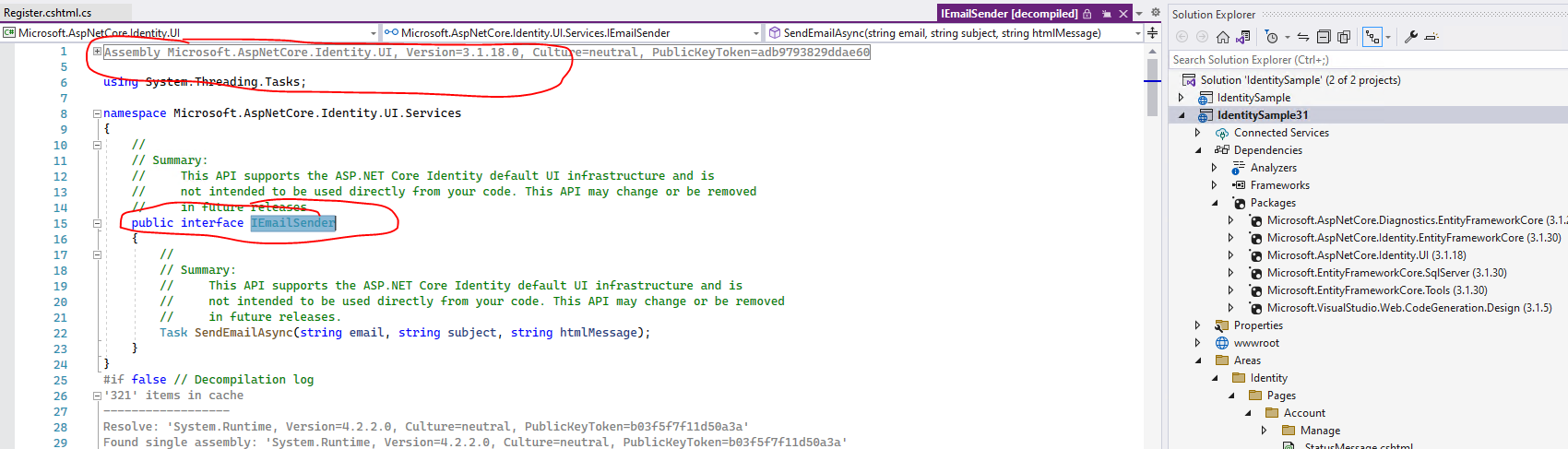
You can try to add the identity page via the Scaffold Identity. It will auto generate the identity pages and install the required packages, and then you can use the IEmailSender.
Note, by default, when using Scaffold, it will install the Microsoft.AspNetCore.Identity.UI 3.1.30 version, you can try to use this version.
Refer to the following steps to create an Asp.net core Application and use Scaffold Identity:
Then, in the Identity Area, you can find the identity pages, you can see that in the Register.cs file, it will use the IEmailSender interface.
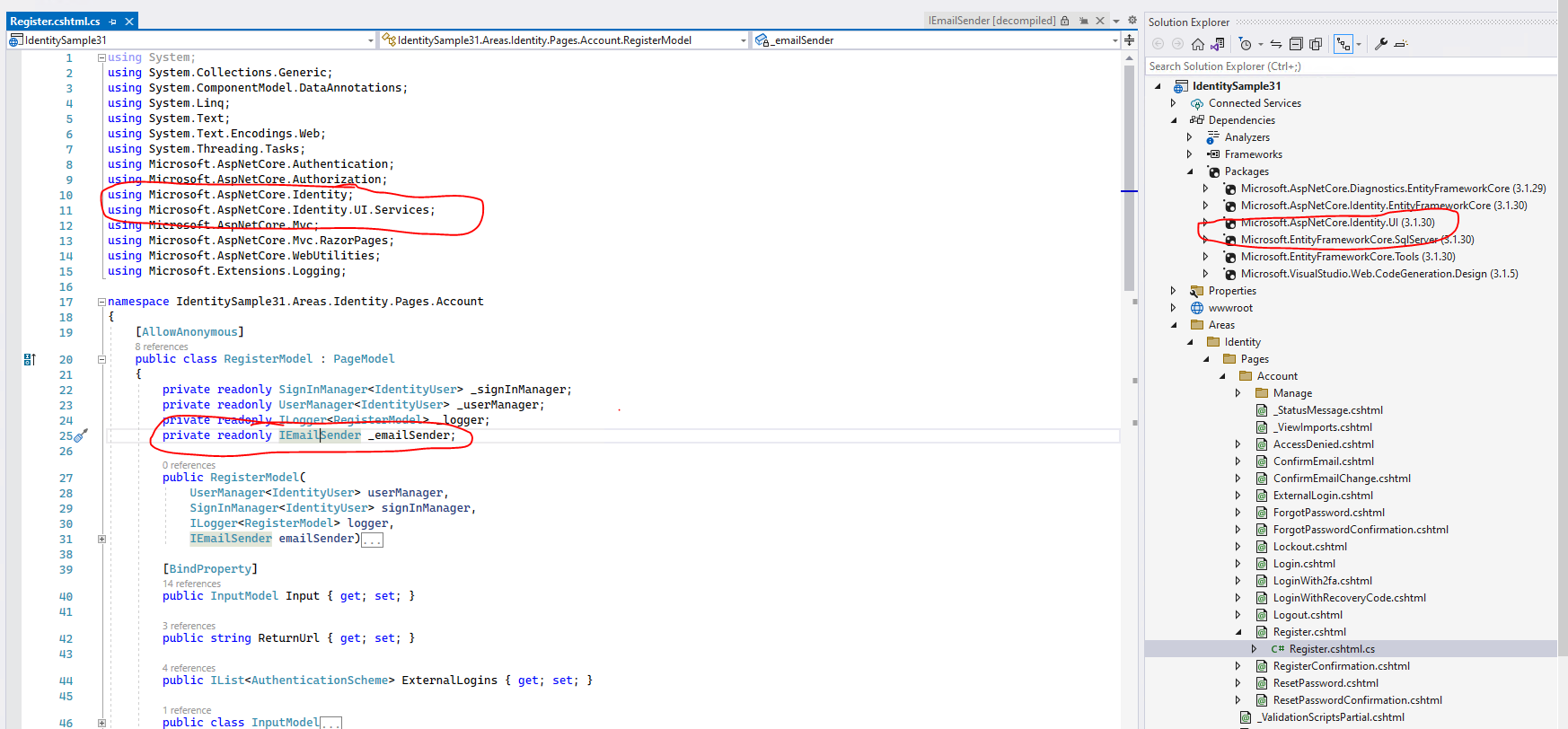
If the answer is the right solution, please click "Accept Answer" and kindly upvote it. If you have extra questions about this answer, please click "Comment".
Note: Please follow the steps in our documentation to enable e-mail notifications if you want to receive the related email notification for this thread.
Best regards,
Dillion
Thanks so much for your advice here. I knew that if I created a project with scaffolded identity, I could get to the namespaces I need.
However, I picked a tutorial that starts from scratch, without scaffolding, just so I could learn what's going on under the hood.
So, I created a project with VS 2019, and for the target framework, I had two choices:
I went with 3.1. Once I did that, only certain versions of Microsoft.AspnetCore.Identity.UI would work! I have no idea why that is.
All I know is that the versions go way beyond 3.1.31, all the way up to 7.0. I can only assume that these versions work when you
create a project with .Net 5.0, But my VS 2019 says 5.0 isn't supported!!
So I don't understand what's going on, but at least it all works if I stay with .Net Core 3.1, and all the packages are versioned at 3.x.
I don't understand what I'm missing here!
Hi @Coreysan ,
When a new version of the Net Core Framework is published, earlier versions may not be compatible with the new Target Framework. Or there might be some new feature or bug, so it will update the package version to fix it.
So, in your scenario, when you choose the NuGet package version, it should base on the .Net Core version and select the 3.X version. You can try to use the Microsoft.AspnetCore.Identity.UI 3.1.30 version.
Best regards,
Dillion