SQL Server Migration Assistant
A Microsoft tool designed to automate database migration to SQL Server from Access, DB2, MySQL, Oracle, and SAP ASE.
This browser is no longer supported.
Upgrade to Microsoft Edge to take advantage of the latest features, security updates, and technical support.
' cx='32' cy='32' r='32' /%3E%3Ctext x='50%25' y='55%25' dominant-baseline='middle' text-anchor='middle' fill='%23FFF' %3EAH%3C/text%3E%3C/svg%3E)
Hi all,
Currently we are migrating SQL server from version 2012 to 2019 with side-by-side method.
On our existing SQL server there are hundreds of ssis packages contained in the msdb database.
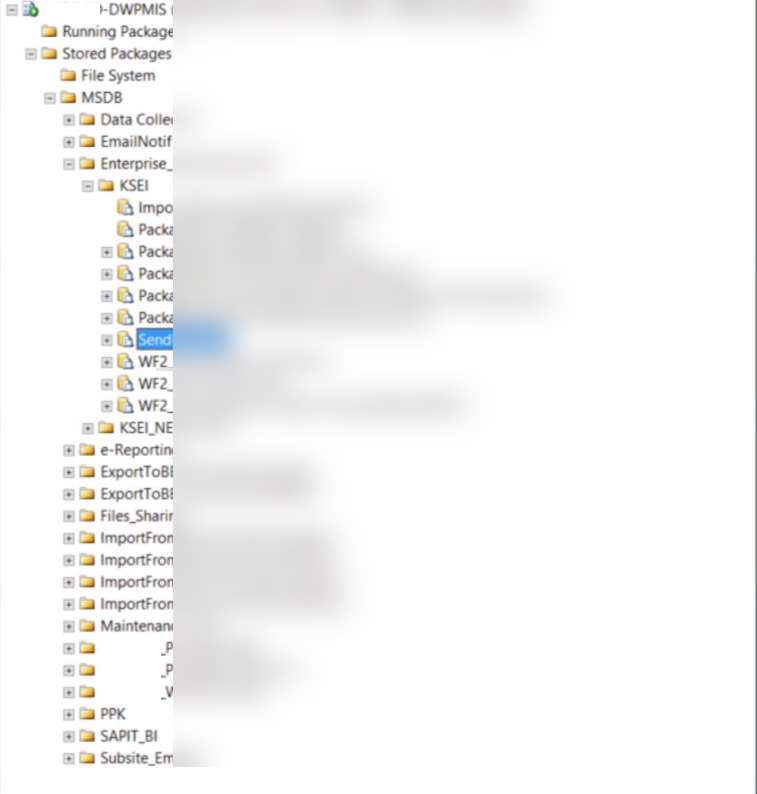
We want to copy those packages to our new SQL server, but we only know how to copy those packages one by one using dtutil.
is there any other way that we can use to copy the packages at once?
Really appreciate for your answer!

Hi @Arief Hardiansyah ,
The SQL Server Data Tools (SSDT) maybe a good choice. you can create a SSIS project in SQL Server Data Tools, then right-click the Project name in the Solution Explorer tab, then select “Add Existing Item” option to select all packages from other projects.
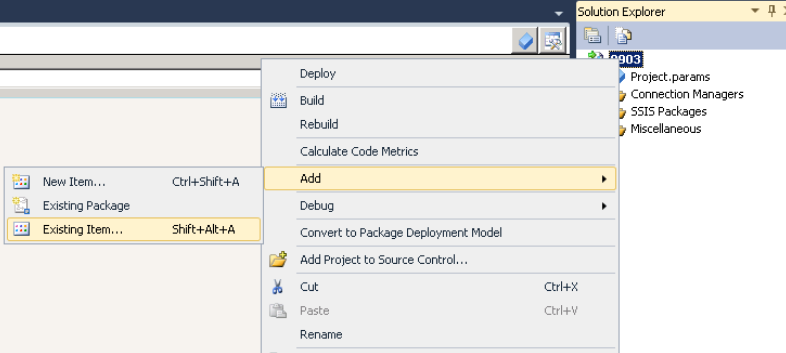
After loading and upgrading all packages in one project, you can directly deploy the project to SSISDB database in SSDT or install all packages to MSDB.
https://learn.microsoft.com/en-us/sql/integration-services/lesson-6-4-deploying-the-lesson-6-package?redirectedfrom=MSDN&view=sql-server-ver16
https://learn.microsoft.com/en-us/previous-versions/sql/sql-server-2008-r2/ms140117(v=sql.105)?redirectedfrom=MSDN
If the answer is helpful, please click "Accept Answer" and kindly upvote it. If you have extra questions about this answer, please click "Comment"
Hi @PandaPan-MSFT ,
Thanks for your sharing.
Is there any impact that will occur on the old server if we do this?
Hi @Arief Hardiansyah ,
I didn't test it before, but I think it's just a migration, nothing will affect the old server. If you are worried, you can do the full backup in case.
Hi @PandaPan-MSFT ,
Thank you for the advice, we want to try to do it, but we are still confused about the step by step.
Can you help to detail the step by step?
Really appreciate for your answer!