Azure Virtual Machines
An Azure service that is used to provision Windows and Linux virtual machines.
This browser is no longer supported.
Upgrade to Microsoft Edge to take advantage of the latest features, security updates, and technical support.
' cx='32' cy='32' r='32' /%3E%3Ctext x='50%25' y='55%25' dominant-baseline='middle' text-anchor='middle' fill='%23FFF' %3EA%3C/text%3E%3C/svg%3E)
I am not able to get the VM's IP address after running az vm list-ip-addresses.

Hi,
Did you tried the examples or this command to extract the IP address? vm
az vm list-ip-addresses -g MyResourceGroup -n MyVm
Hope this helps.
JS
==
Please Accept the answer if the information helped you. This will help us and others in the community as well.
' cx='32' cy='32' r='32' /%3E%3Ctext x='50%25' y='55%25' dominant-baseline='middle' text-anchor='middle' fill='%23FFF' %3EKM%3C/text%3E%3C/svg%3E)
Hello, @Alphonse !
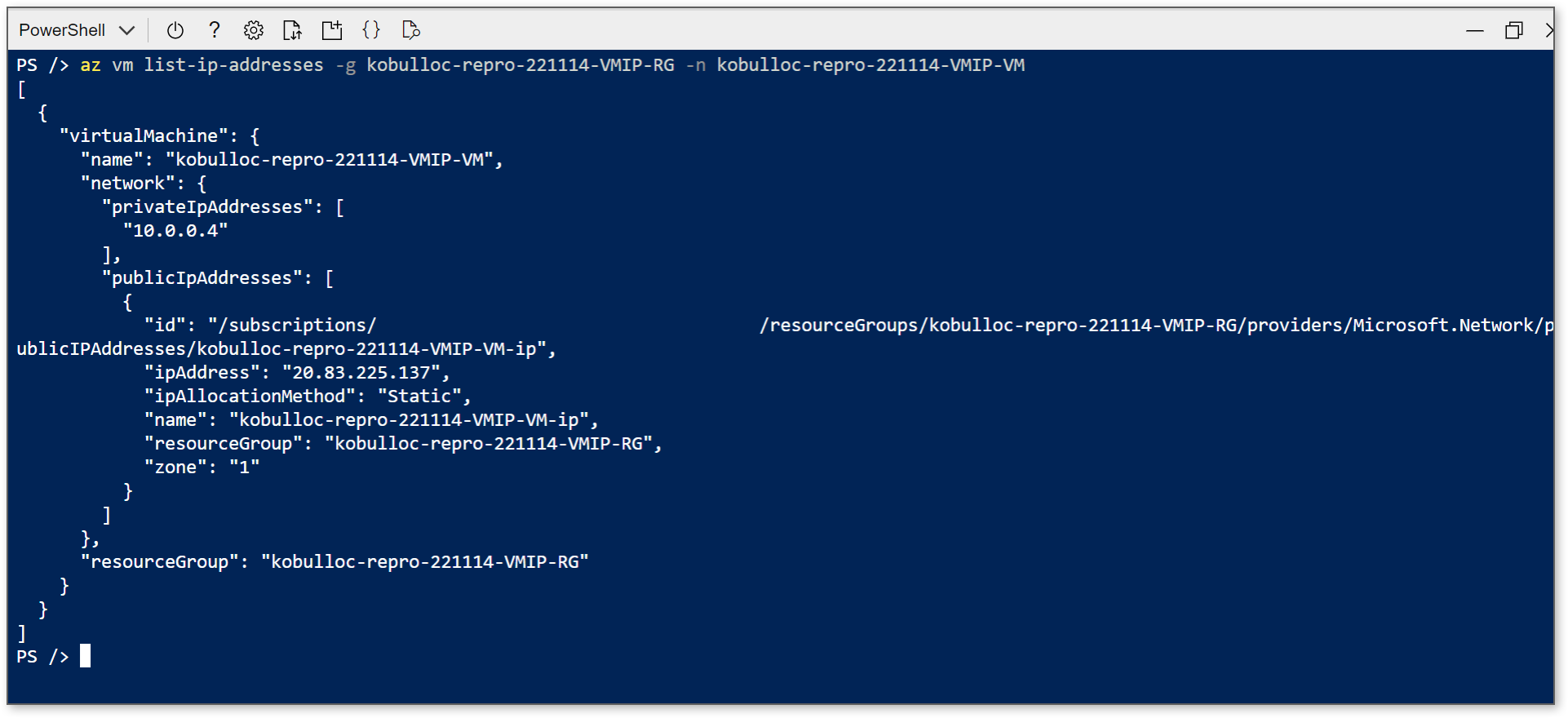
Why do I get empty brackets [ ] when using az vm list-ip-addresses?
Empty brackets will be returned if VMs can't be found, as in the case with this empty resource group. Confirm that the VM resource exists in the target destination (whether that be the subscription, resource group, VM name, or ID). If you've confirmed that the VM exists, we may need to do some troubleshooting to look at the health of the VM.

Examples of az vm list-ip-addresses by itself and with optional parameters:
az vm list-ip-addresses

az vm list-ip-addresses -g MyResourceGroup -n MyVm
' cx='32' cy='32' r='32' /%3E%3Ctext x='50%25' y='55%25' dominant-baseline='middle' text-anchor='middle' fill='%23FFF' %3EA%3C/text%3E%3C/svg%3E)
Hi All, hopefully this helps.
I am getting the same exact empty error whenever I run the commands.
As a workaround I recreated it from the start (the Virtual Machine), and this has solved my issue, maybe this is a timeout issue where you should be performing the task within 30 mins or 1 hr as the VM usually expires, not entirely sure what causes this empty output but this is just a hunch based on my experience, it might be a different reason, but this one works for me.
You can try other options as well. Happy exploring! :)