Developer technologies | Windows Presentation Foundation
A part of the .NET Framework that provides a unified programming model for building line-of-business desktop applications on Windows.
This browser is no longer supported.
Upgrade to Microsoft Edge to take advantage of the latest features, security updates, and technical support.
' cx='32' cy='32' r='32' /%3E%3Ctext x='50%25' y='55%25' dominant-baseline='middle' text-anchor='middle' fill='%23FFF' %3EDB%3C/text%3E%3C/svg%3E)
I'm trying to get the count of the selected rows of a WPF datagrid and display it in a textblock.
How can I do that following MVVM pattern?
' cx='32' cy='32' r='32' /%3E%3Ctext x='50%25' y='55%25' dominant-baseline='middle' text-anchor='middle' fill='%23FFF' %3EHL%3C/text%3E%3C/svg%3E)
You could refer to the code below.
Xaml:
  <StackPanel>
        <DataGrid AutoGenerateColumns="False"  Height="200" x:Name="dg" Width="350" ItemsSource="{Binding Users}" SelectionMode="Extended"
                  SelectedItem="{Binding SelecedItme ,Mode=TwoWay,UpdateSourceTrigger=PropertyChanged}">
                <DataGrid.Columns>
                <DataGridTextColumn Header="ID"  Binding="{Binding Id,Mode=TwoWay,UpdateSourceTrigger=PropertyChanged}"/>
                <DataGridTextColumn Header="Name" Binding="{Binding Name,Mode=TwoWay,UpdateSourceTrigger=PropertyChanged}"/>
            </DataGrid.Columns>
            </DataGrid>
        <TextBlock x:Name="tb"  Text="{Binding ElementName=dg, Path=SelectedItems.Count, Mode=OneWay,UpdateSourceTrigger=PropertyChanged}" Width="350" Background="AliceBlue"/>
    </StackPanel>
Codebedhind:
----------------------------------------------------------------------------
If the response is helpful, please click "Accept Answer" and upvote it.
Note: Please follow the steps in our documentation to enable e-mail notifications if you want to receive the related email notification for this thread.

Hi,
in MVVM you can use an attached property to get SelectedItems directly from DataGrid.
Demo:
<Window x:Class="WpfApp1.Window028"
        xmlns="http://schemas.microsoft.com/winfx/2006/xaml/presentation"
        xmlns:x="http://schemas.microsoft.com/winfx/2006/xaml"
        xmlns:d="http://schemas.microsoft.com/expression/blend/2008"
        xmlns:mc="http://schemas.openxmlformats.org/markup-compatibility/2006"
        xmlns:local="clr-namespace:WpfApp028"
        mc:Ignorable="d"
        Title="donbradman-4481_221115" Height="450" Width="800">
  <Window.DataContext>
    <local:ViewModel/>
  </Window.DataContext>
  <Grid>
    <Grid.RowDefinitions>
      <RowDefinition/>
      <RowDefinition Height="Auto"/>
    </Grid.RowDefinitions>
    <DataGrid ItemsSource="{Binding View}" local:ViewModel.AttProp="True"/>
    <StackPanel Grid.Row="1" Orientation="Horizontal" Margin="5">
      <Label Content="Selected Rows Count: "/>
      <TextBlock Text="{Binding RowCount}" Margin="5"/>
    </StackPanel>
  </Grid>
</Window>
and ViewModel.
Result:
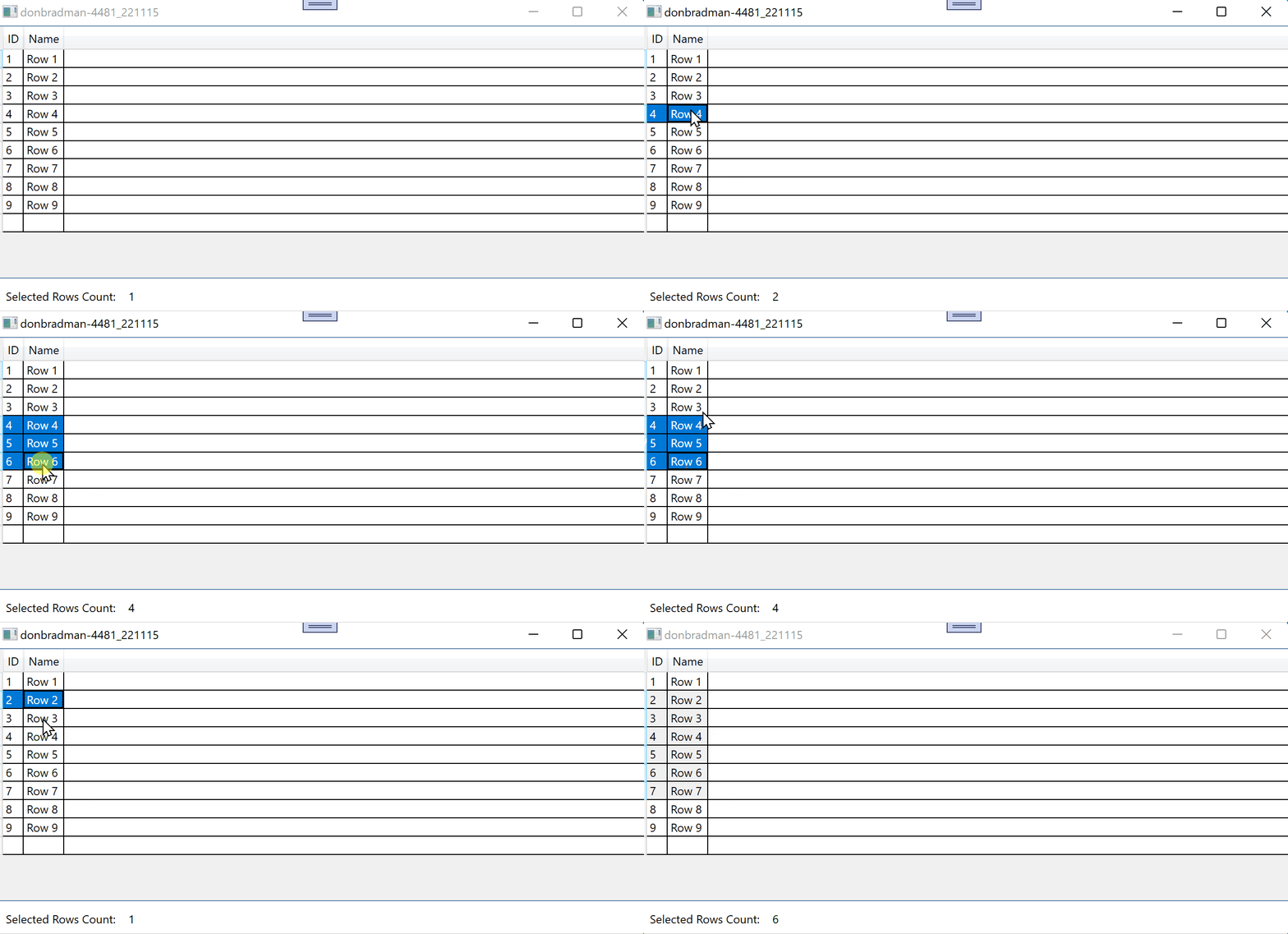
Hi @Peter Fleischer (former MVP) , Can you show the demo which is compatible with C# 5.0 (if it can be done)?
Also, if I do this.DataContext = new MyViewModel(); in the MainWindow after InitializeComponent(); do I still need to do the below in the xaml ?
<Window.DataContext>
   <local:MyViewModel/>
</Window.DataContext>
Hi,
I think your question is obsolete because you accepted another answer.
You can set DataContext in XAML or in code-behind. In a clear MVVM pattern, code-behind is not needed.