Developer technologies | ASP.NET | Other
A set of technologies in .NET for building web applications and web services. Miscellaneous topics that do not fit into specific categories.
This browser is no longer supported.
Upgrade to Microsoft Edge to take advantage of the latest features, security updates, and technical support.
' cx='32' cy='32' r='32' /%3E%3Ctext x='50%25' y='55%25' dominant-baseline='middle' text-anchor='middle' fill='%23FFF' %3EA%3C/text%3E%3C/svg%3E)
Hi,
How Is possibile to have aspx files and directory to be processed and URL rewritten?
I mean:
URL: mydomain.com/pippo.aspx that dont exists must become mydomain.com/default.aspx?id=Pippo
Thanx

Can you use the URL Rewrite Module 2 for IIS?
I dubbi, i Need an asp.net solution i m in a cheap hosting. Actually i use ashx Pages.
Thanx
if the URL Rewite Module 2 is not a choice, I suggest that you write your own rewrite module.
' cx='32' cy='32' r='32' /%3E%3Ctext x='50%25' y='55%25' dominant-baseline='middle' text-anchor='middle' fill='%23FFF' %3EBS%3C/text%3E%3C/svg%3E)
you can allow just make a 1 line (no code behind) pippo.aspx page that redirects to the correct url.
' cx='32' cy='32' r='32' /%3E%3Ctext x='50%25' y='55%25' dominant-baseline='middle' text-anchor='middle' fill='%23FFF' %3EA%3C/text%3E%3C/svg%3E)
Hi @Asap74 ,
I would suggest you try to use the Application_BeginRequest event to process the URL. then in the code logic, you could try to check whether the page exists or not and based on that you could redirect the page.
Below is the sample code. You need to add it to the Global.asax.cs file.
 protected void Application_BeginRequest(object sender, EventArgs e)
        {
            try
            {
                string path = HttpContext.Current.Request.Path;

                    if (path.ToLower().Contains(".aspx"))
                    {
                            string filename = path.Substring(path.LastIndexOf('/') + 1);

                            bool res = IsFileExists(filename);

                            if(res==true)
                            {
                                //Do nothing...
                            }
                            else
                            {
                                string page = filename.Substring(0, filename.LastIndexOf("."));
                                Response.Redirect("https://localhost:44326/default.aspx?id=" + page);

                            }
                    }
            }
            catch { }
        }
        private bool IsFileExists(string fileName)
        {
            string rootWebDirectory = Server.MapPath(fileName);
            return File.Exists(rootWebDirectory);

        }
Output:
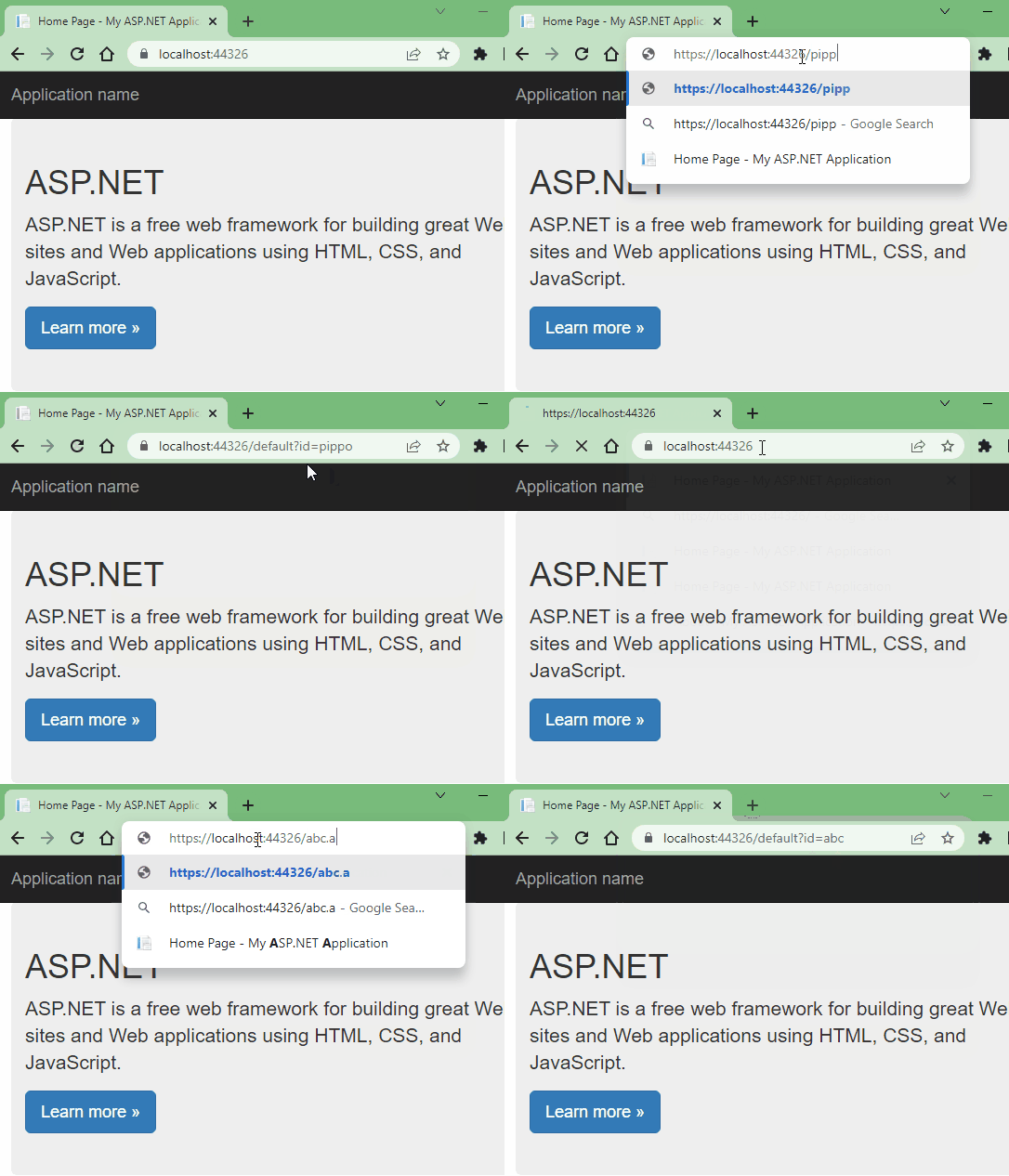
Further, you could modify the code sample as per your requirement.
Best Regards,
Deepak
----------
If the answer is the right solution, please click "Accept Answer" and kindly upvote it. If you have extra questions about this answer, please click "Comment".
Note: Please follow the steps in our documentation to enable e-mail notifications if you want to receive the related email notification for this thread.