Developer technologies | Windows Forms
A set of .NET Framework managed libraries for developing graphical user interfaces.
This browser is no longer supported.
Upgrade to Microsoft Edge to take advantage of the latest features, security updates, and technical support.
' cx='32' cy='32' r='32' /%3E%3Ctext x='50%25' y='55%25' dominant-baseline='middle' text-anchor='middle' fill='%23FFF' %3ESV%3C/text%3E%3C/svg%3E)
In login form, need a dropdown menu items and select any item navigate to that item form in wpf
' cx='32' cy='32' r='32' /%3E%3Ctext x='50%25' y='55%25' dominant-baseline='middle' text-anchor='middle' fill='%23FFF' %3EHL%3C/text%3E%3C/svg%3E)
Hi, @shreshta valluru . You could try to refer to the code below.
Xaml:
        <StackPanel>
                <Menu>
                    <MenuItem Name="Menu1" Header="File" >
                        <MenuItem Name="Menu11" Header="New"/>
                    </MenuItem>
                    <MenuItem Name="Menu2" Header="Tools">
                        <MenuItem Name="Menu21" Header="Theme" Click="Menu21_Click"/>
                        <MenuItem Click="Menu22_Click" Name="Menu22" Header="Customize"/>
                        <MenuItem   Name="Menu23" Header="Options"/>
                    </MenuItem>
                </Menu>
    <Border BorderThickness="2" BorderBrush="Gray" Width="800" Height="350" >
  < Frame Name = " mainFrame " / >
</Border>
           </StackPanel>
Codebehind:
using System.Windows;
using System.Windows.Forms.Integration;
using Forms1;
     private void Menu22_Click(object sender, RoutedEventArgs e)
            {
                mainFrame.NavigationService.Navigate(new CustomizePage());
            }
             private void Menu21_Click(object sender, RoutedEventArgs e)
        {
            Form1 form1 = new Form1();
            form1.TopLevel = false;
            WindowsFormsHost host = new WindowsFormsHost();
            host.Child=form1;
            mainFrame.NavigationService.Navigate(host);
        }
CustomizePage:
<Grid Background="AliceBlue">
        <TextBlock Text="Customize Page"/>
    </Grid>
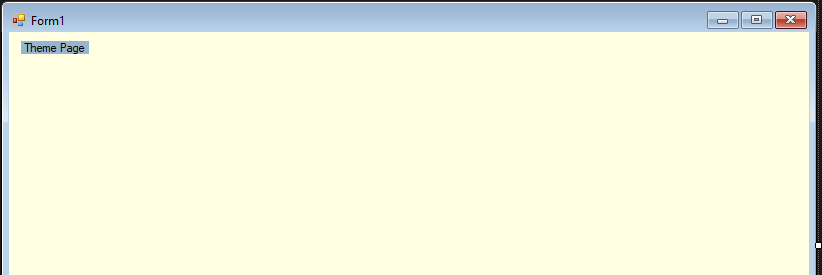
ThemePage:
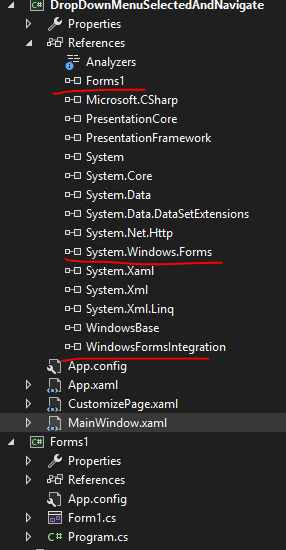
Project structure:
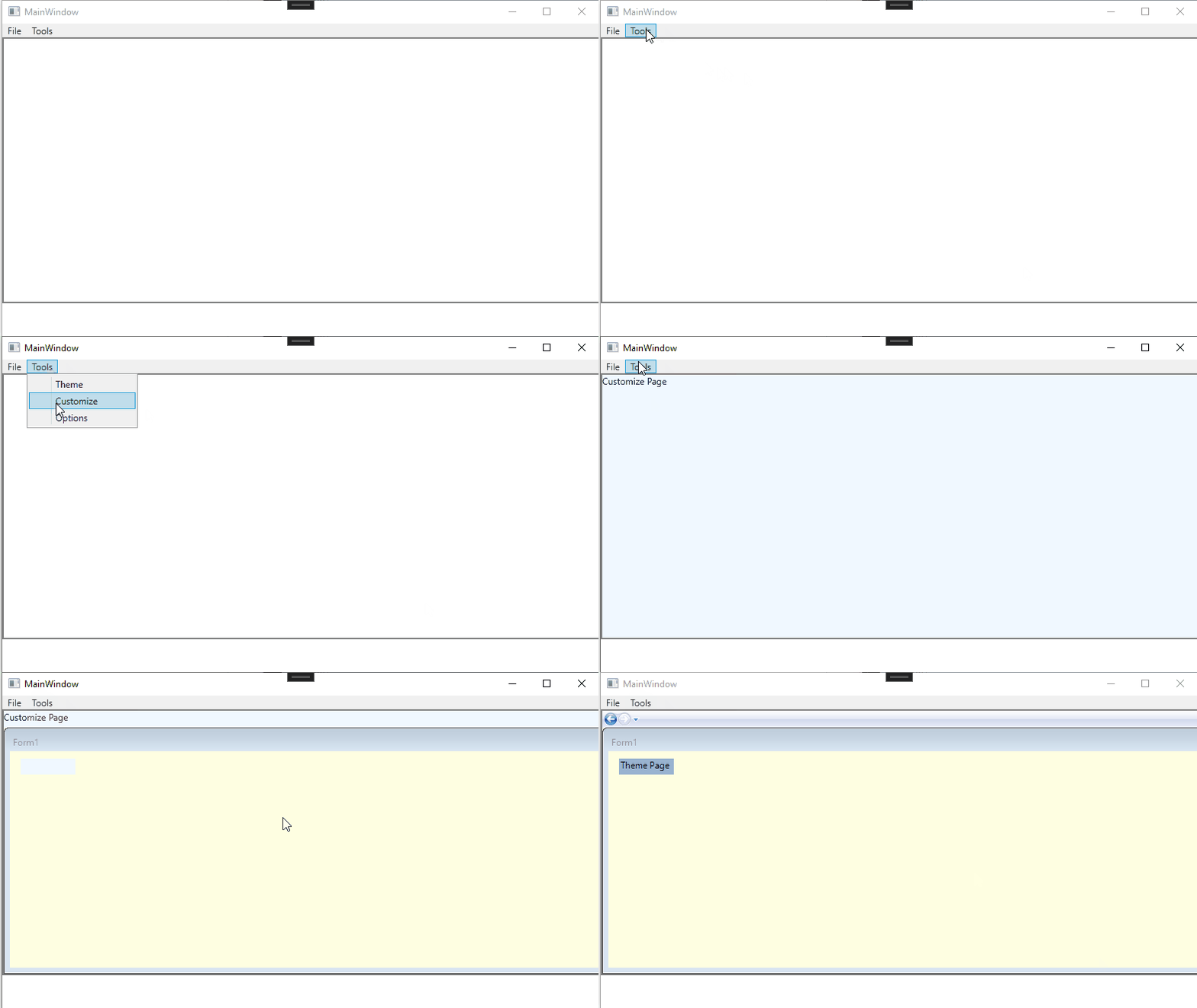
The result:
----------------------------------------------------------------------------
If the response is helpful, please click "Accept Answer" and upvote it.
Note: Please follow the steps in our documentation to enable e-mail notifications if you want to receive the related email notification for this thread.