Azure Backup
An Azure backup service that provides built-in management at scale.
This browser is no longer supported.
Upgrade to Microsoft Edge to take advantage of the latest features, security updates, and technical support.
' cx='32' cy='32' r='32' /%3E%3Ctext x='50%25' y='55%25' dominant-baseline='middle' text-anchor='middle' fill='%23FFF' %3ERN%3C/text%3E%3C/svg%3E)
Trying to create a report in Azure portal. In the Backup Explorer only (virtual machines) is shown. How to change it to "SQL in Azure VM". My requirement is to show all databases and the last recovery point date for a recovery service vault.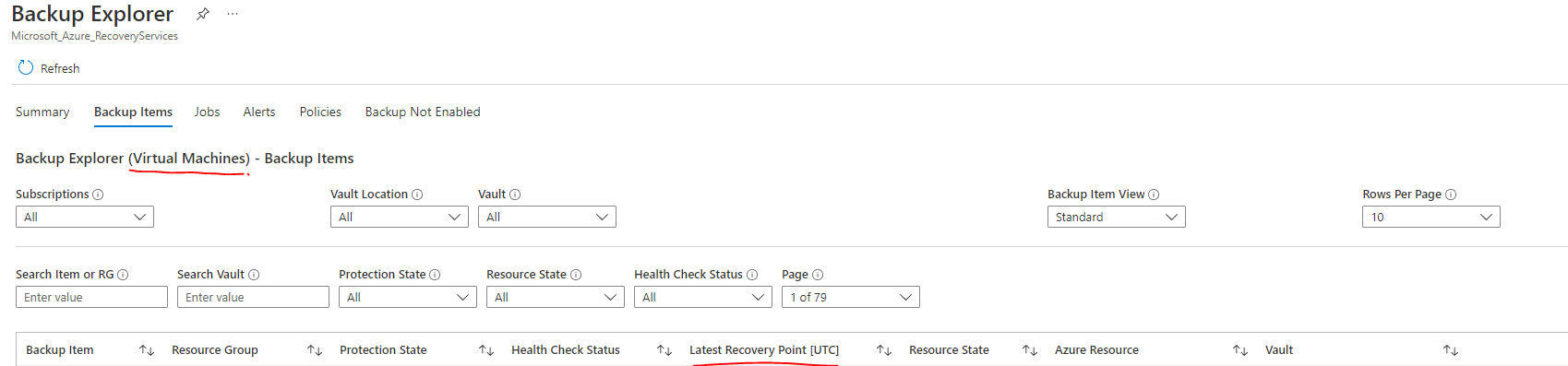
' cx='32' cy='32' r='32' /%3E%3Ctext x='50%25' y='55%25' dominant-baseline='middle' text-anchor='middle' fill='%23FFF' %3ESM%3C/text%3E%3C/svg%3E)
@Ranga N Welcome to Microsoft Q & A Community Forum. Kindly note Backup explorer is only available for virtual machines.
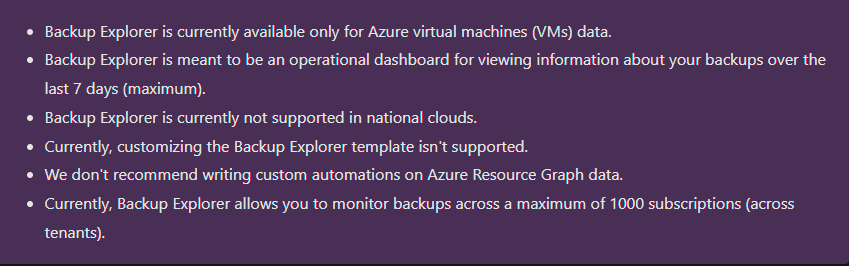
To retrieve the recovery points of backup item, I would suggest you to create a PowerShell script using Get-AzRecoveryServicesBackupItem and Get-AzRecoveryServicesBackupRecoveryPoint
Reference document : https://learn.microsoft.com/en-us/azure/backup/monitor-azure-backup-with-backup-explorer