Windows 11, Visual Studio 2019, C++
I am trying to get a console project to run the code for RIPEMD-160. It was found via github but has a huge number of includes. One of them chokes on this line:
typedef __int64_t __blkcnt_t; /* blocks allocated for file */
to get a console Copied it to a new console app and discovered that in the new file it does not like the leading underscores before __int64_t. Problem is, there are many of them.
Question 1
Is there some way to make the leading underscore palatable to VS?
Do I need to add my own set of files with things like
typedef int64_t __int64t
Question 2
Can VS be encouraged to chase down every include to look for something?
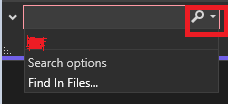
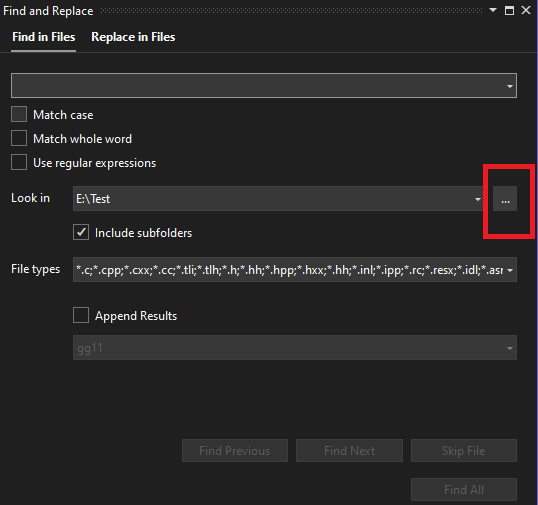
I wanted to do a search to find what file includes this so did a search for _types.h.
In working this project I have created several new directories and added multiple include files for this Linux looking project. They are in
E:\WX\LINUX_INCLUDES
They are not in the project directory but in my project item, go here: click Project -> Properties ->Additional Include Directories, I added those needed directories.
When I do ctl-F, edit in _types.h, I want every include file to be searched. Instead, VS stops searching once it exhausts the files in the local directory.
Thank you for your time and patience.
' cx='32' cy='32' r='32' /%3E%3Ctext x='50%25' y='55%25' dominant-baseline='middle' text-anchor='middle' fill='%23FFF' %3EBK%3C/text%3E%3C/svg%3E)
' cx='32' cy='32' r='32' /%3E%3Ctext x='50%25' y='55%25' dominant-baseline='middle' text-anchor='middle' fill='%23FFF' %3EMY%3C/text%3E%3C/svg%3E)