Microsoft Security | Intune | Configuration
Setting up and managing device configurations using Intune

This browser is no longer supported.
Upgrade to Microsoft Edge to take advantage of the latest features, security updates, and technical support.
' cx='32' cy='32' r='32' /%3E%3Ctext x='50%25' y='55%25' dominant-baseline='middle' text-anchor='middle' fill='%23FFF' %3E1%3C/text%3E%3C/svg%3E)
I want to automate endpoint security in Microsoft endpoint management admin center. I am not able to find any graph Api v1.0 or PowerShell module to automate these configurations.
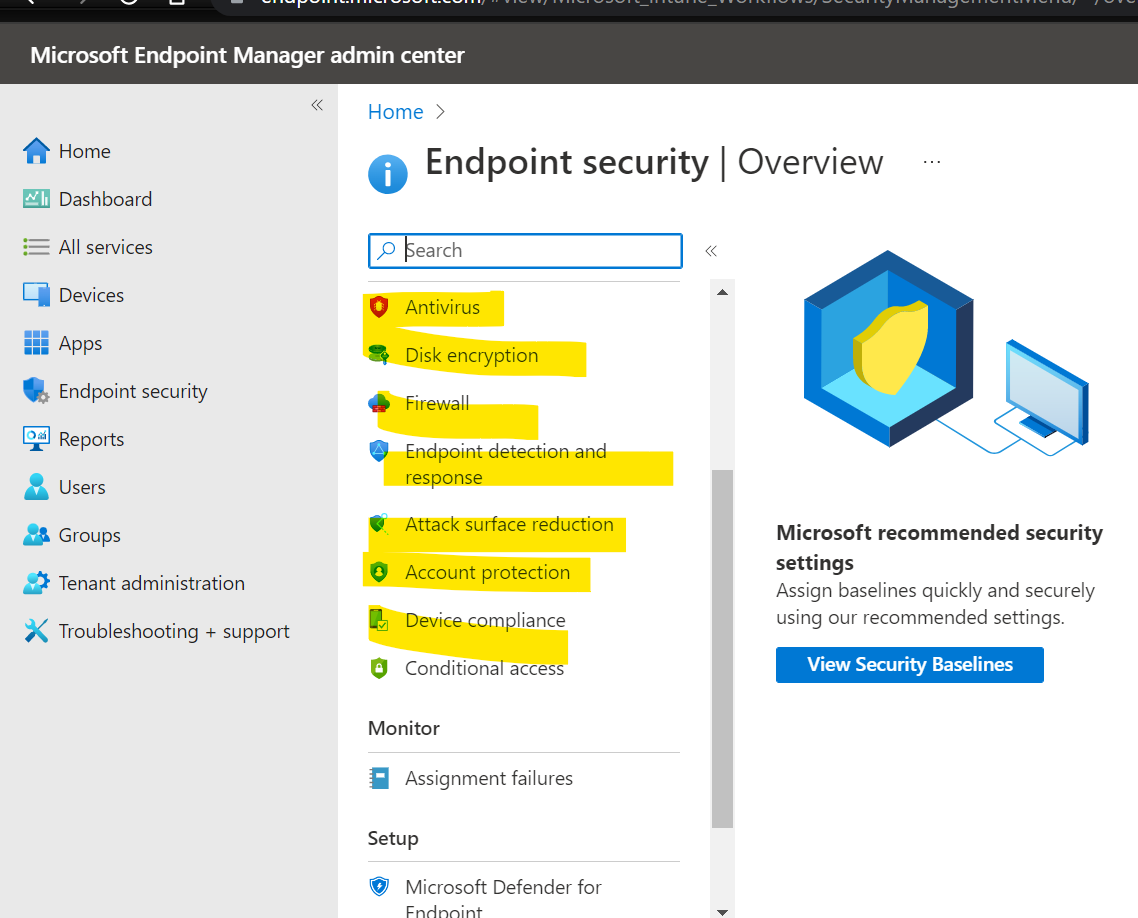
I want to automate all the yellow marked configurations.
' cx='32' cy='32' r='32' /%3E%3Ctext x='50%25' y='55%25' dominant-baseline='middle' text-anchor='middle' fill='%23FFF' %3ECM%3C/text%3E%3C/svg%3E)
@16557136 , Thanks for posting in Q&A.
To check the graph Api to create the setting in Endpoint security, you can capture F12 trace on Edge to see the details:
Here is the related graph link for your reference:
Create deviceManagementTemplate
https://learn.microsoft.com/en-us/graph/api/intune-deviceintent-devicemanagementtemplate-create?view=graph-rest-beta&viewFallbackFrom=graph-rest-1.0
Hope it can help.
If the answer is helpful, please click "Accept Answer" and kindly upvote it. If you have extra questions about this answer, please click "Comment".
Note: Please follow the steps in our documentation to enable e-mail notifications if you want to receive the related email notification for this thread.
@16557136 , How are things going? I am writing to see if there's anything else we can help. If yes, feel free to let us know.
I am trying to fetch the Api. will update you soon
@16557136 , Thanks for your reply. OK, we will wait for your update.