Microsoft Entra ID
A Microsoft Entra identity service that provides identity management and access control capabilities. Replaces Azure Active Directory.
19,679 questions
This browser is no longer supported.
Upgrade to Microsoft Edge to take advantage of the latest features, security updates, and technical support.
' cx='32' cy='32' r='32' /%3E%3Ctext x='50%25' y='55%25' dominant-baseline='middle' text-anchor='middle' fill='%23FFF' %3EDL%3C/text%3E%3C/svg%3E)
Good morning guys,
I'm watching the course on the installation part of Azure Ad Connect, it turns out that I had already installed Azure AdConnect because I have Office 365, which replicates users and passwords to the Office 365 portal and the single sing on.
In this way I have a local domain called:empresa.local, and my emails hosted in office 365 respond to the domain sitenegocios.com.br, and all users created are already configured to respond to sitenegocios.com.br and not for adlocal in enterprise.local
So I'm in doubt about how I'm going to proceed with the Azure AD Connect settings, because I already have it, it already works, but there's no way to replicate it to Azure AD, only to office 365.
Should I do a fresh install on another server?
Should I tweak the existing installation?
What should I do?

Hi,
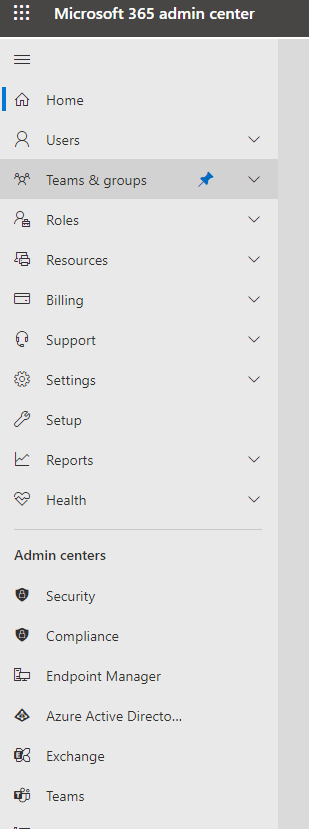
I think you are missing the point of Office 365 already has a AAD Tenant and if you click on the Admin Center Portal - Admin - Active Directory tab will be there and you can manage your users so no need for another AAD Connect software. Home
Hope this helps.
JS
==
Please Accept the answer if the information helped you. This will help us and others in the community as well.