Microsoft 365 and Office | Office Online Server
Microsoft on-premises server product that runs Office Online.

This browser is no longer supported.
Upgrade to Microsoft Edge to take advantage of the latest features, security updates, and technical support.
' cx='32' cy='32' r='32' /%3E%3Ctext x='50%25' y='55%25' dominant-baseline='middle' text-anchor='middle' fill='%23FFF' %3EZY%3C/text%3E%3C/svg%3E)
I have a machine running windows server 2022 as a file server, and the goal was to back up our existing OneDrive locally.
The standard OneDrive client worked fine for this until I enabled data deduplication to save space.
Everything worked before the deduplication jobs, and the OneDrive client was set to save everything locally.
After deduplication jobs were performed, the OneDrive client complained that the items had names with invalid characters.
I tried to disable deduplication on one of the volumes, and unoptimized the volume.
Then I restarted the system and the OneDrive stored in that volume worked again without errors.
My theory is that the windows server added some invisible markers to the file names for deduplication purposes, and OneDrive does not like that.
How could I solve this issue?
Microsoft on-premises server product that runs Office Online.

Hi @Zhenming Yu ,
I suggest you refer to the limitation of OneDrive:
https://support.microsoft.com/en-us/office/restrictions-and-limitations-in-onedrive-and-sharepoint-64883a5d-228e-48f5-b3d2-eb39e07630fa?ui=en-us&rs=en-us&ad=us
You can check if the invalid characters for OneDrive are in list.
If the response is helpful, please click "Accept Answer" and upvote it.
Note: Please follow the steps in our documentation to enable e-mail notifications if you want to receive the related email notification for this thread.
This is not a problem with the OneDrive alone, and it was not about my file names actually having invalid characters.
The "invalid characters" are invisible to me, and they were only "added" with the deduplication process.
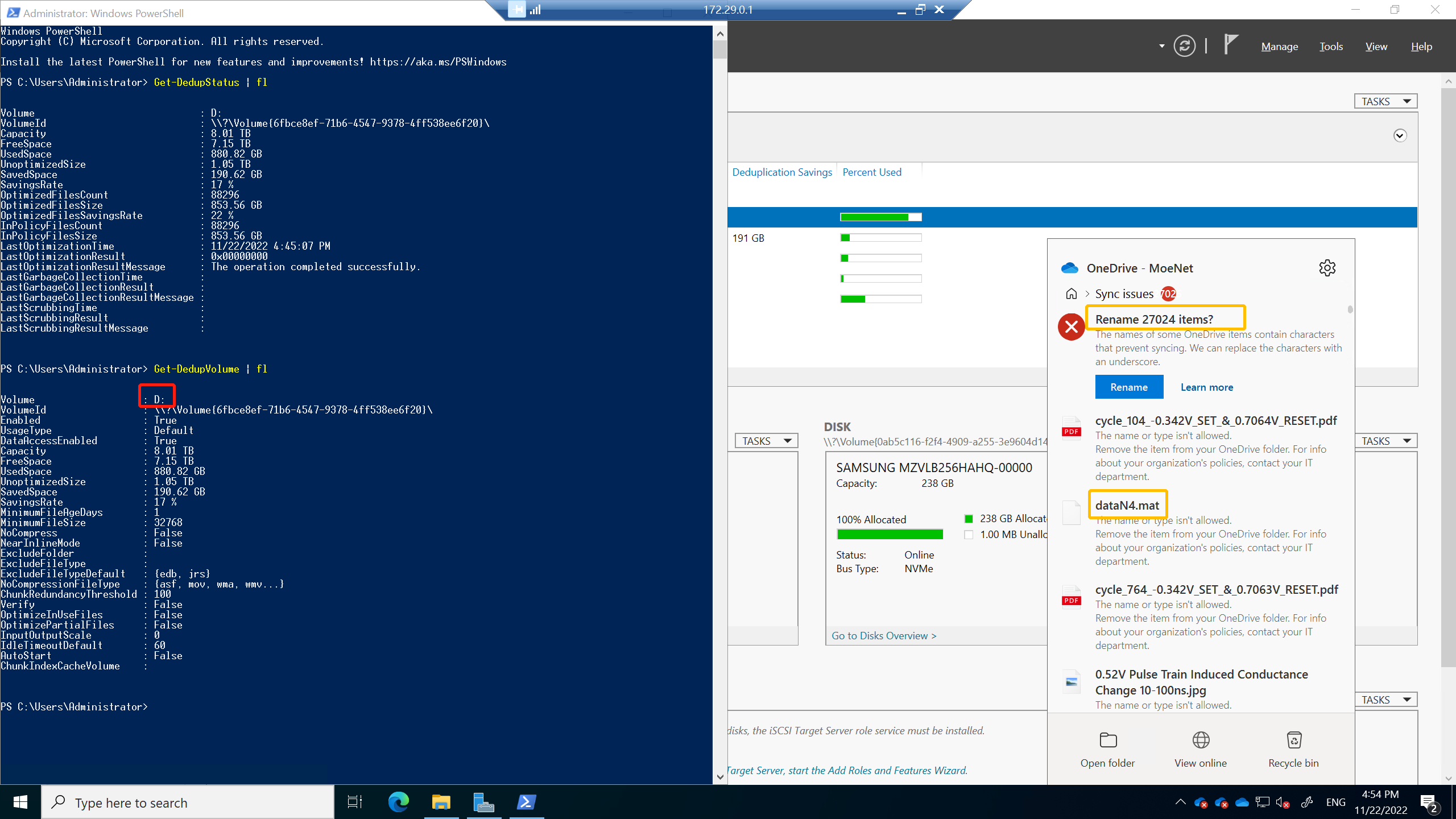
As you can see from the screenshot, I only have deduplication enabled with volume D:, and only the OneDrive clients working on this volume have problems.
If you look closer to the right, you will see that my file names do not have any characters not allowed by OneDrive.
And the re-name button will not work with this.
The rename process will swap any invalid characters with underscores, and since my files don't really have any invalid characters, the button will not change anything.
