Azure Logic Apps
An Azure service that automates the access and use of data across clouds without writing code.
This browser is no longer supported.
Upgrade to Microsoft Edge to take advantage of the latest features, security updates, and technical support.
' cx='32' cy='32' r='32' /%3E%3Ctext x='50%25' y='55%25' dominant-baseline='middle' text-anchor='middle' fill='%23FFF' %3EAR%3C/text%3E%3C/svg%3E)
Hi
I have an API service which is OAuth authenticated with the Signature method as (HMAC-SHA256). I am able to connect with Postman and send the request but unable to send the request from Logic app. getting login failure.
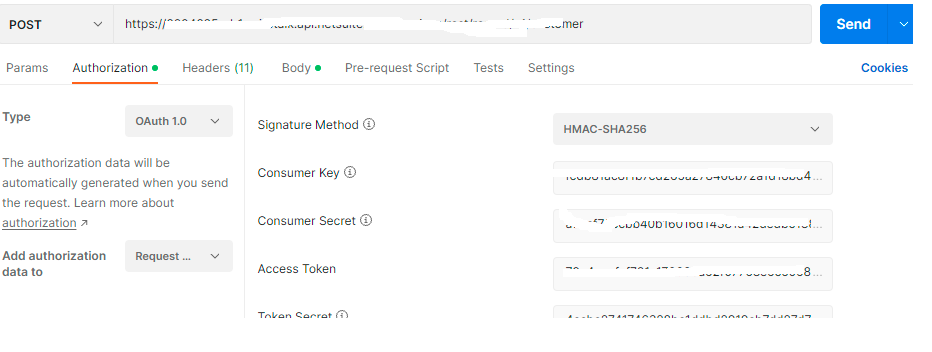
Error message:
"detail": "Invalid login attempt. For more details, see the Login Audit Trail in the API UI at Setup > Users/Roles > User Management > View Login Audit Trail.",
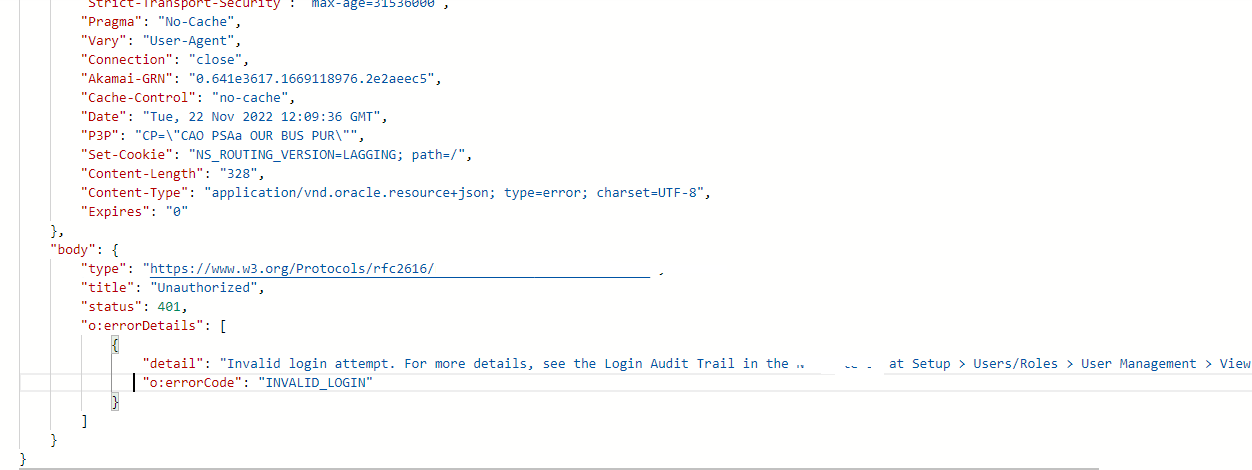
I have tried adding the Authorization in the header but still not working. Please advice what is wrong.


@AboorvaRaja Ramar Thanks for reaching out. Postman has the inbuild java scripts that does the magic and creates the right header for you while sending the request.
There is no out of box solution to set the OAuth Signature Method (HMAC-SHA256) so you need to generate the right header that your endpoint accepts and pass the same leverage the HTTP action in logic app.
I am not sure how and what other headers your API validates at their end. Sharing one of previous discussion where the endpoint accepts api-auth-id and api-auth-signature at their endpoint end as per the documented at the endpoint end.
I believe the string construction would be same for SHA256 just changing the oauth_signature_method value as per the RFC standard which you need to pass as the Authorization header while calling your endpoint.
Alternative you can capture the request generated by Postman (how request is built and what actual HTTP header are passed) using fiddler and use the same to generate the right Authorization header or you need to reach out to your endpoint team to know what is the right header that is accepted by them.
For any calculation or to generate the stings you can first try to leverage the inbuild function expression. If it doesn't help, then you can try to leverage the inline code. But in case if there are some libraries that cannot be used in inline code then you need to offload your logic to function app.
Thanks for the details, Your answer is 50% inline to my queries.
I have used below blogs to fix my issue.
I have used below blogs to fix my issue.
@AboorvaRaja Ramar Thanks for sharing the resolution for the community members.