Azure SQL Database
An Azure relational database service.
This browser is no longer supported.
Upgrade to Microsoft Edge to take advantage of the latest features, security updates, and technical support.
' cx='32' cy='32' r='32' /%3E%3Ctext x='50%25' y='55%25' dominant-baseline='middle' text-anchor='middle' fill='%23FFF' %3EFG%3C/text%3E%3C/svg%3E)
Hi,
where can I set auto-pause delay in SQL Database?
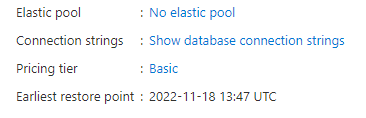
An Azure relational database service.
' cx='32' cy='32' r='32' /%3E%3Ctext x='50%25' y='55%25' dominant-baseline='middle' text-anchor='middle' fill='%23FFF' %3ESM%3C/text%3E%3C/svg%3E)
Hi @Filip Gołąb ,
Following up to see if the below suggestion was helpful. If this answers your query, do click Accept Answer and Up-Vote for the same. And, if you have any further query do let us know.
Hi @Filip Gołąb ,
Welcome to Microsoft Q&A platform and thanks for using Azure services.
As I understand the question, you want to set auto-pause delay in SQL Database.
This could be done while creation of new database in the Service and Compute tier selection page, or in existing database from the Overview page on clicking Auto-delay option.
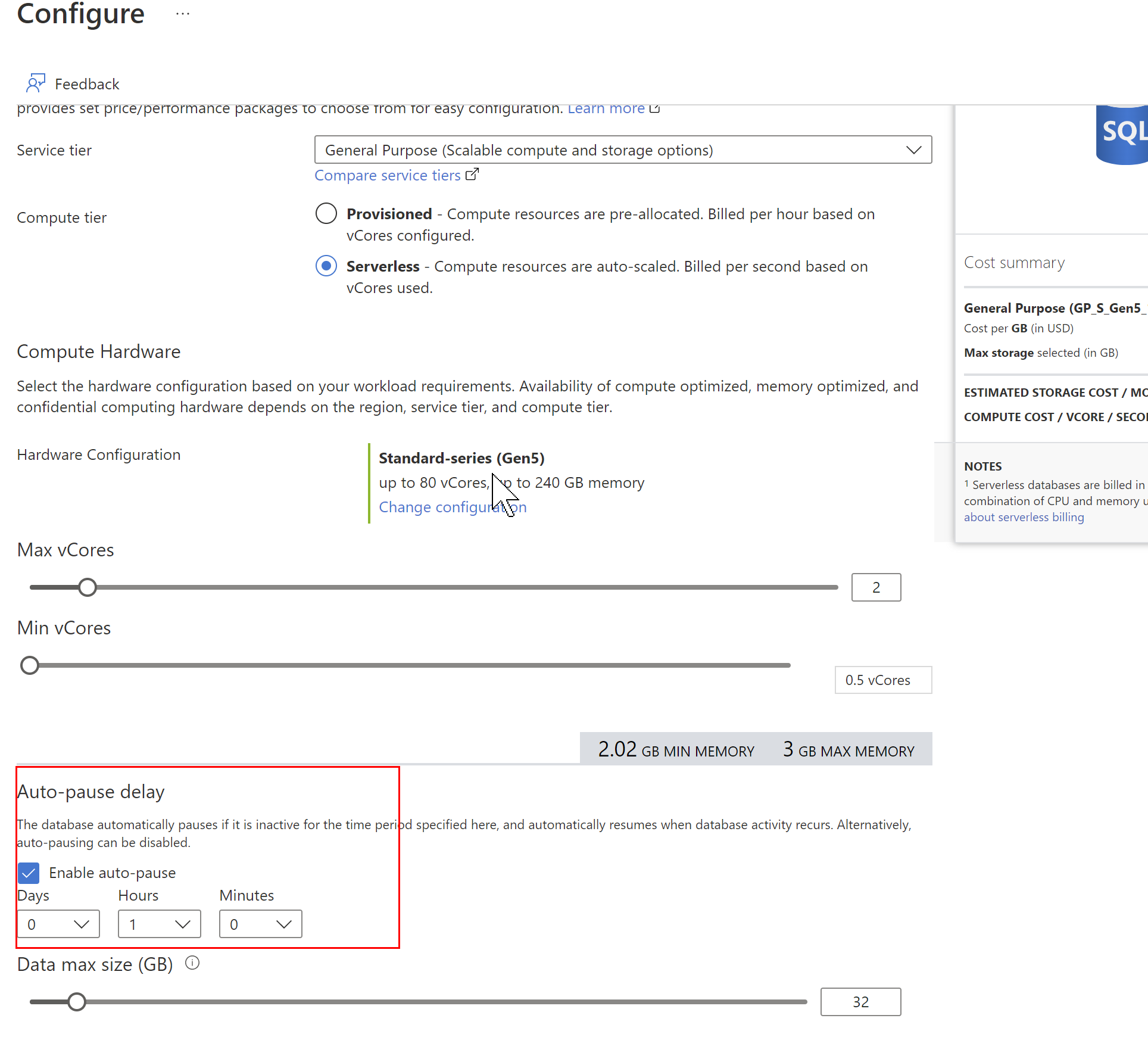
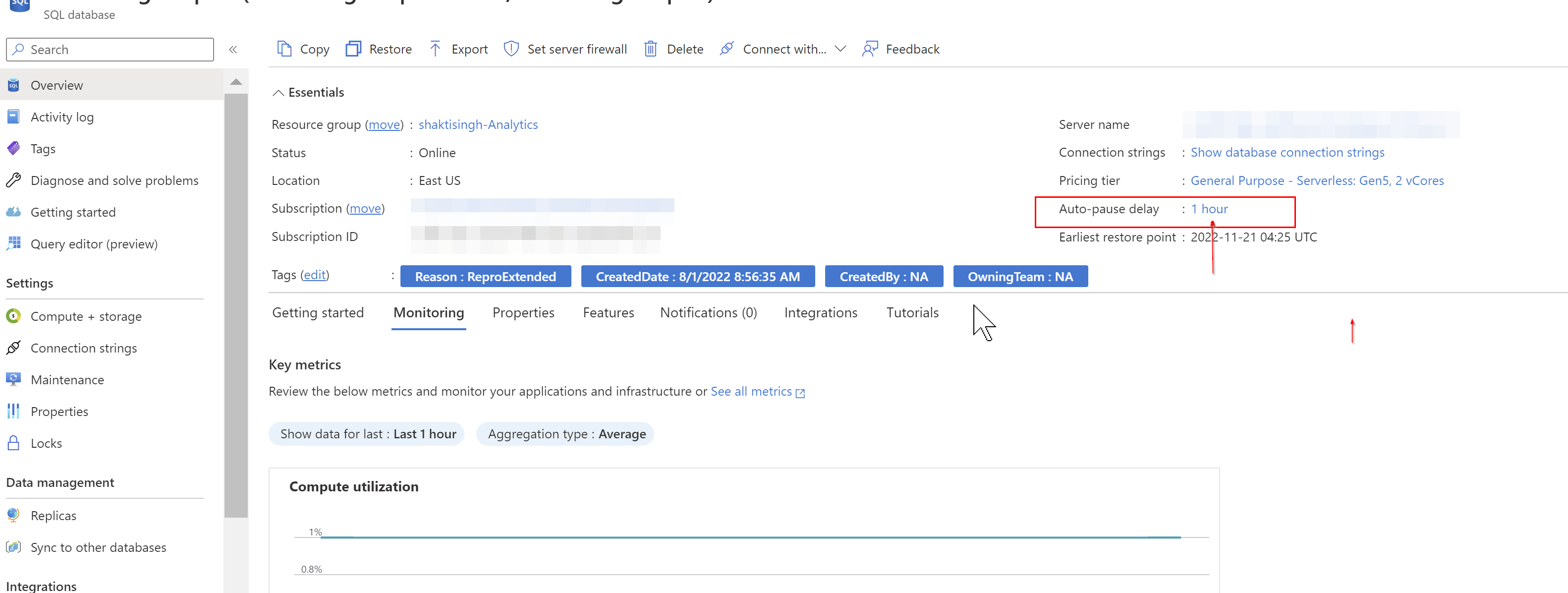
Video illustrating the same is here: Auto Pause Delay in Azure SQL Database | How to Pause Sql Database in Serverless Compute Tier
Alternatively, we can do so using Azure CLI and TSQL as mentioned in the documentation: serverless-tier-overview
Hope this will help. Please let us know if any further queries.
------------------------------
 or upvote
  button whenever the information provided helps you.